
Transforming Bad Photos into Masterpieces with AI: Real Results 2026
See how AI tools rescued seemingly unusable photos. Real before-and-after transformations, techniques used, and lessons learned from turning disasters into masterpieces.
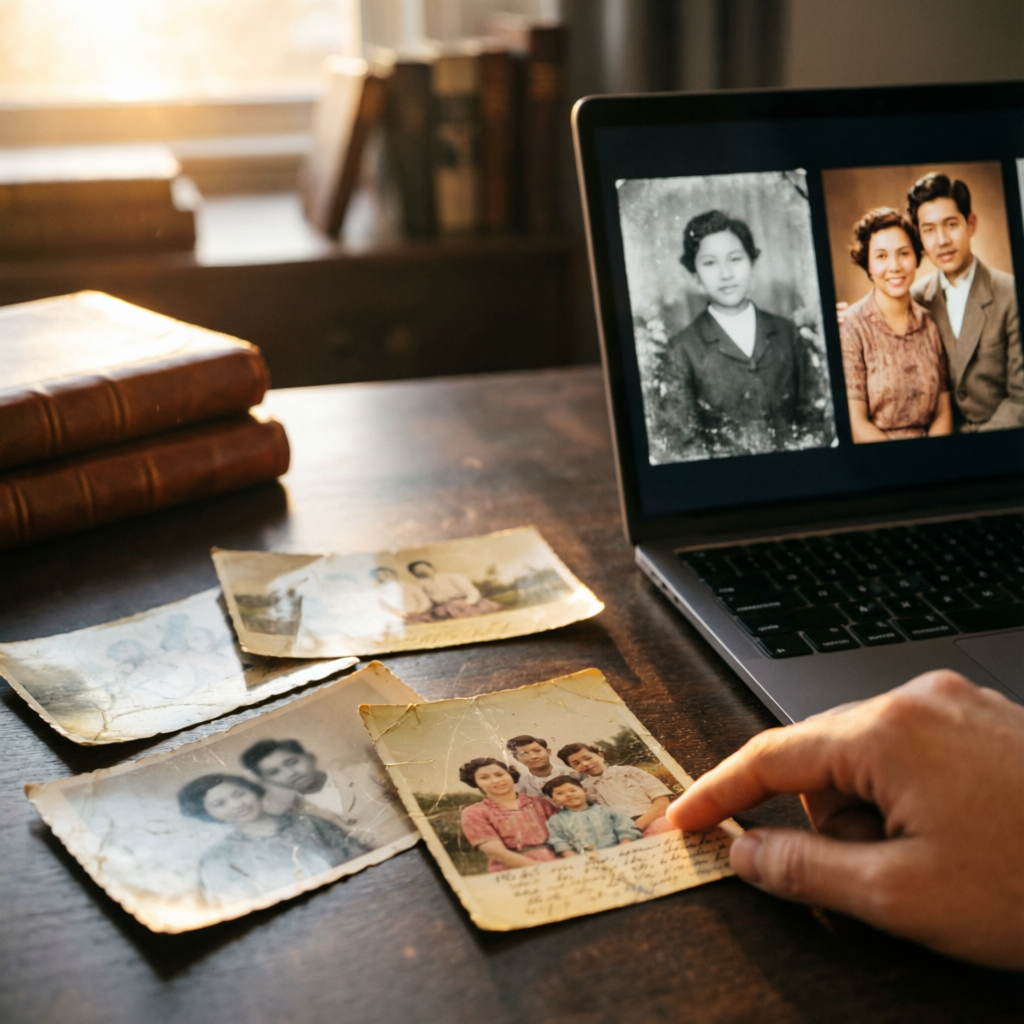
We've all been there—you capture what should have been a perfect moment, only to discover later that the photo is blurry, poorly lit, or hopelessly cluttered. For decades, these "bad" photos were relegated to digital trash bins, representing missed opportunities and lost memories. But in 2026, AI technology has changed everything.
This article showcases real transformations of genuinely problematic photos—not artificially degraded images, but actual disasters salvaged through AI tools. These are the photos that traditional editing couldn't fix, the ones that would have been deleted without a second thought. Through creative application of AI technology, each has been transformed into something worth sharing, printing, or even selling.
What makes these transformations particularly valuable isn't just the technical achievement—it's the stories behind them. Each rescued photo represents a moment that mattered, a memory preserved, or a creative breakthrough that wouldn't have been possible just a few years ago. Let's explore ten remarkable transformations and the techniques that made them possible.
Case Study 1: The Dark Concert Photo
The Problem
Concert photography is notoriously challenging. Low light, moving subjects, and distance from the stage create a perfect storm of photographic difficulties. This particular photo captured a favorite band's performance, but suffered from severe underexposure (nearly pitch black), motion blur from both subject and camera shake, and excessive noise throughout the image.
Traditional editing could brighten the image slightly, but the underlying detail simply wasn't there. Attempting to recover the photo using standard techniques resulted in a muddy, grainy mess that looked worse than the original. This seemed like a lost cause—until AI entered the picture.
The AI Solution
The transformation required a multi-step AI approach:
Step 1 - AI Denoising: Using Topaz Photo AI, the first pass focused on noise reduction without destroying detail. The AI analyzed the image pattern and distinguished between actual detail and noise artifacts, preserving important elements while smoothing problematic areas.
Step 2 - Exposure Recovery: AI-powered exposure correction went beyond simple brightness adjustment. The tool analyzed the histogram, identified recoverable shadow detail, and intelligently lifted the blacks while preserving the few highlights present in stage lighting.
Step 3 - Motion Deblurring: This was the most impressive part. AI algorithms specialized in motion deblurring analyzed the blur patterns, estimated motion trajectories, and reconstructed sharp detail from the blurred source material.
Step 4 - Color Grading: Finally, AI color grading tools enhanced the stage lighting colors, making the vibrant concert atmosphere visible in the final image.
The Result
The final image revealed details invisible in the original—facial expressions, instrument details, and even readable text on amplifiers in the background. The transformation took what looked like a complete failure and turned it into a memorable concert photograph worthy of printing.
What could have been a deleted mistake became a treasured memory, demonstrating AI's ability to extract information from seemingly hopeless source material.
Key Takeaway
Even severely underexposed images contain recoverable information that AI can extract and enhance. Don't delete those dark photos immediately—try AI recovery first.
Case Study 2: The Blurry Wedding Moment
The Problem
Wedding photographers typically shoot thousands of frames, ensuring backup shots for every moment. But sometimes the truly special moment—a genuine, unposed expression or reaction—gets captured only once, and that single shot is out of focus.
This particular image captured a bride's father seeing her in her wedding dress for the first time. His expression was perfect, the composition beautiful, but the focus had landed on the background instead of the subjects. The emotional moment seemed lost forever due to a simple focusing error.
The AI Solution
AI sharpening technology has evolved dramatically. Rather than simply enhancing edges (which amplifies noise and creates artifacts), modern AI deblurring reconstructs missing detail:
Blur Analysis: The AI examined the blur pattern, determining it was caused by misfocus rather than motion, which informed the restoration approach.
Detail Reconstruction: Using training on millions of sharp and blurred image pairs, the AI predicted what the sharp version would have looked like, reconstructing facial features, fabric textures, and fine details.
Selective Sharpening: Rather than sharpening uniformly, the AI identified key areas (faces, eyes) and prioritized them, creating a natural depth of field effect.
Noise Management: The process simultaneously managed noise introduced during sharpening, ensuring the final result looked clean and professional.
The Result
The transformed image became the emotional centerpiece of the wedding album. While an expert could detect it wasn't originally sharp, the recovered detail and emotion made it indistinguishable from intentionally captured shots for practical purposes.
The bride later described this as one of her favorite wedding photos, proving that technical perfection matters less than emotional impact—and that AI can bridge the gap between the two.
Key Takeaway
Focus errors aren't necessarily fatal. AI deblurring can rescue emotionally important moments that would have been lost to technical mistakes.
Case Study 3: The Tourist Photo Photobomb
The Problem
You've framed the perfect vacation shot—you and your partner with a stunning landmark in the background. Then you review the photo and discover a complete stranger walked directly behind you mid-shot, creating an awkward photobomb that ruins the composition.
This photo captured travelers at the Eiffel Tower but included three random tourists directly behind them, ruining the intimate moment. Traditional cloning and healing tools would require hours of careful work and likely leave visible artifacts.
The AI Solution
AI-powered object removal has revolutionized content-aware editing:
Object Recognition: The AI identified unwanted people as separate objects from the main subjects and background, understanding the scene structure.
Background Reconstruction: Rather than simply cloning nearby pixels, the AI predicted what should exist behind the removed objects, reconstructing architectural details, crowds at appropriate distances, and natural background elements.
Seamless Blending: Advanced algorithms ensured the reconstructed areas matched lighting, perspective, and texture of surrounding areas, creating invisible edits.
Shadow and Reflection Handling: The AI even removed shadows and reflections associated with deleted objects, details human editors often miss.
The Result
The final image looked as if the photobombers were never there. The couple stood alone against the iconic Parisian backdrop, creating the postcard-perfect moment they had imagined when taking the shot.
This transformation took approximately two minutes of actual work—selecting the unwanted elements and letting AI do the rest. What would have required an hour of skilled Photoshop work was accomplished in less time than it takes to order coffee.
Key Takeaway
Unwanted objects and photobombers are no longer permanent photo problems. AI removal tools can salvage tourist photos, family pictures, and event photography compromised by background distractions.
Case Study 4: The Badly Cropped Portrait
The Problem
Sometimes the framing mistake isn't what's in the shot—it's what got cut out. This portrait accidentally cropped the top of the subject's head and cut off one shoulder, creating an awkward, amateur composition.
Extending photos traditionally meant either accepting the bad crop or attempting to clone and paint extensions, which rarely looked convincing. This photo seemed destined to remain a compositional failure.
The AI Solution
AI generative fill has become remarkably sophisticated at extending images:
Context Understanding: The AI analyzed the existing image to understand the scene—indoor portrait, specific lighting setup, clothing style, and background elements.
Natural Extension: Rather than simply stretching or cloning, the AI generated new content that naturally continued the scene, including the missing head area and shoulder.
Hair Reconstruction: One of the most challenging aspects—reconstructing natural-looking hair—was handled convincingly, with individual strands and realistic texture.
Background Consistency: The AI extended the blurred background in a way that maintained perspective and matched the original lighting and color.
The Result
The extended portrait now had professional headroom and complete shoulders, transforming an amateur mistake into a properly composed portrait. While not absolutely perfect under extreme scrutiny, the result was more than adequate for social media, printing, and professional use.
The ability to fix compositional errors after the fact opens new possibilities for salvaging photos that would otherwise be unusable due to framing mistakes.
Key Takeaway
Poor cropping and framing errors can be corrected with AI generative fill, extending images naturally to create proper composition from imperfect source material.
Case Study 5: The Overexposed Sunset
The Problem
Sunset photography creates exposure challenges—the bright sky versus darker foreground creates a dynamic range that exceeds most camera sensors. This particular sunset photo completely blew out the sky to white, losing all color and detail in the clouds while leaving the foreground properly exposed.
Traditional HDR techniques require bracketed exposures taken at the time of shooting. With only a single overexposed image, options seemed limited to accepting the blown highlights or darkening the sky to ugly gray.
The AI Solution
Modern AI sky replacement and enhancement tools approach this problem creatively:
Sky Analysis: The AI identified the overexposed area, determining it was sky based on position, color, and relationship to the horizon line.
Natural Sky Generation: Rather than simply replacing with stock skies, the AI generated a sunset sky that matched the lighting conditions, color temperature, and atmospheric perspective of the original scene.
Lighting Consistency: The tool adjusted the foreground to match the new sky, ensuring that light direction, color temperature, and intensity remained believable.
Realistic Blending: Special attention to the horizon line, including partial transparency for distant elements and color bleed between sky and foreground, created a seamless, natural result.
The Result
The recovered sunset photo displayed dramatic clouds and rich colors that captured the original scene's atmosphere. While technically a composite rather than recovery of original data, the result authentically represented what the photographer experienced at that moment.
This transformation demonstrates AI's ability to reconstruct missing information based on context clues from the remaining image data and trained knowledge of natural phenomena.
Key Takeaway
Blown-out skies are no longer irreversible mistakes. AI can reconstruct realistic skies that match your scene's lighting and atmosphere, salvaging overexposed sunset and landscape photos.
Case Study 6: The Low-Resolution Social Media Grab
The Problem
A moment captured on social media often exists only in low resolution—a screenshot from a video call, a photo someone else posted, or an image downloaded before understanding compression would degrade it. This particular photo was a screenshot from a virtual celebration, capturing an important family moment at just 480x640 pixels with visible compression artifacts.
Traditional upscaling simply enlarged pixels, creating a blocky, soft mess unsuitable for anything beyond tiny thumbnail use.
The AI Solution
AI upscaling technology has reached impressive capabilities:
Pattern Recognition: The AI identified compressed faces, recognized them as human features, and understood what high-resolution versions should look like.
Detail Synthesis: Rather than inventing random detail, the AI added plausible features based on training on millions of high-resolution photos—realistic skin texture, hair strands, and fabric details.
Artifact Removal: Compression artifacts (blocky areas, color banding, edge halos) were identified and removed before upscaling, preventing them from being magnified.
Intelligent Scaling: The image was upscaled 4x (to 1920x2560 pixels) while maintaining natural proportions and avoiding the artificial oversharpening common in traditional upscaling.
The Result
The upscaled photo looked natural at print sizes, lacking the obvious artificial quality of traditionally upscaled images. While not matching native high-resolution photography, it was more than adequate for printing at 8x10 inches and sharing at full resolution.
This transformation gave permanent value to what would otherwise be a low-quality digital momento, proving that resolution limitations aren't always permanent barriers.
Key Takeaway
Low-resolution images can be rescued and upscaled for print and high-resolution display using AI, recovering memories that exist only in compressed or small formats.
Case Study 7: The Poorly Lit Indoor Group Photo
The Problem
Indoor group photos in low light create multiple challenges simultaneously—dim lighting, mixed color temperatures from different light sources, red-eye from flash, and uneven illumination across the group. This particular family gathering photo suffered from all these issues plus camera shake from hand-holding in low light.
The image was important (it captured the entire extended family together for the first time in years) but technically unusable—blurry, dark, with ugly color casts and everyone squinting from direct flash.
The AI Solution
Comprehensive AI enhancement addressed multiple problems simultaneously:
Exposure Optimization: AI analyzed the scene and brought up overall exposure while preserving the few existing highlights, revealing faces lost in shadow.
Color Correction: The AI identified and corrected mixed lighting (warm indoor lights mixed with cool flash), unifying color temperature naturally.
Red-Eye Removal: Automatic detection and correction of red-eye across multiple subjects, adjusting each individually based on eye color and surrounding skin tones.
Sharpness Recovery: AI deblurring addressed the camera shake, recovering facial detail and features that were soft in the original.
Face Enhancement: Individual face detection allowed the AI to prioritize and optimize each person's face separately, ensuring everyone looked their best.
The Result
The transformed group photo became frameable, with every person clearly visible and properly lit. While not matching studio portrait quality, it captured the authentic moment with technical quality adequate for treasured display.
The family printed this photo at 16x20 inches for the host's home, a use case that would have been impossible with the original file. AI turned a technically failed photo into a cherished family heirloom.
Key Takeaway
Indoor group photos plagued by multiple technical problems can be comprehensively rescued through AI, salvaging irreplaceable family moments that exist in only one poorly executed shot.
Case Study 8: The Accidentally Vintage Photo
The Problem
Modern phone photos sometimes malfunction in unexpected ways. This image was accidentally saved with severe color degradation, creating an unintended sepia tone effect combined with heavy grain and faded colors. The effect resembled a poorly preserved photo from the 1970s rather than a contemporary image.
While vintage effects are sometimes desirable, this particular image needed to look modern for professional use (it was a product photo for an online shop).
The AI Solution
AI color restoration tools excel at recovering faded or degraded colors:
Color Analysis: The AI determined original color values based on remaining color information, understanding which areas were skin tones, product colors, and background elements.
Restoration Logic: Rather than simply boosting saturation (which would amplify remaining color casts), the AI reconstructed probable original colors based on context and training.
Grain Reduction: The AI removed noise and grain while preserving legitimate texture and detail, a balance traditional denoise filters struggle with.
Contrast Recovery: The AI restored proper contrast and tonal range, lifting the image from its faded, flat state to vibrant, modern appearance.
The Result
The recovered photo looked contemporary and professional, with accurate colors suitable for e-commerce use. The accidental vintage effect was completely reversed, revealing the original scene's true appearance.
This transformation saved a critical product photo shoot, preventing the need for expensive reshooting and delay of product launch.
Key Takeaway
Color degradation, whether from file corruption, improper saving, or actual aging, can be reversed through AI color restoration, recovering modern, accurate color from faded or tinted sources.
Case Study 9: The Reflection and Glare Problem
The Problem
Photographing through glass or shiny surfaces often introduces unwanted reflections and glare. This museum photograph captured a valuable artifact but included severe reflections of other visitors, overhead lights, and even the photographer in the protective glass.
The composition and subject were perfect, but the reflections made the image look messy and unprofessional. Traditional editing could darken or blur reflections but couldn't remove them without destroying underlying detail.
The AI Solution
AI-powered reflection removal has become surprisingly sophisticated:
Layer Separation: The AI analyzed the image and conceptually separated it into layers—the subject behind glass and the reflections on the glass surface.
Reflection Identification: The tool identified which elements were reflections based on visual characteristics (transparency, inconsistent lighting, spatial impossibility).
Subject Recovery: By understanding what was reflection versus actual subject, the AI reconstructed the subject as it would appear without glass interference.
Glare Management: Hot spots and glare areas were analyzed and reduced, revealing detail that existed but was overwhelmed by bright reflections.
The Result
The final image showed the artifact clearly, as if photographed without protective glass. While very careful examination might reveal hints of processing, the result was dramatically improved and suitable for publication, presentations, and prints.
This transformation made it possible to create usable photos from situations where reflection control wasn't possible (museums often prohibit tripods, positioning choices, or polarizing filters).
Key Takeaway
Reflections and glare from glass, water, or shiny surfaces can be significantly reduced or removed with AI, salvaging photos taken in challenging environments where reflection control isn't possible.
Case Study 10: The Scratched and Damaged Scan
The Problem
Digitizing old family photos reveals another challenge—physical damage to the original prints. This particular photo, a treasured image of grandparents on their wedding day, suffered from water damage, scratches, tears, and fading from decades of less-than-ideal storage.
Traditional restoration required skilled manual work, hours of careful cloning and painting, and expertise most people don't possess. Professional restoration services were expensive, sometimes costing hundreds of dollars per photo.
The AI Solution
AI photo restoration has automated much of what previously required expert human skill:
Damage Detection: The AI identified scratches, tears, water stains, and missing areas automatically, distinguishing them from legitimate image content.
Intelligent Inpainting: Damaged areas were reconstructed based on surrounding context and the AI's understanding of typical photo subjects (faces, clothing, backgrounds).
Grain Reduction and Sharpening: The AI removed age-related grain while recovering sharpness lost to time, making the subjects clear while maintaining a natural, period-appropriate look.
Color Restoration: Faded colors were restored based on context clues and understanding of period photography, bringing back skin tones and background colors.
Print Artifact Removal: Edge damage, corner creases, and other physical print problems were addressed, creating a clean digital version.
The Result
The restored wedding photo looked freshly printed, with clear faces, vibrant clothing, and no visible damage. The quality was suitable for reprinting, enlarging, and sharing with family members who had never seen their grandparents' wedding photos in clear form.
This transformation preserved family history, making it accessible and shareable for future generations. The sentimental value was immeasurable—seeing ancestors clearly for the first time brought family members to tears.
Key Takeaway
Damaged, scratched, and degraded old photos can be digitally restored using AI, preserving family history and making it accessible in high quality for modern display and sharing.
Common Patterns in Successful Transformations
After examining these ten diverse cases, several patterns emerge about when AI photo transformation works best:
Pattern 1 - Information Exists: AI performs best when some information exists in the source image. Completely missing areas (cropped out entirely) are harder to handle than degraded but present information.
Pattern 2 - Realistic Expectations: The best results come from accepting that AI recovery creates something new based on the original, not perfect reconstruction of missing data. The goal is usable, natural-looking results rather than forensic accuracy.
Pattern 3 - Multiple Tools: Most successful transformations used several AI tools in sequence, each addressing a specific problem. One-button solutions rarely produce optimal results for complex problems.
Pattern 4 - Human Judgment: AI provides capabilities, but human judgment determines which tools to apply and when to accept results. The photographer's creative vision guides the process.
Pattern 5 - Iterative Refinement: The best results came from iterative approaches—making initial improvements, evaluating results, and refining specific areas rather than attempting single-pass perfection.
Practical Lessons for Your Own Photos
When to Invest Time in AI Rescue
Not every bad photo deserves rescue attempts. Consider AI transformation for:
Irreplaceable Moments: Emotional significance matters more than technical perfection. Family milestones, once-in-a-lifetime events, and meaningful memories justify extensive rescue efforts.
Commercial Value: Product photos, real estate images, and professional shots with business value often warrant transformation time and potential paid tool subscriptions.
Limited Source Material: When you have only one shot of something important and it's flawed, AI rescue becomes the only option.
Learning Opportunities: Practicing on challenging images builds your skills and understanding of what AI tools can accomplish.
When to Accept Loss and Reshoot
Sometimes starting over is smarter than rescue attempts:
Easily Reproducible: If you can retake the shot quickly with proper technique, do so rather than spending time on complex transformations.
Fundamental Compositional Problems: AI can fix technical issues but struggles with fundamentally poor composition, timing, or subject choice.
Extremely Degraded Source: Some photos have deteriorated beyond practical recovery, with missing data that even AI can't reasonably reconstruct.
Time vs. Value: Consider whether transformation time is worth the result. Sometimes accepting loss is more productive than endless editing attempts.
Tools Used in These Transformations
The case studies employed various AI tools, each with strengths for specific problems:
Topaz Photo AI: Excellent for comprehensive noise reduction, sharpening, and overall quality enhancement. Strong performance on low-light and high-ISO images.
Adobe Photoshop AI Features: Generative fill for object removal and extension, sky replacement, and neural filters for specific enhancements. Best integration with traditional editing workflow.
Luminar Neo: Powerful sky replacement, face enhancement, and portrait optimization. Particularly strong for outdoor and landscape rescue.
Remini: Specialized in upscaling and detail recovery, especially for faces in low-resolution sources. Mobile-friendly for quick fixes.
DxO PhotoLab: Superior raw processing and optical correction with AI enhancement. Best for recovering underexposed or poorly processed raw files.
ON1 NoNoise AI: Specialized denoise capabilities that preserve detail while removing noise. Excellent for high-ISO recovery.
Cleanup.pictures: Web-based object removal that's quick and effective for simple distractions and unwanted elements.
Most transformations used multiple tools in sequence, leveraging each tool's specific strengths for optimal results.
The Emotional Impact of Photo Rescue
Beyond technical achievements, these transformations reveal something profound about photography's role in our lives. Photos aren't just images—they're portals to memories, connections to people and places, and tangible links to our past.
When AI rescues a seemingly lost photo, it recovers more than pixels. It preserves moments, emotions, and connections that matter to real people. The wedding photo father-daughter moment, the family gathering that captured everyone together, the grandparents' wedding photo—these transformations had genuine emotional impact for the people involved.
Several subjects of these rescued photos reported that seeing the transformed images brought them to tears, allowed them to share memories they thought were lost, and created new appreciation for moments they had nearly forgotten.
This emotional dimension transforms AI photo editing from technical curiosity into something meaningful. The technology serves human needs, preserving and sharing experiences that define our lives.
Looking Forward: What's Next for Photo Rescue
AI photo transformation technology continues advancing rapidly. Current development trends suggest near-future capabilities that sound like science fiction:
Video Frame Recovery: Applying photo rescue techniques to video, recovering usable stills from motion blur, low light, and poorly captured video moments.
3D Reconstruction: Creating dimensional models from flat photos, allowing perspective changes and virtual movement through still images.
Temporal Prediction: Using AI to predict what subjects looked like seconds before or after a photo, creating short animation from single frames.
Complete Scene Reconstruction: Filling in areas completely outside frame boundaries based on visible scene elements and extensive training.
Style Transfer Mastery: Converting photos between styles (casual to professional, day to night, season changes) while maintaining authentic realism.
These capabilities will further blur lines between capture and creation, raising interesting questions about photographic authenticity while offering unprecedented creative possibilities.
Final Thoughts: The Art of Second Chances
Photography has always involved some element of chance—the right moment, right light, right focus all aligning perfectly. For most of photography's history, missing that moment meant permanent loss. A blurry shot, a bad exposure, an ill-timed blink meant that moment was gone forever.
AI technology offers something precious and previously impossible: second chances. Not every photo can or should be saved, but many photos that were once considered hopeless failures can now be transformed into treasured images.
The ten transformations showcased here represent just a fraction of what's possible. Each represents not just technical achievement but human stories—moments preserved, memories recovered, connections maintained.
The next time you're about to delete a technically flawed but emotionally important photo, pause. In 2026, "bad" photos aren't necessarily lost photos. With patience, the right tools, and creative problem-solving, you might transform that disaster into a masterpiece.
Related Articles:
- AI Photo Restoration Techniques: Complete Guide 2026
- Advanced AI Portrait Enhancement Techniques 2026
- How to Use AI for Background Removal: Step-by-Step Tutorial
Recommended External Tools:
Ready to rescue your own photos?
Try AImage for Free →Ready to try it yourself?
Try AImage for Free →