
Advanced AI Portrait Enhancement Techniques: Complete Technical Guide 2026
Master professional portrait enhancement with AI tools. Learn advanced techniques for skin retouching, facial feature refinement, lighting correction, and more.
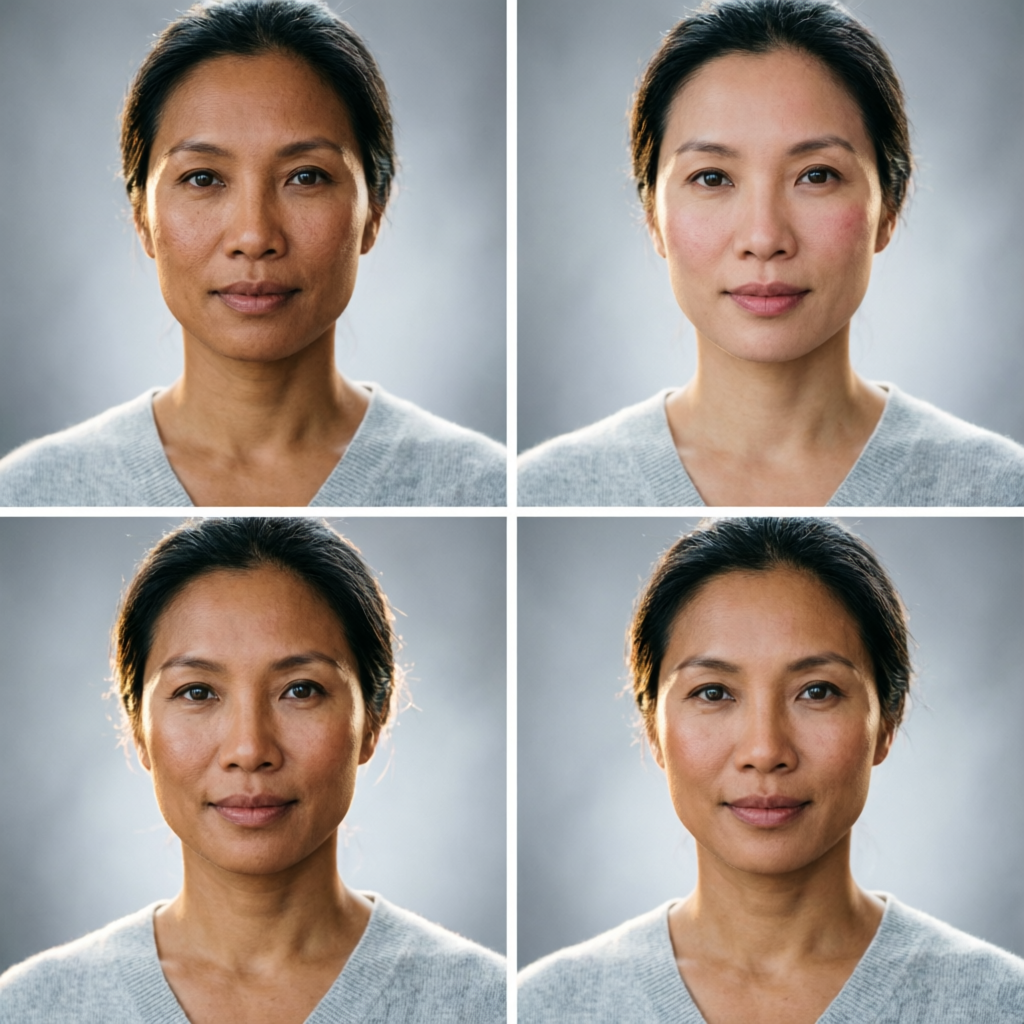
Portrait photography has always demanded the perfect balance between technical precision and artistic vision. Even with ideal camera settings and lighting, raw portraits require careful enhancement to achieve professional results. Traditional retouching could take 30-60 minutes per portrait, requiring expert knowledge of Photoshop layers, masks, frequency separation, and dodge-and-burn techniques.
AI portrait enhancement has revolutionized this workflow in 2026, making professional-grade results accessible to photographers at all skill levels. But here's the crucial insight: AI tools aren't just faster versions of manual editing—they use fundamentally different approaches that can achieve results impossible with traditional techniques.
This comprehensive technical guide explores advanced AI portrait enhancement techniques used by professional photographers and retouchers. You'll learn the principles behind AI-powered skin retouching, facial feature refinement, lighting correction, and creative enhancements. More importantly, you'll discover when to trust AI automation and when manual intervention produces superior results.
Understanding AI Portrait Enhancement Technology
How Neural Networks Analyze Faces
Modern AI portrait tools use deep convolutional neural networks (CNNs) trained on millions of professionally edited portraits. These networks learn to recognize:
Facial Structure Recognition:
- 68-point facial landmark detection for precise feature mapping
- 3D face mesh reconstruction for understanding depth and contours
- Skin texture analysis distinguishing pores, wrinkles, blemishes, and natural texture
- Hair segmentation separating individual strands from background
Lighting Pattern Analysis:
- Shadow and highlight mapping across facial contours
- Skin tone consistency assessment across different face regions
- Reflections and specular highlights identification
- Ambient vs directional lighting separation
Beauty Standards Learning:
- Statistical averages from professional portrait databases
- Cultural and contemporary beauty preferences
- Age-appropriate enhancement parameters
- Gender-specific retouching approaches
The key advantage: AI can simultaneously analyze dozens of facial attributes that would require hours of manual assessment, then apply coordinated enhancements that maintain natural relationships between features.
The Five Pillars of AI Portrait Enhancement
Professional AI portrait enhancement operates across five interconnected dimensions:
1. Skin Refinement: Texture smoothing while preserving natural pore structure 2. Feature Enhancement: Subtle refinements to eyes, lips, nose, and facial contours 3. Lighting Optimization: Correcting exposure imbalances and enhancing dimensionality 4. Color Grading: Skin tone harmonization and creative color adjustments 5. Detail Recovery: Sharpening important features while controlling noise
Each pillar requires different AI techniques and careful parameter tuning to avoid the "plastic" look of over-processed portraits.
Advanced Skin Retouching Techniques
Texture-Preserving Smoothing
The most common portrait enhancement mistake is over-smoothing skin, creating an artificial plastic appearance. Advanced AI tools solve this through texture-aware processing:
Frequency Separation Principles:
AI algorithms separate images into high-frequency (texture/detail) and low-frequency (color/tone) components:
- High-frequency layer: Contains pores, fine lines, hair, eyelashes
- Low-frequency layer: Contains skin tone, shadows, highlights, color patches
Traditional frequency separation requires manual layer creation in Photoshop. AI performs this automatically with superior precision.
Implementation Strategy:
Modern tools like Luminar Neo, PortraitPro, and specialized Photoshop plugins apply selective smoothing:
- Blemish removal: Target temporary imperfections (acne, redness, minor scratches)
- Texture preservation: Maintain natural pore structure and skin micro-texture
- Wrinkle softening: Reduce prominence by 40-60% without complete removal
- Tone unification: Balance skin color patches from uneven lighting or redness
Optimal Parameters (generalized across tools):
- Smoothing strength: 30-50% for natural results (never above 70%)
- Detail preservation: 60-80% to maintain skin texture
- Wrinkle reduction: 40-50% for age-appropriate softening
- Blemish removal: 90-100% for temporary imperfections only
Pro Technique: Apply AI smoothing globally first, then use localized adjustments to restore texture in key areas (cheekbones, forehead) where natural texture adds character.
Advanced Skin Tone Correction
Achieving consistent, flattering skin tones requires understanding both technical color theory and perceptual color science:
Color Space Optimization:
Professional retouching works in LAB color space, separating luminosity from color information:
- L channel: Controls skin brightness without affecting color
- A channel: Adjusts green-red balance (crucial for removing color casts)
- B channel: Adjusts blue-yellow balance (important for skin warmth)
AI tools automatically optimize across these channels while you adjust simple sliders.
Skin Tone Unification Algorithm:
Advanced AI portrait tools analyze skin across the entire face and body, identifying:
- Color casts: Blue from indoor lighting, green from fluorescent lights, yellow from tungsten
- Exposure variations: Darker/lighter regions from uneven lighting
- Natural undertones: Maintaining individual warm/cool skin characteristics
- Vein visibility reduction: Softening bluish undertones without color shifting
Implementation Workflow:
1. Auto white balance adjustment (AI detects neutral gray reference)
2. Skin tone sampling (AI identifies main skin regions)
3. Color cast removal (targeted to skin, preserving environment colors)
4. Tone unification (balancing light and shadow skin tones)
5. Warmth adjustment (+5 to +15 on warmth slider for flattering results)
Common Corrections:
- Pale skin appearing gray: Add warmth (+8 to +12) and slight magenta shift
- Olive skin appearing muddy: Reduce yellow (-3 to -5), add slight red
- Dark skin appearing flat: Enhance micro-contrast in skin tones, add luminosity separation
- Uneven patches: Use AI tone balancing to normalize skin color across face
Pore and Texture Enhancement
Counter-intuitively, some portraits benefit from enhanced rather than reduced texture:
Selective Texture Enhancement:
Professional portraits often sharpen skin micro-texture in specific regions:
- Cheekbones and forehead: Slight texture enhancement (5-10%) adds dimension
- Under-eye area: Texture reduction to minimize shadows and fine lines
- Nose: Moderate texture preservation maintains natural appearance
- Chin and jawline: Enhanced texture adds definition
AI tools like Topaz Photo AI and DxO PureRAW use machine learning to enhance texture intelligently without amplifying noise or artifacts.
Technical Approach:
- Noise reduction first: AI denoising algorithms remove sensor noise
- Texture enhancement: Sharpen actual skin micro-texture (5-15% boost)
- Edge refinement: Subtle edge enhancement along facial contours
- Selective application: Blend enhanced and original layers based on face mapping
This creates the paradoxical result: smoother appearance overall but enhanced micro-texture where it adds character.
Facial Feature Enhancement
Eye Enhancement Techniques
Eyes are the most critical element in portrait photography. AI provides multiple enhancement dimensions:
Brightness and Clarity:
- Iris enhancement: Increase structure and sharpness (15-25% boost typical)
- Catchlight addition: AI adds natural-looking reflections to make eyes sparkle
- Whitening: Reduce yellowing in eye whites (10-20% adjustment, avoid pure white)
- Contrast boost: Increase iris contrast against whites (subtle, 5-10%)
Color Optimization:
Advanced AI tools can:
- Enhance natural eye color saturation (10-30% increase)
- Remove red veins from eye whites automatically
- Balance left and right eye color for consistency
- Add subtle color depth to irises using localized vibrance
Structure and Definition:
- Eyelash enhancement: Darken and define without artificial appearance
- Eyelid definition: Subtle shadow enhancement for depth
- Under-eye treatment: Reduce dark circles (40-60% lightening)
- Brow enhancement: Define eyebrows while maintaining natural texture
Technical Parameters:
Optimal settings across major AI portrait tools:
- Eye brightness: +10 to +20 (on 0-100 scale)
- Eye sharpness: +15 to +30
- Whitening: 15-25% (never approach 100%)
- Dark circle reduction: 40-60%
- Catchlight intensity: 20-40%
Pro Tip: Always enhance both eyes identically for symmetry, even if one appears slightly different in the raw shot.
Lip Enhancement
Subtle lip enhancement adds polish without obvious manipulation:
Natural Enhancement Approach:
- Color saturation: Increase by 10-20% for natural fullness appearance
- Definition: Sharpen lip edges by 5-10% for clearer boundary
- Brightness: Add 5-15% luminosity to highlight natural lip curvature
- Texture smoothing: Reduce fine lines (20-40%) while maintaining lip texture
Advanced Techniques:
AI portrait tools can:
- Add natural-looking lip gloss effect (highlight enhancement on lower lip)
- Remove lip lines/wrinkles without plastic appearance (40-50% reduction)
- Balance upper and lower lip color for consistency
- Enhance cupid's bow definition automatically
Avoiding Common Mistakes:
- Never increase lip size (unnatural distortion results)
- Limit color saturation to avoid makeup-like appearance
- Preserve lip texture—completely smooth lips look artificial
- Match lip enhancement intensity to overall portrait style (subtle for natural, more pronounced for fashion)
Nose and Facial Contour Refinement
This is where AI tools truly shine, performing subtle adjustments that would require expert manual retouching:
Nose Refinement:
AI face-mapping enables:
- Subtle nose narrowing (5-10% width reduction maximum)
- Shadow softening on nose sides
- Highlight enhancement on bridge for dimension
- Nostril shadow reduction without flattening features
Facial Contour Enhancement:
Advanced tools provide:
- Jawline definition: Subtle shadow enhancement (10-20%)
- Cheekbone emphasis: Highlight addition along cheekbones
- Face slimming: Width reduction (5-15% maximum to avoid distortion)
- Chin refinement: Subtle contouring adjustments
Technical Implementation:
These adjustments use AI-guided digital dodging and burning:
- Dodge (lighten): Highlights on cheekbones, nose bridge, forehead center
- Burn (darken): Shadows under cheekbones, jawline, nose sides
- Blending: AI automatically feathers adjustments for natural transitions
Critical Guidelines:
- Limit facial structure changes to under 15% to maintain recognizability
- Preserve asymmetries that define individual character
- Enhance rather than reconstruct features
- Apply changes subtly enough that viewers notice beauty, not manipulation
Lighting and Exposure Optimization
AI-Powered Lighting Correction
Even with careful lighting during shooting, portraits often need exposure balancing:
Dynamic Range Optimization:
Modern AI tools perform sophisticated exposure adjustments:
- Shadow recovery: Lift underexposed areas without introducing noise (2-3 stops possible)
- Highlight protection: Recover blown highlights in hair and skin (1-2 stops)
- Micro-contrast: Enhance local contrast for dimensionality without global harshness
- Tone curve AI: Automatically optimize tonal distribution across face
Face-Aware Exposure:
AI portrait tools prioritize facial exposure:
- Detect face regions using landmark mapping
- Analyze facial exposure distribution
- Apply differential exposure adjustments (face vs background)
- Maintain natural lighting direction and character
Technical Approach:
Typical correction workflow in tools like Luminar Neo or ON1 Portrait AI:
1. Global exposure adjustment: Get overall image in ballpark (-1 to +1 EV typical)
2. AI face detection: Tool identifies all faces automatically
3. Face-specific lighting: Separate adjustments for each face (if multiple subjects)
4. Shadow/highlight recovery: Targeted adjustments in problem areas
5. Background compensation: Adjust background separately to maintain separation
Portrait Lighting Enhancement
Beyond correction, AI can enhance existing lighting for more dramatic or flattering results:
Rembrandt Lighting Enhancement:
AI tools can enhance or create classic portrait lighting patterns:
- Emphasize the characteristic triangle of light on shadowed cheek
- Enhance nose shadow direction for stronger modeling
- Darken background gradually for vignette effect
- Boost edge lighting on hair and shoulders
Split Lighting Refinement:
For dramatic portraits with half-face lighting:
- Deepen shadows on dark side (10-20% darker)
- Brighten light side slightly for increased contrast
- Enhance the transition line between light and shadow
- Add subtle rim lighting on shadow side for separation
Beauty Lighting Optimization:
For soft, flattering beauty portraits:
- Even out lighting across face (reduce contrast 10-20%)
- Add subtle fill to shadow areas
- Enhance catchlights in eyes
- Create soft background gradient
Implementation Parameters:
For Rembrandt lighting enhancement:
- Shadow darkening: -15 to -25 on exposure slider
- Light side brightening: +5 to +10
- Background darkening: -20 to -40
- Contrast boost: +10 to +20
Color Grading for Portraits
AI-assisted color grading adds creative polish:
Popular Portrait Color Styles:
1. Warm and Golden:
- Overall warmth: +10 to +15
- Orange/yellow boost in midtones: +8
- Slight magenta in shadows: +3 to +5
- Use case: Outdoor, lifestyle, family portraits
2. Cool and Modern:
- Temperature: -5 to -10 (add blue)
- Teal shift in shadows: +5 to +8 on green-blue
- Desaturated skin tones: -5 to -10%
- Use case: Fashion, editorial, contemporary portraits
3. Film Emulation:
- Slight grain addition (10-20 units)
- Lifted blacks (black point at 5-10 instead of 0)
- Reduced contrast (-5 to -10)
- Subtle color shifts (varies by film stock emulated)
- Use case: Timeless, classic, nostalgic portraits
4. High-Key Bright:
- Overall exposure: +15 to +30
- Lifted shadows: +20 to +40
- Reduced contrast: -10 to -20
- Slight warmth: +5
- Use case: Beauty, newborn, airy lifestyle portraits
AI Color Grading Tools:
Leading tools with one-click portrait-specific color grades:
- Luminar Neo: 30+ portrait-optimized LUTs
- Capture One: Styles specifically designed for skin tones
- ON1 Effects: Portrait-specific filters with skin tone protection
- Photoshop Camera RAW: Adobe portrait presets
Custom Color Grading Workflow:
For unique look development:
- Start with a reference image (portrait you want to match)
- Use AI color matching tools to extract color profile
- Apply extracted profile to your portrait
- Fine-tune for your specific lighting conditions
- Save as custom preset for consistent style across series
Advanced Tools Comparison
Professional AI Portrait Enhancement Software
| Tool | Best For | Strength | Limitation | Price |
|---|---|---|---|---|
| Luminar Neo | Overall enhancement | Most comprehensive AI tools, excellent skin retouching | Occasional over-processing | $149/year |
| PortraitPro Studio | Face-specific retouching | Unmatched facial feature control | Limited to faces, no body/background | $299 one-time |
| Topaz Photo AI | Sharpening and detail | Best-in-class sharpening without artifacts | Less intuitive facial feature controls | $199 one-time |
| ON1 Portrait AI | Workflow integration | Tight Photoshop integration, mask-based approach | Smaller feature set | $99/year |
| Retouch4me Plugins | Professional retouching | Industry-leading skin retouching, plugin architecture | Requires Photoshop, higher cost | $36-108 per plugin |
| DxO PureRAW | RAW preprocessing | Exceptional noise reduction and lens correction | No portrait-specific features | $149 one-time |
Specialized AI Plugins
For Photoshop/Lightroom users, specialized plugins offer targeted capabilities:
Skin Retouching:
- Retouch4me Heal: Blemish and texture correction ($36)
- Retouch4me Skin Tone: Color correction and tone unification ($108)
- Imagenomic Portraiture: Classic frequency separation approach ($199)
Feature Enhancement:
- Retouch4me Eye Vessels: Removes red veins from eyes ($36)
- Retouch4me White Teeth: Whitening without color shifts ($36)
- ArcSoft Portrait+: Comprehensive feature adjustments ($79)
Creative Effects:
- Retouch4me Fabric: Enhances clothing texture ($72)
- Retouch4me Clean Backdrop: Background cleanup ($36)
- Perfectly Clear: One-click enhancement with 50+ presets ($99)
Free and Budget Options
Quality AI portrait enhancement doesn't require expensive software:
Free Options:
- Fotor: Web-based with excellent skin retouching
- Photopea: Browser Photoshop alternative with AI plugins
- GIMP with G'MIC: Open-source with AI portrait filters
- darktable: Professional RAW processor with portrait module
Budget Tools (under $50):
- PhotoDiva: Specialized portrait editor with AI ($35)
- InPixio: Photo editing suite including portrait tools ($49)
- PhotoWorks: Easy-to-use with strong portrait features ($45)
Advanced Workflow Integration
Batch Processing Portraits
For photographers shooting events, families, or headshots, batch AI processing saves enormous time:
Batch Workflow Strategy:
- Culling and selection: Choose final portraits (use PhotoMechanic or FastRawViewer)
- Grouping by similarity: Organize by lighting conditions and composition type
- Develop representative image: Fully edit one image from each group
- Apply settings to group: Use AI to intelligently adapt settings to variations
- Manual refinement: Individual touch-ups for 10-20% that need special attention
Tools Supporting Smart Batch Processing:
- Luminar Neo Catalog: AI adapts enhancements to each image's unique characteristics
- Capture One Styles: Apply and auto-adjust based on image analysis
- Lightroom with AI: Classic catalog with Adobe Sensei AI adjustments
- PhotoMechanic Plus: Combines culling speed with batch AI editing
Time Savings:
For a typical portrait session (50 final portraits):
- Manual editing: 25-50 hours (30-60 minutes per portrait)
- AI batch processing: 3-5 hours (setup + review + refinements)
- 80-90% time reduction while maintaining quality
Mobile AI Portrait Editing
Professional portrait enhancement isn't limited to desktop:
Leading Mobile Apps:
iOS/Android Cross-Platform:
- Facetune 2: Industry standard for portrait selfie editing ($39/year)
- Remini: Exceptional AI enhancement and sharpening (Free with IAP)
- Lightroom Mobile: Adobe's mobile version with AI ($9.99/month)
- Snapseed: Google's free editor with portrait tools (Free)
iOS Exclusive:
- Pixelmator Photo: Desktop-quality editing on iPad ($7.99 one-time)
- Darkroom: Professional workflow with AI ($49/year)
Android Exclusive:
- PicsArt: Comprehensive with AI portrait features (Free with IAP)
- PhotoDirector: CyberLink's mobile version with AI ($19.99/year)
Mobile Workflow Advantages:
- Edit on-location during shoots
- Client previews and approvals immediately
- Touch-based refinement can be more intuitive than mouse
- Instant social media sharing for marketing
Quality Control and Avoiding Over-Processing
The biggest risk with AI portrait enhancement is over-processing. Establish quality checkpoints:
The 50% Rule:
For every AI adjustment, first apply at 100% intensity, then:
- Reduce to 50% opacity/strength
- Evaluate if it looks natural
- If uncertain, reduce another 25%
- Compare to original using before/after toggle
Critical Evaluation Checklist:
Before finalizing any AI-enhanced portrait, verify:
- Skin texture present: Zoom to 100%—should see natural pores
- Eyes look alive: Catchlights present but not excessive
- Skin tone natural: No orange, gray, or plastic appearance
- Features recognizable: Subject looks like themselves, not idealized stranger
- Lighting appears realistic: Light direction and quality seems plausible
- Details preserved: Hair, eyelashes, clothing texture visible
- No AI artifacts: Check edges, hair/background boundaries, fine details
Before/After Comparison:
Always keep the original:
- Compare enhancement intensity periodically
- If you can't immediately identify changes, they're subtle enough
- If changes are obvious in side-by-side, reduce intensity 20-30%
- Better to slightly under-enhance than over-process
Client Review Process:
For professional work:
- Show client light enhancement version first
- Have stronger version ready if they want more
- Explain that natural results age better in photos
- Most clients prefer subtlety when given educated choice
Industry Trends and Future Techniques
Real-Time AI Portrait Enhancement
2026 has seen the emergence of real-time AI portrait processing:
In-Camera AI (select high-end cameras):
- Sony A1 II: Real-time skin smoothing in EVF
- Canon R1: AI-powered in-camera retouching
- Fujifilm X-H3: Film simulation with AI portrait optimization
Live Processing Applications:
- Video conferencing (Zoom, Teams) with real-time portrait enhancement
- Live streaming with beauty filters (OBS Studio plugins)
- Social media stories with instant AI enhancement
Generative AI for Portrait Enhancement
Cutting-edge techniques using generative models:
Super-Resolution:
- Upscale portraits 2-4x while adding realistic detail
- Tools: Topaz Gigapixel AI, AI Image Enlarger
- Use case: Print large formats from smaller originals
Portrait Reconstruction:
- Fix severe lighting or exposure problems by "reimagining" portions
- Ethical considerations around authenticity
- Best for personal/artistic use, not journalistic contexts
Style Transfer:
- Apply artistic styles to portraits (oil painting, sketch, etc.)
- Maintain facial features while transforming medium
- Tools: Prisma, Artisto, built-in features in Luminar/ON1
Ethical Considerations
As AI portrait enhancement becomes more powerful, ethical boundaries matter:
Guidelines for Responsible Enhancement:
- Maintain authenticity: Subject should remain recognizable as themselves
- Disclose when appropriate: Commercial work may require disclosure of AI use
- Respect natural aging: Don't over-reduce age indicators to misrepresent subject
- Preserve ethnic features: Enhancement shouldn't westernize or homogenize
- Consider body image impact: Especially important for young subjects
Industry Standards Emerging:
- News photography: Strictly limited to basic exposure/color correction
- Commercial headshots: Moderate enhancement accepted, disclosure recommended
- Fashion/beauty: Extensive enhancement accepted with disclosure
- Personal portraits: Client preference drives decisions
Practical Implementation Strategy
Getting Started with AI Portrait Enhancement
For Beginners (first 30 days):
Week 1-2:
- Choose one tool from comparison table above (Luminar Neo recommended for beginners)
- Practice with 20-30 portraits applying AI presets
- Learn to toggle between original and enhanced to see changes
Week 3-4:
- Begin adjusting AI parameters manually (skin smoothing, eye enhancement)
- Practice the "50% rule" for natural results
- Develop consistent quality control checklist
For Intermediate Photographers (next 90 days):
Month 1:
- Master one primary tool completely
- Develop 3-5 custom presets for your common portrait scenarios
- Implement batch processing workflow
Month 2:
- Add specialized plugins for specific needs (eye enhancement, teeth whitening)
- Begin A/B testing different processing approaches
- Build before/after portfolio to show enhancement value
Month 3:
- Experiment with creative color grading
- Integrate mobile editing for on-location work
- Train clients on natural vs over-processed aesthetics
For Professionals (ongoing mastery):
- Stay current with emerging AI techniques through tutorials and communities
- Develop signature look combining multiple AI tools
- Build efficient workflows for different portrait categories (headshot, family, fashion)
- Educate clients on AI capabilities and limitations
- Maintain ethical standards as tools become more powerful
Recommended Learning Resources
YouTube Channels:
- Benny Productions: Creative AI editing techniques
- PHLEARN: Professional retouching with AI tools
- Serge Ramelli: Luminar Neo advanced tutorials
- Anthony Morganti: Technical deep dives on AI photography
Online Courses:
- Udemy: "AI Portrait Photography and Editing Masterclass"
- CreativeLive: "Modern Portrait Retouching with AI"
- Phlearn Pro: "AI-Powered Editing Workflow"
Communities:
- Reddit r/portraitphotography: Active discussion and critique
- Facebook Portrait Photography groups: Tool recommendations and examples
- Discord AI Photography servers: Real-time help and feedback
Conclusion: Mastering AI Portrait Enhancement
AI portrait enhancement tools have fundamentally changed what's possible in portrait photography. What once required years of Photoshop mastery can now be accomplished in minutes. But the goal isn't just speed—it's achieving results that would be difficult or impossible manually.
The key to mastery is understanding that AI tools are collaborators, not replacements for photographic skill and artistic vision. The best results come from:
Technical Foundation: Understanding the principles behind AI algorithms helps you know when to trust automation and when to intervene manually.
Artistic Direction: AI provides the technical execution, but you provide the creative vision for the final portrait's mood, style, and emotional impact.
Quality Control: Knowing when to stop is as important as knowing what to apply. Natural results require restraint and careful evaluation.
Ethical Responsibility: As these tools become more powerful, maintaining authenticity and respecting subjects becomes increasingly important.
Whether you're a professional photographer looking to streamline your workflow, a hobbyist wanting to elevate your portrait quality, or someone simply wanting to understand how modern portrait enhancement works, mastering these AI techniques opens new creative possibilities.
The best time to begin is now. Choose a tool, start experimenting with the techniques outlined in this guide, and remember: AI amplifies your creative vision—it doesn't replace it.
Related Articles:
- AI Photo Restoration Techniques: Complete Guide 2026
- AI Tools for Wedding Photography Workflow: Complete Professional Guide 2026
- From Hobby to Business: Real AI Photography Success Stories in 2026
Recommended External Tools:
- Luminar Neo - Comprehensive AI Portrait Enhancement
- PortraitPro Studio - Professional Face Retouching
- Topaz Photo AI - Best-in-Class Sharpening and Detail
Ready to enhance your portraits professionally?
Try AImage for Free →Ready to try it yourself?
Try AImage for Free →