
AI Tools for Pet Photography and Enhancement: Complete Guide 2026
Discover the best AI tools for capturing and enhancing pet photos. From removing motion blur to perfecting fur details, learn how AI transforms pet photography.
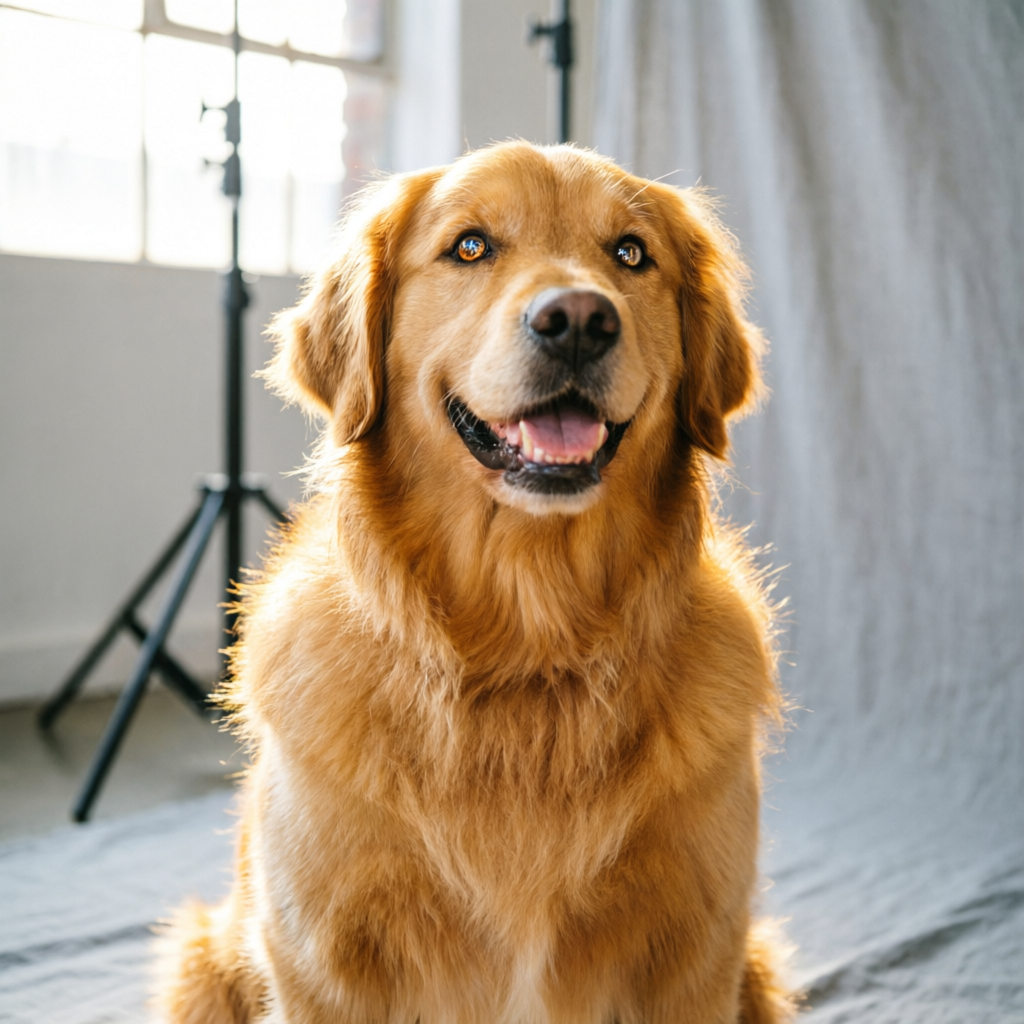
Pet photography presents unique challenges that even professional photographers struggle with: constant movement, unpredictable behavior, fur texture complexity, and challenging lighting conditions. Whether you're a pet owner documenting your furry friend's life, a professional pet photographer building your portfolio, or a pet business owner creating marketing content, artificial intelligence has transformed what's possible in pet photography.
In 2026, AI tools have evolved beyond basic filters and adjustments. Modern algorithms understand pet-specific challenges—from removing motion blur in action shots to enhancing eye sparkle, correcting fur details, and even removing unwanted backgrounds. The technology has become so sophisticated that amateur photographers can now produce professional-quality results that once required expensive equipment and years of technical expertise.
This comprehensive guide explores the AI tools specifically designed for pet photography challenges, practical workflows for different scenarios, and real-world tips from professional pet photographers who have integrated AI into their processes. Whether you're shooting your own pets or building a professional practice, you'll discover how AI can elevate your pet photography from snapshot to stunning.
Why Pet Photography Needs Specialized AI Tools
The Unique Challenges of Photographing Animals
Pet photography differs fundamentally from human portrait photography in ways that demand specialized technical solutions:
Movement and Focus Issues
- Pets rarely stay still for perfect composition
- Unpredictable movement creates motion blur
- Fast shutter speeds often sacrifice image quality
- Continuous autofocus struggles with erratic movement patterns
Fur and Texture Complexity
- Fine fur details are easily lost in post-processing
- Different coat types (long, short, curly, wiry) require different handling
- Fur texture appears artificial when over-sharpened
- Black and white pets present exposure challenges
Eye and Expression Challenges
- Capturing the "spark" in pet eyes requires precise lighting
- Dark-colored eyes easily become featureless shadows
- Reflections and red-eye (or green-eye) issues are common
- Authentic expressions happen in split-second moments
Environmental Limitations
- Indoor lighting is rarely ideal for pet photography
- Outdoor shoots face weather and lighting constraints
- Background distractions are common in home environments
- Pet-safe shooting locations limit creative options
How AI Solves These Problems
Modern AI tools address these challenges through specialized algorithms trained on millions of pet images:
Motion Blur Recovery AI can analyze and reconstruct sharp details from motion-blurred images by:
- Predicting the direction and intensity of movement
- Reconstructing lost detail from surrounding pixels
- Maintaining natural fur texture during reconstruction
- Preserving authentic expressions without artificial sharpening
Intelligent Fur Enhancement Machine learning models trained specifically on animal fur can:
- Enhance fine fur details without creating artificial texture
- Differentiate between different coat types automatically
- Preserve natural variation in fur patterns
- Maintain softness while adding definition
Eye Enhancement and Recovery Specialized algorithms for animal eyes can:
- Enhance catchlights and eye sparkle naturally
- Recover detail in dark-colored eyes
- Remove red-eye and green-eye automatically
- Brighten eyes while maintaining authentic color
Background Replacement and Cleanup AI background tools designed for fur-edged subjects can:
- Separate fine fur edges from backgrounds precisely
- Replace distracting backgrounds with clean alternatives
- Remove unwanted objects while preserving pet details
- Generate contextually appropriate backgrounds
Essential AI Tools for Pet Photographers
1. Topaz Photo AI - The Professional's Choice
Best For: Professional pet photographers and serious hobbyists who need maximum quality
Key Features for Pet Photography:
- Subject Recognition: Automatically detects animals and applies appropriate enhancements
- Motion Blur Correction: Reconstructs sharp details from motion-blurred shots
- Noise Reduction: Cleans up high-ISO images while preserving fur texture
- Face Recovery: Enhances pet facial features naturally
Real-World Performance: Topaz Photo AI excels at handling the high-ISO, fast-shutter-speed images common in pet photography. The motion deblur feature can salvage shots that would otherwise be unusable, while the noise reduction maintains fine fur detail that other tools obliterate.
Workflow Integration:
- Works as standalone application or plugin
- Batch processing for photo shoot workflows
- RAW file support for maximum quality
- Excellent for rescue shelter photography requiring volume processing
Pricing: One-time purchase starting at $199 (often on sale for $99-149)
Best Practice: Use the "Animal" subject detection mode and fine-tune the blur reduction strength based on fur length—lower settings for long-haired breeds to preserve natural softness.
2. Luminar Neo - Best All-in-One Solution
Best For: Pet owners and hobbyists wanting comprehensive editing without complexity
Key Features for Pet Photography:
- AI Sky Replacement: Perfect for outdoor pet portraits with overcast skies
- Portrait Bokeh AI: Creates professional shallow depth-of-field effects
- Erase Tool: Removes leashes, collars, and background distractions
- Structure AI: Enhances fur texture without over-sharpening
Pet-Specific Advantages: Luminar Neo's one-click presets designed for pet photography provide excellent starting points. The AI skin enhancement also works effectively on animal noses and paw pads, adding appealing detail.
Workflow Efficiency: The catalog system helps pet photographers organize shoots by client, breed, or session type. Batch exporting with watermarks streamlines professional delivery.
Pricing: Subscription ($99/year) or one-time purchase ($239)
Best Practice: Create custom presets for your most common pet types (black dogs, white cats, etc.) to establish consistent editing styles across sessions.
3. Remini - Mobile Pet Photography Enhancement
Best For: Pet owners capturing and sharing moments on smartphones
Key Features for Pet Photography:
- Instant Enhancement: One-tap improvement of smartphone pet photos
- Face Enhancement: Works on pet faces for close-up portraits
- HD Upscaling: Enlarges low-resolution images for printing
- Batch Processing: Edit multiple shots from a play session simultaneously
Mobile Workflow Advantages: Perfect for capturing spontaneous moments and sharing immediately on social media. The enhancement processing happens quickly enough for real-time workflow.
Social Media Optimization: Remini's enhancements are specifically tuned for social media viewing, ensuring your pet photos stand out in crowded feeds.
Pricing: Free with limitations; Pro subscription $29.99/month or $79.99/year
Best Practice: Use Remini as a first pass on smartphone photos before deciding which shots merit desktop editing for maximum impact.
4. Photoshop AI with Neural Filters
Best For: Professional photographers needing maximum creative control
Key Features for Pet Photography:
- Smart Portrait: Enhances animal facial features with natural results
- Depth Blur: Creates realistic background blur while preserving fur edges
- Object Selection: Precisely selects pets for background replacement
- Neural Filters: Style transfer and creative effects for artistic pet portraits
Advanced Capabilities: Photoshop's combination of traditional tools and AI features provides unmatched flexibility for complex editing challenges, like compositing multiple pets or matching lighting across different shooting conditions.
Professional Workflow: Integrates seamlessly with Lightroom for complete shoot-to-delivery workflow. Action automation for consistent processing across large sessions.
Pricing: Photography Plan $19.99/month (includes Lightroom)
Best Practice: Use Photoshop for complex edits requiring multiple adjustments and Lightroom AI tools for batch processing routine enhancements.
5. Perfectly Clear for Pets
Best For: Volume photography for shelters, breeders, and pet retail
Key Features for Pet Photography:
- Batch Processing: Process hundreds of images with consistent results
- Automatic Correction: Fixes exposure, color, and tone automatically
- Preset Libraries: Pet-specific presets for different breeds and coat colors
- White Balance: Accurately corrects indoor shelter lighting
Shelter and Rescue Applications: Perfectly Clear's speed and consistency make it invaluable for organizations photographing multiple animals daily. The software helps create appealing adoption photos quickly.
Integration Options: Available as standalone application, Lightroom plugin, and API for web platforms.
Pricing: Starting at $99.95 for desktop version; enterprise pricing for high-volume users
Best Practice: Create breed-specific preset libraries to maintain consistent quality across your organization's online presence.
Practical Workflows for Common Pet Photography Scenarios
Scenario 1: Capturing Your Own Pet's Daily Life
Challenge: Documenting everyday moments without staging or elaborate setups
AI-Powered Workflow:
-
Capture Phase
- Use smartphone burst mode for movement and play
- Don't worry about perfect composition—AI can help with cropping
- Shoot in good natural light when possible, but don't skip moments due to lighting
-
Quick Selection (Mobile)
- Use Remini to quickly enhance the best shots for social sharing
- Apply one-tap enhancement for Instagram/Facebook posting
- Save originals for potential desktop enhancement later
-
Special Moments Enhancement (Desktop)
- Import standout shots to Luminar Neo
- Apply AI Sky Replacement for outdoor photos with dull skies
- Use Portrait Bokeh AI to emphasize your pet in busy environments
- Enhance eye sparkle with targeted adjustments
- Remove leashes and collars with AI Erase tool
-
Long-Term Archiving
- Process entire month's photos in batch with consistent presets
- Create yearly photo books from best enhanced images
- Build a visual timeline of your pet's life
Time Investment: 5 minutes daily for social posts; 1-2 hours monthly for album creation
Tools Required: Smartphone + Remini (mobile) + Luminar Neo (desktop)
Scenario 2: Professional Pet Photography Session
Challenge: Delivering consistent, high-quality images to paying clients
AI-Powered Workflow:
-
Pre-Session Preparation
- Scout locations and note lighting challenges
- Prepare lighting equipment but plan for AI assistance
- Set camera to continuous shooting mode
-
Shooting Phase
- Capture 3-5x more images than needed (AI selection comes later)
- Bracket exposures in challenging light
- Don't discard motion-blurred action shots—AI can recover them
-
Initial Culling (Lightroom)
- Use AI-powered similarity detection to remove near-duplicates
- Flag potentially salvageable motion-blurred shots
- Identify hero shots for maximum enhancement
-
Batch Enhancement (Topaz Photo AI)
- Process motion-blurred action shots with deblur
- Apply noise reduction to high-ISO indoor shots
- Upscale images for print products
-
Creative Enhancement (Photoshop/Luminar)
- Replace distracting backgrounds on hero shots
- Create artistic variations with neural filters
- Perfect eye enhancement on close-up portraits
- Remove leashes and create clean compositions
-
Client Delivery
- Export web gallery with moderate enhancement
- Deliver high-resolution prints with maximum enhancement
- Provide before/after examples to demonstrate value
Time Investment: 2-3 hours editing per 1-hour session (AI reduces this by approximately 40% compared to traditional methods)
Tools Required: Topaz Photo AI + Photoshop/Luminar Neo + Lightroom
Scenario 3: Pet Business Marketing Content
Challenge: Creating professional product photos and lifestyle content on limited budget
AI-Powered Workflow:
-
Product Photography
- Photograph products with pets in simple setups
- Shoot multiple angles and expressions
- Use smartphone or entry-level camera
-
Background Perfection
- Use Photoshop Object Selection to isolate pet and product
- Replace backgrounds with clean, branded alternatives
- Maintain consistent background style across product lines
-
Lifestyle Content Creation
- Capture candid moments of pets using products
- Apply AI enhancement for social media quality
- Create cohesive visual brand with consistent presets
-
Multi-Format Optimization
- Use AI upscaling for print materials (posters, packaging)
- Optimize for web and social media platforms
- Maintain consistent quality across all channels
Time Investment: 1-2 hours weekly for ongoing content creation
Tools Required: Luminar Neo or Photoshop + Remini for quick social posts
Scenario 4: Shelter and Rescue Photography
Challenge: Creating appealing adoption photos quickly with limited resources
AI-Powered Workflow:
-
Volume Capture
- Set up simple backdrop in shelter environment
- Photograph multiple animals per session
- Use consistent lighting setup but don't obsess over perfection
-
Batch Enhancement (Perfectly Clear)
- Process all photos with shelter-specific preset
- Automatically correct indoor fluorescent lighting
- Ensure consistent quality across all listings
-
Hero Shot Creation
- Identify best photo for each animal
- Apply additional enhancement in Luminar Neo
- Create emotional connection through eye enhancement
-
Adoption Platform Optimization
- Export at correct dimensions for listing platforms
- Add watermarks if required
- Maintain naming convention for database integration
Time Investment: 30 minutes photography + 30 minutes editing per 10 animals
Tools Required: Perfectly Clear + Luminar Neo for hero shots
Advanced Techniques for Challenging Situations
Photographing Black Pets
The Challenge: Black fur loses detail easily and appears as featureless shadow in many photos.
AI Solutions:
- Use Topaz Photo AI's shadow recovery to reveal fur texture
- Apply targeted structure enhancement to black coat areas
- Enhance eye detail to create focal points
- Use AI-powered detail enhancement without over-sharpening
Shooting Tips to Maximize AI Success:
- Slightly overexpose to capture shadow detail
- Use side lighting to create dimension
- Ensure catchlights in eyes for AI enhancement to work with
Photographing White Pets
The Challenge: White fur easily blows out to featureless white, and snow-white pets lack visual interest.
AI Solutions:
- Apply subtle texture enhancement to reveal coat details
- Use AI tone curve adjustments to prevent pure white burnout
- Add creative backgrounds to provide contrast
- Apply subtle color grading for visual interest
Shooting Tips to Maximize AI Success:
- Slightly underexpose to preserve highlight detail
- Use colored backgrounds or props for contrast
- Capture sufficient detail in RAW format for AI processing
Photographing Multiple Pets Together
The Challenge: Getting multiple pets to look at camera simultaneously and compose well together.
AI Solutions:
- Capture multiple shots of each pet looking their best
- Use Photoshop AI to composite the best expressions into a single image
- Apply consistent enhancement across all subjects
- Match lighting and color tone with AI tools
Shooting Tips to Maximize AI Success:
- Keep pets in consistent position across multiple frames
- Maintain identical camera position and settings
- Shoot enough frames to have options for compositing
Action and Play Photography
The Challenge: Fast movement creates blur; decisive moments are unpredictable.
AI Solutions:
- Use motion deblur AI to recover sharpness in action shots
- Apply noise reduction to high-shutter-speed images
- Enhance drama with creative AI effects
- Crop dynamically with AI-assisted composition suggestions
Shooting Tips to Maximize AI Success:
- Use burst mode extensively
- Accept some motion blur—AI can handle moderate blur
- Capture more frames than you think you need
- Use continuous autofocus and back-button focus
Professional Tips from Pet Photographers
Sarah Chen, Professional Pet Photographer (Los Angeles)
"AI tools have completely changed my business model. I used to spend 4-5 hours editing each session, which limited how many clients I could serve. Now with Topaz Photo AI handling the technical cleanup and Luminar Neo for creative enhancement, I complete sessions in 2 hours while actually improving quality. The motion deblur feature alone has saved hundreds of otherwise unusable action shots. My advice: invest in learning one or two AI tools deeply rather than surface-level knowledge of many tools."
Marcus Rodriguez, Shelter Photography Volunteer (Austin)
"For shelter work, speed and consistency matter more than perfection. Perfectly Clear's batch processing means I can photograph and deliver photos for 20+ animals in a morning. The automatically corrected lighting makes harsh fluorescent environments look presentable, and the consistency helps create a professional brand for the shelter's online presence. These tools directly contribute to adoption rates by presenting animals in their best light."
Jennifer Liu, Pet Product Photographer (E-commerce)
"Background replacement AI has been transformative for product photography. Instead of building elaborate sets, I photograph products in use with real pets in simple setups, then replace backgrounds with branded environments. This creates authentic lifestyle content that outperforms studio shots while costing a fraction of traditional production. The key is shooting with AI processing in mind—clean separation between subject and background makes replacement seamless."
Cost-Benefit Analysis: Is AI Worth the Investment?
Time Savings Calculation
Traditional Editing (per professional pet photography session):
- Culling and selection: 45 minutes
- Basic adjustments: 90 minutes
- Retouching and cleanup: 120 minutes
- Creative enhancement: 60 minutes
- Total: 5 hours 15 minutes
AI-Enhanced Editing (same session):
- Culling with AI assistance: 30 minutes
- Batch AI processing: 45 minutes (mostly automated)
- Selective creative enhancement: 60 minutes
- Total: 2 hours 15 minutes
Time Saved: 3 hours per session = 60% reduction
Quality Improvement
Measurable Benefits:
- 30-40% increase in usable shots from each session (motion deblur recovery)
- Consistent quality across large batches
- Ability to salvage challenging lighting situations
- Professional results from consumer-level equipment
Business Impact:
- Serve more clients with same time investment
- Increase per-session revenue with print upsells (AI upscaling enables large prints)
- Reduce need for expensive equipment upgrades
- Differentiate service with superior results
Investment Options by Budget
Hobbyist/Pet Owner ($0-100/year):
- Remini mobile app: $80/year
- Occasional Topaz Photo AI sales: $99
- Total: Under $200 one-time or $80/year subscription
Serious Hobbyist/Part-Time Professional ($100-300/year):
- Luminar Neo: $99/year subscription
- Topaz Photo AI: $199 one-time
- Total: $99/year subscription + $199 one-time
Full-Time Professional ($300-600/year):
- Adobe Photography Plan: $240/year
- Topaz Photo AI: $199 one-time
- Luminar Neo: $99/year
- Total: $339/year subscription + $199 one-time
Return on Investment
For Pet Owners: Enhanced memories and social media presence (intangible but valuable)
For Professional Photographers:
- 60% time savings = ability to serve 2-3x more clients
- Improved quality = premium pricing justification
- Recovery of unusable shots = higher deliverable count
- Payback Period: 2-3 sessions for most professionals
For Pet Businesses:
- Professional marketing content without hiring photographers
- Consistent brand presentation across platforms
- Payback Period: Immediate through cost avoidance
Common Mistakes and How to Avoid Them
Over-Enhancement and Artificial Results
The Mistake: Applying maximum AI enhancement creates artificial-looking pets with over-sharpened fur and unnatural features.
The Solution:
- Use AI tools at 60-80% strength as starting point
- Preserve natural variation in fur texture
- Enhance eyes subtly—they should sparkle, not glow
- Compare before/after at different zoom levels
Ignoring the Original Capture Quality
The Mistake: Assuming AI can fix any photo, leading to sloppy shooting technique.
The Solution:
- AI enhances good photos to great; it rarely makes bad photos good
- Maintain good exposure practices
- Ensure accurate focus in original capture
- Use AI to solve specific problems, not fix general carelessness
Inconsistent Editing Across Sets
The Mistake: Each photo edited differently creates disjointed client galleries or social media feeds.
The Solution:
- Create custom presets for consistency
- Use batch processing for similar shots
- Establish brand style and maintain it
- Review entire set together before delivery
Neglecting Output Optimization
The Mistake: Applying the same enhancement for print, web, and social media.
The Solution:
- Export with purpose-specific settings
- Social media: slightly more contrast and saturation
- Print: higher resolution and subtle sharpening
- Web galleries: balanced for various display calibrations
The Future of AI in Pet Photography
Emerging Capabilities (2026-2027)
Real-Time AI Enhancement Camera manufacturers are integrating AI processing directly into camera bodies, enabling:
- Live motion blur correction in viewfinder
- Automatic pet eye tracking and enhancement
- Real-time background replacement for video
Behavioral AI Next-generation tools will analyze pet behavior patterns to:
- Predict ideal shooting moments
- Suggest composition adjustments in real-time
- Automate highlight selection from large photo sets
Generative AI for Creative Concepts Tools emerging in late 2026 will enable:
- Generate themed backgrounds matching pet personalities
- Create artistic variations from single photos
- Produce pet portrait series in various artistic styles
Preparing for the Next Wave
Skills to Develop:
- Prompt engineering for AI background generation
- Understanding AI limitations to maximize shooting quality
- Combining traditional technique with AI enhancement
Technology to Watch:
- Neural processing units in consumer cameras
- Cloud-based AI enhancement services
- Integration between AI editing and print fulfillment
Getting Started: Your 30-Day Pet Photography AI Journey
Week 1: Foundation and Experimentation
Days 1-3: Choose and install your primary AI tool based on budget and needs
- Download trial versions to test
- Watch official tutorials
- Process 10-20 existing photos to understand capabilities
Days 4-7: Establish baseline workflow
- Create folder organization system
- Build first custom preset for your most common scenarios
- Document your settings for repeatability
Week 2: Skill Building
Days 8-14: Focus on one enhancement area per day
- Day 8: Motion blur recovery
- Day 9: Fur texture enhancement
- Day 10: Eye enhancement
- Day 11: Background cleanup
- Day 12: Noise reduction
- Day 13: Color correction
- Day 14: Creative effects
Week 3: Workflow Optimization
Days 15-21: Build efficient processes
- Develop batch processing workflows
- Create preset library for different scenarios
- Establish quality control checkpoints
- Time your editing to identify bottlenecks
Week 4: Real-World Application
Days 22-30: Apply skills to actual projects
- Complete end-to-end session with AI workflow
- Create before/after portfolio pieces
- Share work on social media for feedback
- Refine techniques based on results
Conclusion: Transforming Your Pet Photography Practice
Artificial intelligence has democratized professional-quality pet photography, making exceptional results accessible to everyone from devoted pet owners to established professionals. The tools highlighted in this guide solve the specific challenges that make pet photography uniquely difficult—constant movement, complex textures, and unpredictable behavior.
The investment in AI pet photography tools pays dividends through time savings, quality improvements, and expanded creative possibilities. Whether you're documenting your own pet's life, building a professional practice, or creating marketing content for pet businesses, these tools enable you to capture and enhance pet personalities in ways that were technically impossible just a few years ago.
The future promises even more powerful capabilities, but the tools available today already represent a transformative shift. Start with one tool that addresses your primary challenge, develop proficiency through regular practice, and gradually expand your toolkit as your needs evolve. Your pets—and your clients' pets—deserve to be documented beautifully, and AI tools make that goal achievable for everyone.
Related Articles:
- AI Photo Editing for Social Media Content Creators 2026
- Advanced AI Portrait Enhancement Techniques 2026
- AI Photography Success Stories: From Hobby to Business 2026
Recommended External Tools:
Ready to enhance your pet photos with AI?
Try AImage for Free →Ready to try it yourself?
Try AImage for Free →