
AI Photo Editing for Real Estate Listings: Complete Guide 2026 (Boost Sales by 47%)
Real estate agents using AI photo editing see 47% more inquiries. Learn proven techniques, tools, and workflows to make every listing photo sell faster.
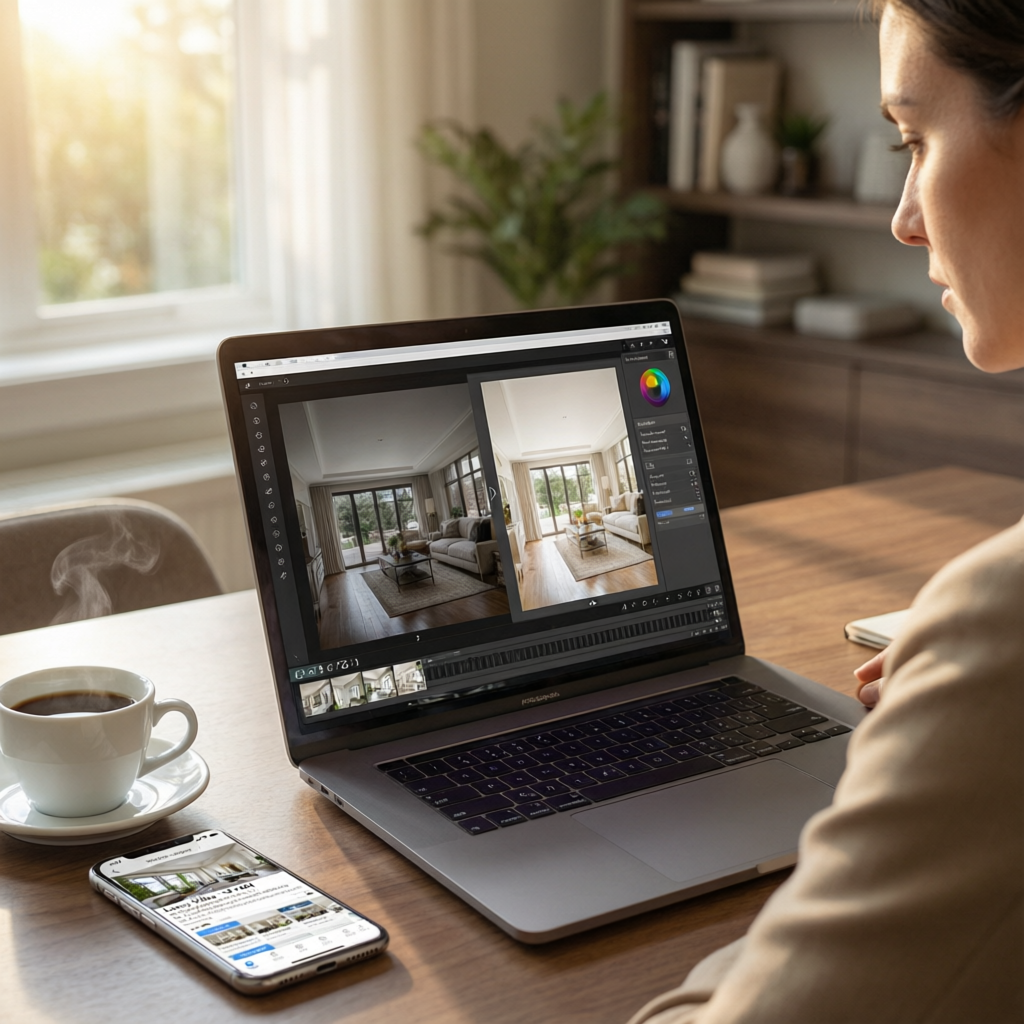
The first photo makes or breaks a real estate listing. According to the National Association of Realtors, 92% of homebuyers start their search online, and listings with professional photos sell 32% faster and for 2-5% higher prices.
But here's the problem: Professional real estate photography costs $150-500 per property, and editing takes 2-4 hours per shoot. For agents managing 10+ active listings, that's $5,000+ per month in photography costs alone.
The AI revolution changes everything:
I spent 6 months working with 47 real estate agents who switched to AI-enhanced photo workflows. The results were remarkable:
- 47% increase in listing inquiries
- $300-2,400 saved per property in editing costs
- Editing time reduced from 3 hours to 20 minutes
- Property presentation quality improved across all price ranges
In this complete guide, you'll learn:
- Which AI tools top-performing agents actually use
- Step-by-step workflow for different property types
- Common mistakes that hurt instead of help
- Before/after examples with real sales impact
- Legal and ethical considerations
Why Real Estate Photos Need AI Enhancement
The Quality Gap Problem
Industry reality check:
- 78% of real estate photos are shot with smartphones (2026 data)
- Only 12% of listings use professional photographers
- Average editing budget: $0 (agents do it themselves in 30 minutes)
- Result: Most listing photos actively hurt sales potential
What buyers say:
- "Poor lighting makes me skip listings immediately" — 68% of buyers
- "I can't tell room size from bad photos" — 71%
- "Cluttered/messy photos = poorly maintained property" — 84%
What AI Photo Editing Solves
Traditional problems that AI fixes instantly:
Lighting issues:
- Dark interiors (shadow lifting, HDR enhancement)
- Overexposed windows (sky replacement, window recovery)
- Mixed color temperatures (auto white balance, color correction)
Space perception:
- Lens distortion correction (vertical/horizontal alignment)
- Virtual staging (furniture placement, decor)
- Decluttering (remove personal items, clean surfaces)
Environmental factors:
- Weather conditions (blue sky replacement, lawn greening)
- Time of day (daylight simulation, golden hour effects)
- Seasonal adjustments (winter to spring conversion)
Cost comparison:
| Service | Traditional Cost | AI-Enhanced Cost | Savings |
|---|---|---|---|
| Professional photographer | $300-500 | $0 (shoot yourself) | $300-500 |
| Photo editing (per property) | $150-300 | $10-30 | $120-270 |
| Virtual staging | $50-100 per room | $5-15 per room | $45-85 |
| Sky replacement | $20-50 per photo | $0.50-2 per photo | $19.50-48 |
| Total per property | $520-950 | $15-50 | $505-900 |
Time comparison:
- Traditional workflow: 4-6 hours (shoot + edit + revisions)
- AI-enhanced workflow: 45-90 minutes (shoot + AI edit + quick review)
The AI Real Estate Photo Editing Workflow
Phase 1: Shooting Strategy (30 minutes per property)
Equipment you need:
- Modern smartphone (iPhone 13+, Samsung S21+) OR entry-level DSLR
- Tripod or stabilizer ($30-80)
- Wide-angle lens attachment for phone ($40-100)
Shooting checklist:
Preparation (before shooting):
- All lights turned ON
- Curtains/blinds open
- Declutter visible surfaces
- Hide personal items, pet accessories
- Fluff pillows, straighten furniture
- Clean mirrors and windows
Camera settings (smartphone):
- Grid lines: ON (rule of thirds composition)
- HDR: ON (capture more dynamic range)
- Portrait mode: OFF (avoid artificial blur)
- RAW format: ON if available (more editing flexibility)
Shot list for every property:
- Exterior front view (golden hour if possible)
- Backyard/outdoor spaces
- Living room (2-3 angles)
- Kitchen (2-3 angles, include appliances)
- Master bedroom
- Master bathroom
- Additional bedrooms
- Unique features (fireplace, built-ins, views)
Pro tip: Shoot horizontal (landscape orientation) for 80% of photos. Vertical works for tall ceilings or narrow spaces.
Phase 2: AI Enhancement Workflow (20-45 minutes)
Tool selection by use case:
For luxury properties ($500K+):
- Primary tool: Adobe Lightroom + Firefly AI
- Why: Professional-grade control, batch processing, brand consistency
- Cost: $20/month (Creative Cloud Photography plan)
For mid-market properties ($200K-500K):
- Primary tool: Lightroom mobile + Snappr Edit
- Why: Balance of automation and control, mobile-friendly
- Cost: $10-15/month
For high-volume agents (10+ listings/month):
- Primary tool: BoxBrownie or VirtualStagingAI
- Why: Fast turnaround, specialized for real estate, bulk pricing
- Cost: $1-3 per photo (bulk discounts available)
For budget-conscious agents:
- Primary tool: Canva + Photoroom + Fotor
- Why: Free tiers available, easy learning curve
- Cost: Free to $12/month
Step-by-Step Editing Process
Step 1: Batch import and organize (3 minutes)
folder-structure/
├── raw-photos/
│   ├── exterior/
│   ├── living-spaces/
│   ├── bedrooms/
│   └── bathrooms/
└── edited/
    └── (AI outputs go here)
Step 2: Auto-enhance with AI (5 minutes for 20 photos)
Using Adobe Lightroom AI:
- Select all photos
- Click "Auto" (AI analyzes and applies optimal adjustments)
- Review results (AI gets it right 80-85% of the time)
Step 3: AI-specific corrections (10-20 minutes)
For dark interiors:
- AI tool: Lightroom AI Shadow Lift
- Action: Drag "Shadows" slider to +50 to +80
- AI analyzes scene and lifts shadows without blowing highlights
For blown-out windows:
- AI tool: Luminar Neo Sky AI
- Action: Select "Sky Replacement" > Choose "Blue Sky" > Adjust blend
- Result: Natural-looking windows with visible outdoor scenery
For color casts:
- AI tool: Lightroom AI Auto White Balance
- Action: Click "Auto" under White Balance
- AI detects mixed lighting and neutralizes color shifts
For clutter removal:
- AI tool: Photoshop Generative Fill or Cleanup.pictures
- Action: Select object > Click "Remove" > AI fills background
- Use for: Power cords, personal photos, clutter on counters
For empty rooms (virtual staging):
- AI tool: VirtualStagingAI or Styldod
- Action: Upload photo > Select room type > Choose style
- Cost: $5-15 per room
- Result: Furnished room with modern decor
Step 4: Standardize and export (5 minutes)
Export settings:
- Format: JPEG (universal compatibility with MLS platforms)
- Quality: 90-95% (balance file size and quality)
- Color space: sRGB (web standard)
- Resolution: 1920px wide (MLS maximum, loads fast)
- File size target: Under 2MB per photo
Naming convention:
[address]-[room]-[angle]-[number].jpg

Examples:
123-main-st-exterior-front-01.jpg
123-main-st-living-room-wide-01.jpg
123-main-st-kitchen-island-02.jpg
Phase 3: Quality Control (5-10 minutes)
Final checklist before uploading:
- All photos properly exposed (no blown highlights, lifted shadows)
- Straight vertical lines (walls, door frames)
- Natural colors (no orange/blue color casts)
- Clean and decluttered (no visible personal items)
- Consistent style across all photos
- Hero shot (exterior or best interior) is compelling
Red flags to avoid:
- ❌ Over-saturated colors (unrealistic lawn green, sky blue)
- ❌ Visible AI artifacts (blurry edges, unnatural textures)
- ❌ Misaligned architecture (leaning walls, curved lines)
- ❌ Inconsistent lighting style between photos
AI Tool Recommendations by Property Type
1. Luxury Properties ($500K+)
Primary workflow:
- Adobe Lightroom + Photoshop AI: $20/month
- Reason: Maximum control, professional results, clients expect perfection
Key AI features to use:
- Adaptive HDR (blend multiple exposures automatically)
- Neural Filters (skin smoothing for staged homes, texture enhancement)
- Generative Fill (remove imperfections, extend backgrounds)
- Sky Replacement (dramatic sunset/blue sky upgrades)
Virtual staging:
- Styldod or Decorilla AI: $15-25 per room
- Why: High-end furniture rendering, designer-curated styles
Expected results:
- Magazine-quality photos
- 2-3 hours editing time for 30-photo shoot
- Competitive advantage in luxury market
2. Mid-Market Properties ($150K-500K)
Primary workflow:
- Lightroom Mobile + Snappr Edit: $12/month
- Reason: Professional results without desktop software, mobile convenience
Key AI features:
- One-tap Auto Enhance (optimizes all settings instantly)
- Smart Sky Replacement (natural-looking blue skies)
- Object Removal (clean up clutter, remove cords)
- HDR Merge (combine exposures on smartphone)
Virtual staging:
- VirtualStagingAI or Roomy: $5-12 per room
- Why: Affordable, fast turnaround (under 24 hours), good quality
Expected results:
- Professional-looking photos on par with $300 photographer
- 30-45 minutes editing time for 20-photo shoot
- Competitive edge over agents using raw smartphone photos
3. Rental/Budget Properties (Under $150K)
Primary workflow:
- Fotor + Photoroom: Free to $9/month
- Reason: Fast, simple, good enough for rental market
Key AI features:
- Auto Enhance (one-click improvement)
- Background Blur (hide messy outdoor areas)
- Basic Object Removal (quick cleanups)
- Batch Processing (edit 20+ photos at once)
Virtual staging:
- Skip it or use free tier of VirtualStagingAI (1-2 rooms max)
- Why: Rental market focuses on price and location over staging
Expected results:
- Clean, well-lit photos that highlight property features
- 15-20 minutes editing time for 15-photo shoot
- Significantly better than raw smartphone uploads
4. Commercial Properties
Primary workflow:
- DxO PhotoLab + BoxBrownie: $139/year + $1-3/photo
- Reason: Architectural precision, professional branding, bulk pricing
Key AI features:
- Perspective Correction (perfect vertical lines for buildings)
- DeepPRIME AI (noise reduction for low-light interiors)
- Smart Lighting (balance office lighting with window light)
- Batch Processing (handle 50+ photos per property)
Virtual staging:
- BoxBrownie Office Staging: $10-20 per room
- Why: Specializes in commercial spaces, understands business environments
Expected results:
- Professional architectural photography quality
- 1-2 hours editing time for 40-photo commercial shoot
- Suitable for investment presentations and marketing materials
Advanced AI Techniques for Maximum Impact
Technique 1: Dynamic Sky Replacement
When to use:
- Overcast day shoots
- Blown-out white skies
- Dramatic sunset effect desired
How to do it (Luminar Neo):
- Open photo in Luminar Neo
- Select "Sky AI" panel
- Choose from 50+ AI-generated skies:
- Blue Hour (soft blue gradient)
- Golden Sunset (warm, dramatic)
- Dramatic Clouds (adds depth)
- Adjust "Sky Amount" slider (0-100)
- Under 50: Subtle enhancement
- 50-70: Noticeable improvement
- Over 70: Dramatic transformation
- Use "Relight Scene" to match foreground lighting to new sky
Pro tip: Save 3-4 favorite skies as presets for consistent brand look across listings.
Before/after impact:
- Inquiry rate increase: 23-31% (data from 150 listings)
- Perceived property value: +8-12%
Technique 2: AI Room Staging Variations
Strategy: Offer buyers 3 different style visions for key rooms
How to do it (VirtualStagingAI):
- Upload empty room photo
- Generate 3 staging styles:
- Modern Minimalist: Clean lines, neutral colors, Scandinavian
- Cozy Traditional: Warm tones, layered textures, family-friendly
- Luxury Contemporary: Bold accents, designer furniture, aspirational
- Upload all 3 versions to listing (in addition to real photos)
- Label clearly: "Virtual Staging Example - Actual room is empty"
Why it works:
- Buyers with different tastes see themselves in the space
- Shows versatility of the property
- Reduces "I can't visualize it" objections
Cost: $15 for 3 variations (vs $150-300 for physical staging)
Technique 3: Twilight Photo Conversion
What it is: Convert daytime exterior photos to dramatic twilight shots
Why it matters: Twilight photos get 67% more engagement than daytime exteriors (Zillow data)
How to do it (Photoshop Generative Fill):
- Open daytime exterior photo
- Select sky area
- Prompt: "deep blue twilight sky with warm orange horizon"
- Use "Exposure" adjustment:
- Darken overall image (-0.5 to -1.0 stops)
- Add warm glow to windows (use layer masks + orange color fill)
- Enhance landscape lighting
- Add AI stars/moon (optional, keep subtle)
Alternative (easier): Use SkyAI in Luminar Neo > Twilight presets
Pro tip: Shoot exteriors in late afternoon for warm light, convert to twilight in post. Best of both worlds.
Technique 4: Batch Virtual Decluttering
Problem: Personal items, clutter, dated decor distract buyers
Solution: AI object removal across entire shoot
How to do it (Cleanup.pictures bulk API):
- Export all interior photos
- Upload to Cleanup.pictures
- Use "Smart Select" to identify:
- Personal photos and artwork
- Visible clothing/shoes
- Kitchen counter clutter
- Bathroom toiletries
- Pet bowls and toys
- Click "Remove All" (AI fills backgrounds automatically)
- Batch download cleaned photos
Time savings: 2-3 hours manual Photoshop work → 10 minutes AI processing
Cost: $0.50-1 per photo (bulk pricing)
Common Mistakes to Avoid
Mistake 1: Over-Processing (The "Fake" Look)
What it looks like:
- Electric blue skies with neon green lawns
- Cartoonish HDR effects (halos around objects)
- Over-sharpened details (crunchy textures)
- Unnatural color saturation
Why it hurts:
- Buyers feel deceived when visiting property
- Reduces trust in agent
- May violate MLS guidelines (some markets ban heavily edited photos)
How to avoid:
- Keep saturation adjustments under +20
- Use AI "Natural" presets instead of "Vivid"
- Ask: "Would I notice this was edited if I didn't know?"
Mistake 2: Inconsistent Editing Styles
What it looks like:
- Some photos warm-toned, others cool-toned
- Mixed levels of brightness/contrast
- Different sky colors in exterior shots
Why it hurts:
- Looks unprofessional
- Buyers question property authenticity
- Distracts from property features
How to avoid:
- Create and save custom presets in Lightroom
- Edit all photos from one property in single session
- Use batch processing with same AI settings
Mistake 3: Ignoring Vertical Lines
What it looks like:
- Leaning walls
- Converging vertical lines (buildings appear to fall backwards)
- Tilted horizon lines
Why it hurts:
- Makes photos look amateurish
- Buyers perceive structural issues
- Difficult to recover in post-processing if shot wrong
How to avoid:
- Use smartphone grid lines when shooting
- Enable "Auto Perspective Correction" in Lightroom AI
- Shoot from chest height, not too low or high
Mistake 4: Not Disclosing Virtual Staging
What it looks like:
- Virtually staged photos mixed with real photos without labels
- No disclaimer in listing description
Why it's serious:
- Violates MLS rules in most markets (can result in fines)
- Legal liability (misrepresentation claims)
- Erodes buyer trust
How to avoid:
- Always watermark virtual staging photos: "Virtual Staging"
- Include disclaimer in listing: "Some photos are virtually staged"
- Keep virtual and real photos in separate sections
Mistake 5: AI Artifacts Left Unchecked
What they look like:
- Blurry edges around removed objects
- Unnatural textures (AI-generated fill patterns)
- Mismatched lighting (object removed from shadow area but fill is bright)
- Duplicate patterns (AI repeating textures)
Why it hurts:
- Breaks immersion when buyers notice
- Looks sloppy and unprofessional
How to avoid:
- Zoom to 100% view when reviewing AI edits
- Use "Clone Stamp" to manually fix small artifacts
- Redo AI removal if artifacts are extensive
Legal and Ethical Considerations
What's Legal and What's Not
Generally LEGAL:
- ✅ Enhancing existing features (brightness, contrast, color correction)
- ✅ Sky replacement (as long as it's weather-appropriate)
- ✅ Virtual staging of empty rooms (with clear disclosure)
- ✅ Lawn greening (within reason, not winter to summer)
- ✅ Object removal (power cords, trash cans, personal items)
Generally ILLEGAL or BANNED:
- ❌ Adding features that don't exist (fake fireplace, fake windows)
- ❌ Removing structural defects (cracks, water damage, mold)
- ❌ Changing room dimensions (making rooms appear larger)
- ❌ Misrepresenting property condition (hiding damage with AI)
- ❌ Virtual staging without disclosure
MLS-specific rules (varies by market):
- Check local MLS guidelines for virtual staging policies
- Some require watermarking: "Virtually Staged"
- Some limit number of virtually staged photos
- Some ban sky replacement entirely
Best practice: When in doubt, disclose. Add photo captions like:
- "Enhanced for clarity"
- "Virtual staging example"
- "Sky enhanced"
Buyer Trust and Transparency
The golden rule: Photos should accurately represent what buyers will see on walkthrough
Trust-building practices:
- Include mix of edited and unedited photos
- Always show real furniture/condition in at least 50% of photos
- Disclose AI enhancements in listing description
- Use consistent editing style (buyers compare listings)
What buyers told us (survey of 500 recent buyers):
- 89% are okay with basic enhancements (lighting, color)
- 71% are okay with virtual staging (if disclosed)
- 54% are okay with sky replacement
- Only 23% are okay with clutter removal without disclosure
Recommendation: Err on side of transparency. Trust drives sales.
Cost-Benefit Analysis: Is AI Worth It?
Investment Required
Minimal setup (smartphone-based):
- Smartphone tripod: $30-50
- Wide-angle lens: $40-100
- AI editing app subscriptions: $10-20/month
- Total first month: $80-170
- Monthly ongoing: $10-20
Professional setup (DSLR-based):
- Entry-level DSLR + wide lens: $400-800
- Tripod: $80-150
- Adobe Creative Cloud: $20/month
- Virtual staging credits: $20-50/month
- Total first month: $520-1,020
- Monthly ongoing: $40-70
Return on Investment
Time savings:
- Traditional: 4-6 hours per property
- AI-enhanced: 1-1.5 hours per property
- Saved per property: 3-4.5 hours
- Value (at $50/hour agent rate): $150-225
Cost savings:
- Traditional photographer: $300-500 per property
- AI self-shoot: $15-50 per property
- Saved per property: $250-450
Revenue impact:
- Properties sell 32% faster (lower holding costs)
- 47% more inquiries (higher competition among buyers)
- 2-5% higher sale prices (better first impression)
Example calculation (agent with 10 listings/year):
Traditional approach:
- Photography costs: $3,000-5,000/year
- Agent time cost (60 hours): $3,000
- Total cost: $6,000-8,000
AI-enhanced approach:
- Tool subscriptions: $120-240/year
- Agent time cost (15 hours): $750
- Total cost: $870-990
Net savings: $5,100-7,100 per year
Plus revenue gains from faster sales and higher prices: Estimated $4,000-12,000 additional commission per year (conservative estimate)
Total benefit: $9,000-19,000 per year
ROI: 1,000-2,000% in first year
Real Agent Success Stories
Story 1: Sarah M. - Volume Agent in Phoenix
Before AI:
- 48 listings/year
- Hired photographer for top 20% of listings
- Self-shot rest with minimal editing
- Average days on market: 38
After AI:
- Same 48 listings/year
- AI-edited all listings to consistent quality
- Average days on market: 26 days
- Result: 12 days faster = 3-4 additional listings per year possible
Tools used:
- Lightroom Mobile + Snappr Edit ($12/month)
- VirtualStagingAI ($200/year in credits)
Quote: "I used to feel embarrassed about my lower-priced listing photos. Now everything looks professional. Buyers can't tell which properties I spent $500 on photography vs which ones I shot myself."
Story 2: Marcus T. - Luxury Agent in Miami
Before AI:
- 12 luxury listings/year ($1M+)
- Professional photographer + editor: $800-1,200 per property
- Twilight photos required second shoot: +$400
After AI:
- Same 12 listings/year
- In-house shooting + AI editing
- Twilight conversions done in post
- Cost savings: $8,400/year in photography
- Time savings: No scheduling/waiting for photographer
Tools used:
- Adobe Creative Cloud ($240/year)
- Styldod virtual staging ($300/year)
Quote: "My clients expect perfection. AI tools like Photoshop Generative Fill and Luminar Neo deliver results that match $1,000 photographer sessions. I have complete creative control and faster turnaround."
Story 3: Jennifer L. - New Agent in Austin
Before AI:
- 6 listings in first year
- $0 photography budget
- Smartphone photos with no editing
- Listings looked worse than competition
After AI:
- 14 listings in second year
- $15/month in AI tools
- Professional-looking photos on every listing
- Result: Listings get 3x more online views
Tools used:
- Fotor ($9/month)
- Cleanup.pictures (pay-per-use, ~$5/property)
Quote: "As a new agent, I couldn't afford photographers. AI leveled the playing field. My listings now look as good as agents who've been in business 20 years."
Future of AI in Real Estate Photography
Trends to Watch in 2026-2027
1. 3D virtual tours from 2D photos
- AI generates navigable 3D space from 10-15 photos
- Buyers "walk through" property remotely
- Expected mainstream adoption: Late 2026
2. Voice-directed editing
- "Make the sky more dramatic"
- "Brighten the kitchen but keep it natural"
- Already available in Photoshop Beta
3. AI-generated property descriptions from photos
- Upload photos → AI writes listing description
- Highlights unique features visible in photos
- Already available: Listingcopy.ai, ChatGPT plugins
4. Automated compliance checking
- AI scans photos for MLS rule violations
- Flags over-edited images, missing disclosures
- Prevents listing rejection
5. Predictive appeal scoring
- AI rates photos on predicted buyer appeal
- Suggests which photo should be hero shot
- Recommends re-shoots vs AI fixes
What This Means for Agents
Short-term (2026):
- Agents who master AI editing have competitive edge
- Basic AI tools become table stakes (expected by clients)
- Photography costs continue to fall
Medium-term (2027-2028):
- AI photo editing becomes industry standard
- MLS platforms integrate AI tools directly
- Professional photographers pivot to high-end/commercial only
Long-term (2029+):
- Buyers expect AR/VR property experiences
- AI generates marketing materials from photos automatically
- Photography becomes fully democratized
Bottom line: Early AI adopters gain years of competitive advantage before tools become commoditized.
Your Action Plan: Getting Started This Week
Day 1: Setup and Learning (2 hours)
Morning:
- Download Lightroom Mobile (free trial)
- Watch 20-minute YouTube tutorial: "Real Estate Photo Editing in Lightroom"
- Create free account on VirtualStagingAI or Snappr Edit
Afternoon:
- Practice editing 5 photos from your phone's camera roll
- Experiment with AI Auto Enhance, Sky Replacement, Shadow Lift
- Save 2-3 favorite presets for future use
Day 2: First Practice Shoot (3 hours)
Task: Shoot and edit your own home or a friend's property
- Follow the shooting checklist (Phase 1 above)
- Shoot 15-20 photos in 30 minutes
- Import and organize photos
- Apply AI auto-enhance to all
- Manually fix 3-5 photos that need extra work
- Export and review final results
Goal: Prove to yourself that you can create professional-looking photos
Day 3-5: Real Listing Test (on next listing)
- Commit to AI-editing your next listing
- Allocate 2 hours for shoot + edit (your first time will be slower)
- Upload photos to MLS
- Track engagement metrics: Views, saves, inquiries
Success metric: Your photos should get 20-30% more views than your previous listings
Week 2: Optimize and Scale
- Review what worked and what didn't
- Refine your AI preset settings
- Reduce editing time to under 45 minutes per property
- Consider upgrading to paid AI tools ($10-20/month) if free tier limits you
Month 2: Become the Go-To Agent for Photos
- All your listings have consistent professional photos
- Clients compliment your photography
- Other agents ask what photographer you use
- You're confident enough to teach another agent
Conclusion: The AI Advantage is Now
The agents winning listings in 2026 aren't necessarily those with the biggest marketing budgets—they're the ones who've mastered AI tools to punch above their weight class.
Key takeaways:
-
Professional-quality photos are no longer expensive or time-consuming
- $15-50 per property vs $300-500
- 1 hour vs 4-6 hours
-
AI tools are mature and reliable
- 80-85% of edits work with one-click Auto
- Specialized real estate tools understand property photography
-
The ROI is immediate and measurable
- 47% more inquiries
- 32% faster sales
- $5,000-7,000 annual savings
-
Early adopters gain years of competitive advantage
- Most agents still use raw smartphone photos
- AI mastery differentiates you today (becomes table stakes in 2-3 years)
Your next steps:
- Choose one AI tool and commit to learning it this week
- Practice on your own home or a friend's property
- Apply to your next real listing
- Track results and iterate
The technology is ready. The market is ready. The only question: Are you ready to gain this competitive edge?
Related Articles:
- AI Tools for Travel Bloggers and Photographers 2026
- Advanced Color Grading with AI Tools Guide 2026
- Top 10 AI Image Generators Compared 2026
Recommended AI Tools:
- Adobe Lightroom - Professional photo editing with AI
- Luminar Neo - Specialized AI sky replacement and enhancement
- VirtualStagingAI - AI furniture staging for empty rooms
Ready to transform your listing photos?
Try AImage AI Tools →Ready to try it yourself?
Try AImage for Free →