
AI Tools for Travel Bloggers and Photographers: Complete Workflow Guide 2026
Discover how travel bloggers and photographers use AI tools to streamline workflows, enhance photos on the go, and create stunning content faster. Complete guide with tools and techniques.
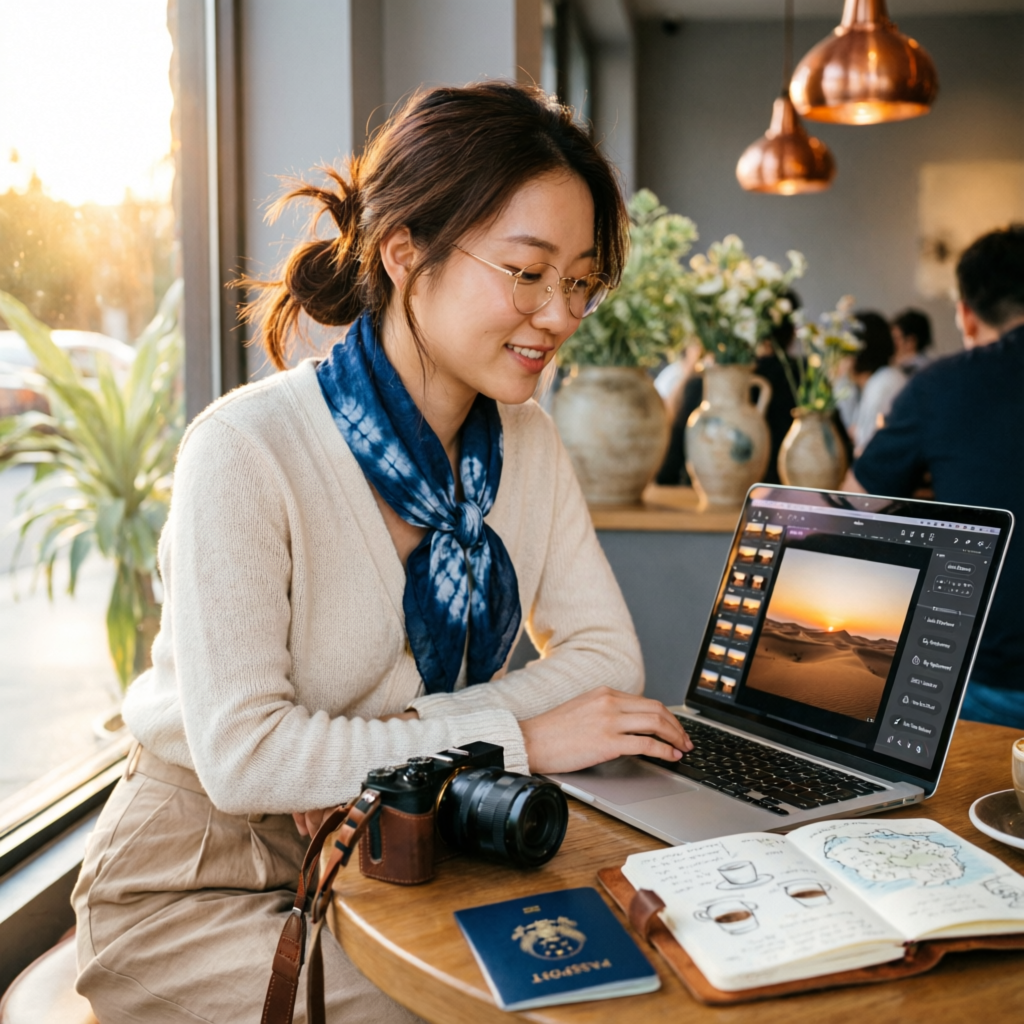
Travel photography is demanding. You're constantly on the move, juggling equipment, managing time zones, and racing against golden hour. Meanwhile, your audience expects fresh, polished content daily. Traditional editing workflows—hauling laptops, syncing SD cards, spending hours in Lightroom—just don't cut it anymore.
Enter AI-powered photo editing tools. In 2026, travel bloggers and photographers are leveraging artificial intelligence to edit photos in minutes, not hours. From automatic color grading that mimics your signature style to intelligent subject selection that works on your phone, AI is transforming how travel content creators work.
This guide explores the complete AI toolkit for travel photography: which tools to use, when to use them, and how to build a workflow that keeps you creating instead of editing. Whether you're a full-time travel blogger, weekend adventurer, or professional photographer on assignment, you'll discover practical strategies to enhance your workflow without sacrificing quality.
Why Travel Photographers Need AI Tools
The Unique Challenges of Travel Photography
Travel photography presents distinct workflow challenges that AI tools are uniquely positioned to solve:
Limited editing time: When you're exploring new destinations, you don't have hours to spend behind a laptop. AI tools process images in seconds, allowing you to edit during downtime—on trains, in cafes, or back at your accommodation.
Inconsistent shooting conditions: From harsh midday sun in the Sahara to dim blue hour in Scandinavia, travel photography means constantly adapting to new lighting. AI tools can intelligently adjust exposure, color, and contrast based on scene recognition, maintaining consistency across varied conditions.
Mobile-first workflow: Most travel bloggers need to publish content directly from their phones for Instagram, TikTok, or blog updates. AI editing apps designed for mobile devices deliver desktop-quality results without the need for a full computer setup.
Large volume of photos: A single day of travel shooting can produce hundreds of images. AI batch processing and smart culling tools help you identify the best shots and apply consistent edits across entire photo sets in minutes.
Content variety: Travel content spans landscapes, portraits, food, architecture, and street photography. AI tools with scene recognition can apply appropriate enhancements automatically, whether you're editing a mountain vista or a local market portrait.
What AI Brings to Travel Photography
Modern AI tools offer specific capabilities that align perfectly with travel photography needs:
- Instant background replacement: Replace bland hotel room backgrounds with studio-quality backdrops for product shots or outfit posts
- Sky enhancement: Transform washed-out skies into dramatic clouds without complex masking
- One-tap style transfer: Apply consistent color grading across hundreds of photos with a single preset
- Intelligent cropping: Automatically reformat photos for different platforms (Instagram square, Pinterest vertical, blog horizontal)
- Automatic subject enhancement: Boost sharpness and detail on main subjects while maintaining natural backgrounds
- Noise reduction for low-light shots: Rescue evening and night photos that would traditionally be unusable
Essential AI Tools for Travel Bloggers
1. Mobile Editing Apps: Edit Anywhere, Anytime
Lightroom Mobile with AI Features (iOS/Android, Free + Premium)
Adobe's mobile app now includes powerful AI features previously only available on desktop:
- AI-powered Presets: One-tap color grading that adapts to your image's lighting conditions
- Select Subject: Automatically mask people, objects, or skies for targeted adjustments
- Super Resolution: Upscale images for print or large displays directly on your phone
- Cloud sync: Start editing on your phone, finish on your laptop seamlessly
Best for: Photographers already in the Adobe ecosystem who want desktop-quality tools on mobile
Remini (iOS/Android, Free with limits)
Specializes in photo enhancement and detail recovery:
- AI enhancement: Sharpen soft photos caused by camera shake or focus issues
- Face enhancement: Improve portrait details while maintaining natural appearance
- Batch processing: Enhance multiple photos simultaneously
- Old photo restoration: Perfect for incorporating historical travel images into content
Best for: Quick enhancement of photos taken in challenging conditions or recovering details from older archive images
Pixlr (iOS/Android/Web, Free + Premium)
Comprehensive mobile editor with AI-powered tools:
- AI Cutout: Remove backgrounds in seconds for product shots or composite images
- AI Replace Background: Swap environments without green screens
- Smart resize: Automatically crop and resize for different social platforms
- One-touch enhance: Automatic adjustments for exposure, color, and sharpness
Best for: Travel bloggers who need versatile editing tools across all devices with a browser
2. Desktop AI Editing Software: Power Tools for Deep Edits
Luminar Neo (Mac/Windows, One-time purchase)
Purpose-built for AI-enhanced photography with travel-friendly features:
- Sky AI: Replace skies with thousands of options or your own library
- Portrait AI: Enhance facial features naturally, crucial for travel selfies and portraits
- Relight AI: Adjust lighting after the fact—rescue backlit photos or add golden hour warmth
- Structure AI: Enhance architectural details in cityscapes and monuments
- Supersharp AI: Rescue slightly out-of-focus shots
Best for: Photographers who want powerful AI features in standalone software without subscription fatigue
Topaz Photo AI (Mac/Windows, One-time purchase)
Specialized in image quality enhancement:
- Noise reduction: Clean up high-ISO night shots while preserving details
- Sharpening: Recover sharpness lost to camera shake, motion blur, or soft lenses
- Upscaling: Enlarge photos for print or cropping without quality loss
- Face recovery: Enhance portrait details in group shots or distant subjects
Best for: Travel photographers shooting in challenging lighting conditions who need maximum image quality recovery
Photoshop with Neural Filters (Mac/Windows, Subscription)
Industry-standard software with cutting-edge AI features:
- Neural Filters: AI-powered effects including style transfer, colorization, and restoration
- Object Selection: Automatic subject masking for complex edits
- Sky Replacement: Sophisticated sky swapping with automatic lighting adjustments
- Content-Aware Fill: Remove tourists, power lines, or unwanted objects from compositions
Best for: Professional travel photographers who need the most comprehensive toolset and are comfortable with Adobe's subscription model
3. Specialized AI Tools for Travel Content
Remove.bg (Web/API, Free + Premium)
Instant background removal:
- One-click removal: Upload photo, download cutout—no manual masking
- API integration: Automate background removal in batch workflows
- High-resolution exports: Suitable for print and professional use
- Mobile apps: iOS and Android versions for on-the-go editing
Best for: Travel bloggers creating product shots, outfit posts, or composite images without dedicated studio space
Let's Enhance (Web, Subscription)
AI-powered upscaling and enhancement:
- Image upscaling: Enlarge photos up to 16x without quality loss
- Smart enhancement: Automatic color and tone adjustments
- Batch processing: Process hundreds of images simultaneously
- API access: Integrate into automated workflows
Best for: Travel content creators who need to upscale phone photos for print products, large displays, or high-resolution blog images
Palette.fm (Web, Free)
AI colorization and style transfer:
- Automatic colorization: Add color to black and white archive photos
- Style transfer: Apply famous art styles or your own presets
- Custom color schemes: Generate unique looks for brand consistency
- Batch processing: Apply styles across entire photo sets
Best for: Travel bloggers creating unique visual styles or incorporating historical imagery into modern content
Building Your AI-Enhanced Travel Photography Workflow
The Mobile-First Workflow (Phone Only)
Perfect for: Instagram-focused travel bloggers, backpackers with minimal gear, quick content updates
Equipment: Smartphone with good camera (iPhone 14 Pro or newer, Samsung S23 or newer recommended)
Workflow:
- Capture: Shoot in RAW format if your phone supports it (ProRAW on iPhone)
- Immediate cull: Use AI-powered apps like Slidebox to quickly identify best shots
- Basic editing: Apply AI presets in Lightroom Mobile or Pixlr for instant enhancement
- Targeted adjustments: Use Select Subject tools to enhance main subjects
- Background removal (if needed): Process through Remove.bg for clean cutouts
- Format for platforms: Use AI cropping tools to create versions for Instagram (square/vertical), TikTok (vertical), and blog (horizontal)
- Batch export: Save versions to cloud storage organized by destination/date
- Publish: Post directly from editing apps or use scheduling tools like Later or Planoly
Time investment: 5-10 minutes per photo set (10-20 images)
Pros: Lightweight setup, edit anywhere with WiFi or cellular, fastest time to publish Cons: Limited compared to desktop tools, requires good initial captures, screen size constraints
The Hybrid Workflow (Mobile + Laptop)
Perfect for: Professional travel bloggers, photographers on extended trips, multi-platform content creators
Equipment: Smartphone for quick edits, laptop for detailed work, portable hard drive for backup
Workflow:
- Capture: Shoot RAW on camera, backup to phone via WiFi or card reader
- Quick mobile edits: Process urgent content (Instagram stories, quick posts) on phone using Lightroom Mobile
- Batch import: Transfer full photo sets to laptop at end of day
- AI culling: Use Photo Mechanic or FastRawViewer with AI selection to identify best shots
- Desktop editing: Apply AI enhancements in Luminar Neo or Topaz Photo AI
- Sky replacement for bland skies
- Noise reduction for evening shots
- Structure enhancement for architecture
- Portrait enhancement for people shots
- Batch processing: Create AI presets that match your style, apply across similar images
- Export optimization: AI tools automatically optimize files for web, print, or archival storage
- Cloud backup: Sync edited photos to cloud storage (Google Photos, Dropbox, iCloud)
- Scheduled publishing: Prepare week's worth of content, schedule through Buffer or Hootsuite
Time investment: 30-60 minutes per day for batch processing
Pros: Best of both worlds, highest quality output, efficient batch processing Cons: Requires carrying laptop, dependent on reliable power, more complex workflow
The Professional Workflow (Full Setup)
Perfect for: Professional travel photographers on assignment, creators producing print publications, high-end travel brands
Equipment: Professional camera system, laptop with external monitor, calibrated display, backup drives, tablet for tethering/previewing
Workflow:
- Capture: Shoot RAW+JPEG, immediate backup to dual card slots
- Field culling: Use tablet with Photo Transfer app to preview and select shots
- Import to laptop: Transfer via card reader to internal SSD for speed
- AI-assisted culling: Use Narrative Select or Aftershoot to identify technically best images
- Advanced editing: Layer AI tools with manual adjustments
- Topaz Photo AI for noise reduction and sharpening
- Luminar Neo for sky replacement and creative effects
- Photoshop for complex composites or advanced retouching
- Consistency checks: Use AI style matching to ensure color consistency across shoot days
- Export versions: Create web optimized, print-ready, and archival versions
- Client delivery: Upload to galleries, prepare presentation materials
- Archive: Backup RAW files and edited versions to multiple locations (NAS, cloud, external drives)
Time investment: 2-4 hours per shoot day
Pros: Maximum control and quality, suitable for commercial work, comprehensive archives Cons: Heavy equipment, requires stable workspace, time-intensive, expensive setup
AI Tool Recommendations by Travel Photography Style
Landscape & Nature Photography
Primary challenges: Unpredictable weather, dynamic lighting, need for dramatic skies
Recommended AI tools:
- Luminar Neo: Exceptional sky replacement and enhancement
- Topaz Sharpen AI: Recover detail in distant mountains or vegetation
- ON1 Sky Swap AI: Natural-looking sky replacements with automatic lighting adjustment
Key AI features to use:
- Automatic sky segmentation and replacement
- Golden hour color grading presets
- Structure enhancement for rocks, trees, and mountains
- Batch processing for sunrise/sunset sequences
Street & Urban Photography
Primary challenges: Fast-paced shooting, mixed lighting, cluttered backgrounds
Recommended AI tools:
- Photoshop Neural Filters: Remove unwanted people or objects
- Remini: Enhance details in candid portraits
- Lightroom Mobile: Quick edits on the go between locations
Key AI features to use:
- Content-aware fill to remove distractions
- Portrait enhancement for street portraits
- Automatic straightening for architectural shots
- Low-light noise reduction for evening city scenes
Food & Culinary Travel
Primary challenges: Restaurant lighting, accurate color representation, appetizing presentation
Recommended AI tools:
- Remove.bg: Create clean product-style food shots
- Luminar Neo: Enhance colors and textures
- Pixlr: Quick adjustments and platform-specific formatting
Key AI features to use:
- Color temperature correction for warm restaurant lighting
- Texture enhancement for food details
- Background replacement for cleaner compositions
- Auto-crop for consistent framing across dish photos
Adventure & Action Photography
Primary challenges: Motion blur, extreme conditions, limited setup time
Recommended AI tools:
- Topaz Sharpen AI: Rescue photos with motion blur
- Topaz Denoise AI: Clean up high-ISO action shots
- Luminar Neo: Quick enhancement without complex edits
Key AI features to use:
- Motion deblurring for action sequences
- Face enhancement for group adventure shots
- One-click enhancement presets for speed
- Batch processing for long photo sequences
Time-Saving AI Workflow Tips
Batch Processing Strategies
The real power of AI tools emerges when processing multiple images:
Create custom AI presets: Spend time perfecting one image's AI adjustments, then save as a preset. Apply to similar images in one click. Tools like Luminar Neo and Lightroom Mobile excel at this.
Use smart collections: Set up AI-powered filters to automatically group similar photos (portraits, landscapes, low-light shots). Apply different AI enhancement workflows to each category.
Leverage cloud processing: Tools like Let's Enhance and Pixlr offer cloud-based AI processing. Upload entire folders before bed, wake up to enhanced images—no need to keep your laptop running.
Automate with APIs: For high-volume workflows, integrate AI tools via APIs (Remove.bg, Let's Enhance, Cloudinary AI). Process hundreds of images automatically based on custom rules.
Mobile Editing Time Savers
Sync presets across devices: Create presets on desktop Lightroom, access them immediately on Lightroom Mobile. Edit on your laptop at the hotel, fine-tune on your phone at breakfast.
Use AI-powered duplicate detection: Apps like Gemini Photos or Slidebox use AI to identify similar shots. Quickly delete near-duplicates and keep only the best versions.
Enable automatic backup: Configure automatic cloud backup (Google Photos, iCloud, Dropbox) so photos are accessible for editing from any device as soon as you shoot them.
Voice dictation for captions: While AI edits photos in the background, use voice-to-text to draft captions, location notes, or blog content. Save time by multitasking.
Organization and Asset Management
AI-powered keywording: Tools like Adobe Bridge and Photo Mechanic use AI to automatically tag images with relevant keywords (landscape, portrait, sunset, architecture). Makes finding specific shots months later effortless.
Facial recognition: Lightroom's AI face detection automatically groups photos of the same people. Perfect for travel photographers working with guides, locals, or travel companions across multiple shoot days.
Location-based organization: Enable GPS tagging on your camera or phone. AI tools can automatically organize photos by destination, city, or landmark, simplifying portfolio building and content retrieval.
Smart search: Tools like Google Photos and Apple Photos use AI to search your library with natural language ("sunset in Santorini" or "food markets in Bangkok"). Find specific images without manual tagging.
Cost Considerations and Tool Selection
Free vs Premium AI Tools
Free options worth using:
- Remove.bg (limited resolution, perfect for social media)
- Pixlr web editor (full-featured, ad-supported)
- Lightroom Mobile (free version includes basic AI features)
- Google Photos (AI organization, basic enhancement)
When to invest in premium:
- You process over 50 photos weekly: Time savings justify cost
- Print sales or client work: Higher quality AI tools produce better results
- Brand consistency matters: Premium tools offer more control over AI adjustments
- Professional deliverables: Clients expect editing quality that free tools may not achieve
Budget-Conscious Recommendations
Beginner travel blogger (Under $100/year):
- Lightroom Mobile free + Pixlr premium ($60/year)
- Result: Comprehensive mobile workflow with cloud storage
Intermediate content creator ($200-500/year):
- Luminar Neo one-time purchase ($200) + Remove.bg Pro ($120/year)
- Result: Professional desktop editing plus specialized background removal
Professional photographer ($500+/year):
- Adobe Creative Cloud Photography Plan ($120/year) + Topaz Photo AI ($200) + various specialized tools ($200)
- Result: Industry-standard toolset with best-in-class AI enhancement
Real Travel Blogger Success Stories
Case Study 1: Instagram Travel Influencer
Profile: 150K followers, posts daily, travels 6 months/year
Previous workflow: Shooting on iPhone, manual editing in VSCO, 30-45 minutes per post
AI tools adopted:
- Lightroom Mobile with AI presets
- Remove.bg for product shots
- Pixlr for quick adjustments
Results:
- Editing time reduced to 10 minutes per post
- Consistent color grading across all posts (AI preset trained on their style)
- Increased post frequency from 1/day to 2/day
- More time for engagement and content strategy
Quote: "AI presets that adapt to different lighting conditions were game-changing. I can maintain my signature look whether I'm in tropical sun or Nordic winter."
Case Study 2: Professional Travel Photographer
Profile: Shoots for travel magazines, stock photography, commercial clients
Previous workflow: Shooting RAW on DSLR, extensive Lightroom/Photoshop editing, 2-3 hours per shoot day
AI tools adopted:
- Topaz suite (Sharpen, Denoise, Gigapixel)
- Luminar Neo for creative effects
- Photoshop Neural Filters
Results:
- Noise reduction time cut by 80% (manual masking eliminated)
- Able to rescue more shots from challenging conditions
- Client deliverables improved (sharper, cleaner images)
- Increased stock photography acceptance rate
Quote: "Topaz Denoise AI lets me shoot at ISO 6400 without worry. That means I can capture moments in any lighting condition."
Case Study 3: Budget Travel Blogger
Profile: Backpacker traveling on $30/day, phone-only workflow
Previous workflow: Basic phone editing, inconsistent quality, limited post-processing
AI tools adopted:
- Lightroom Mobile (free version)
- Snapseed (free Google app with AI features)
- Remove.bg free tier
Results:
- Photo quality improved dramatically (AI enhancement)
- Able to create professional-looking product shots for affiliate income
- Consistent style despite shooting on budget phone
- Started monetizing photography skills through print sales
Quote: "I never thought phone photos could look professional until I started using AI tools. Now my Instagram looks like it was shot on expensive cameras."
Common Mistakes and How to Avoid Them
Over-relying on AI Enhancement
The mistake: Applying maximum AI enhancement to every photo, resulting in over-processed, artificial-looking images.
The solution: Use AI tools for specific problems, not as default. Start with subtle adjustments (30-50% strength), compare before/after, and only increase if necessary. Natural-looking results beat technically perfect but fake-looking images.
Ignoring Proper Capture Technique
The mistake: Assuming AI can fix anything, leading to sloppy shooting habits (poor composition, incorrect exposure, unfocused shots).
The solution: AI tools enhance good photos; they don't rescue bad ones. Continue following photography fundamentals—proper exposure, sharp focus, thoughtful composition. Use AI to overcome limitations (low light, harsh weather), not replace skill.
Inconsistent Editing Styles
The mistake: Using different AI tools with different color profiles across posts, resulting in an inconsistent brand look.
The solution: Choose one primary editing tool and stick with it. Create custom AI presets that match your desired aesthetic. When trying new tools, adjust their output to match your established style rather than adopting their defaults.
Not Testing AI Tools Before Trips
The mistake: Downloading AI apps for the first time while traveling, then struggling with unfamiliar interfaces under time pressure.
The solution: Test all AI tools thoroughly before departure. Create sample workflows with practice images, save presets, and ensure you understand each tool's capabilities and limitations. Travel time is for capturing, not learning new software.
Neglecting Backups Because of Cloud Storage
The mistake: Relying solely on cloud storage provided by AI editing apps, then losing images when services change terms or accounts have issues.
The solution: Always maintain multiple backups. Use 3-2-1 rule: three copies, two different media types, one off-site. Cloud storage is convenient, not a replacement for proper archival strategy.
The Future of AI in Travel Photography (2026 and Beyond)
Emerging AI Trends
Real-time AI editing: Camera manufacturers are integrating AI processing directly into cameras. The Sony Alpha series and iPhone Pro models already apply computational photography in-camera. Expect this to expand—photos will be "edited" before they even save to your memory card.
Voice-controlled editing: "Hey Siri, make this photo warmer and boost the sky" will become standard. AI assistants will understand natural language editing commands, eliminating the need to learn complex software interfaces.
Automatic content creation: AI tools will generate entire blog posts, captions, and even video scripts based on your photo library. You'll shoot for a day, and AI will produce complete articles with optimized images, ready to publish.
Predictive shooting recommendations: AI will analyze your past successful content and recommend shooting times, locations, and subjects likely to perform well with your audience. Imagine Google Maps but for photo opportunities.
3D reconstruction from 2D photos: Already emerging in 2026, AI can create 3D models and virtual tours from standard photos. Travel bloggers will offer immersive experiences, not just static images.
Preparing for AI-Driven Changes
Develop your creative voice: As AI handles technical tasks, your unique perspective becomes your differentiator. Focus on storytelling, emotional connection, and cultural insight—things AI can't replicate.
Stay technically proficient: Understand how AI tools work so you can guide them effectively. Photographers who understand light, color theory, and composition will get better AI results than those who blindly apply presets.
Embrace hybrid workflows: The future isn't AI-only or manual-only—it's intelligent combination. Learn when AI excels (batch processing, technical corrections) and when manual intervention produces better results (creative decisions, nuanced adjustments).
Build authentic connections: As AI-generated content floods platforms, authentic human experiences become more valuable. Focus on genuine interactions, unique perspectives, and original storytelling that AI can't fake.
Final Thoughts: AI as Creative Partner, Not Replacement
AI tools have fundamentally changed travel photography workflows in 2026. What once required hours in Lightroom can now happen in minutes on a phone. Background removals that demanded Photoshop expertise are now one-click operations. Photos shot in terrible lighting can be rescued and enhanced beyond what was possible just a few years ago.
But here's what hasn't changed: the need for compelling stories, unique perspectives, and authentic human connection. AI doesn't decide which moments to capture, doesn't feel the energy of a place, doesn't build relationships with locals who become subjects. That's still you.
The best travel photographers in 2026 aren't the ones using the most AI tools—they're the ones using AI strategically to eliminate tedious work, freeing time for what truly matters: being present, exploring deeply, and creating meaningful content.
Whether you're starting your first travel blog or you're a seasoned professional, AI tools can help you work faster without sacrificing quality. The key is finding the right balance for your workflow, your budget, and your creative goals.
Start with one or two AI tools that solve your biggest pain points. Master them. Then gradually expand your toolkit as needs evolve. Before long, you'll wonder how you ever managed without them—and you'll have more time to do what you love: traveling and capturing the world.
Related Articles:
- AI Photo Editing for Real Estate Listings: Transform Your Property Photography 2026
- Creating Compelling Book Covers with AI: Complete Guide 2026
- AI Tools for Event Photography Management: Complete Workflow Guide 2026
Recommended External Tools:
- Lightroom Mobile - Free and Premium Versions
- Luminar Neo - One-Time Purchase AI Editor
- Topaz Photo AI - Professional Enhancement Suite
Ready to try it yourself?
Try AImage for Free →Ready to try it yourself?
Try AImage for Free →