
AI Photo Editing for E-commerce Product Photography: Complete Guide 2026
Boost your online sales with professional product photos using AI editing. Learn how successful e-commerce brands use AI to create stunning product images that convert.
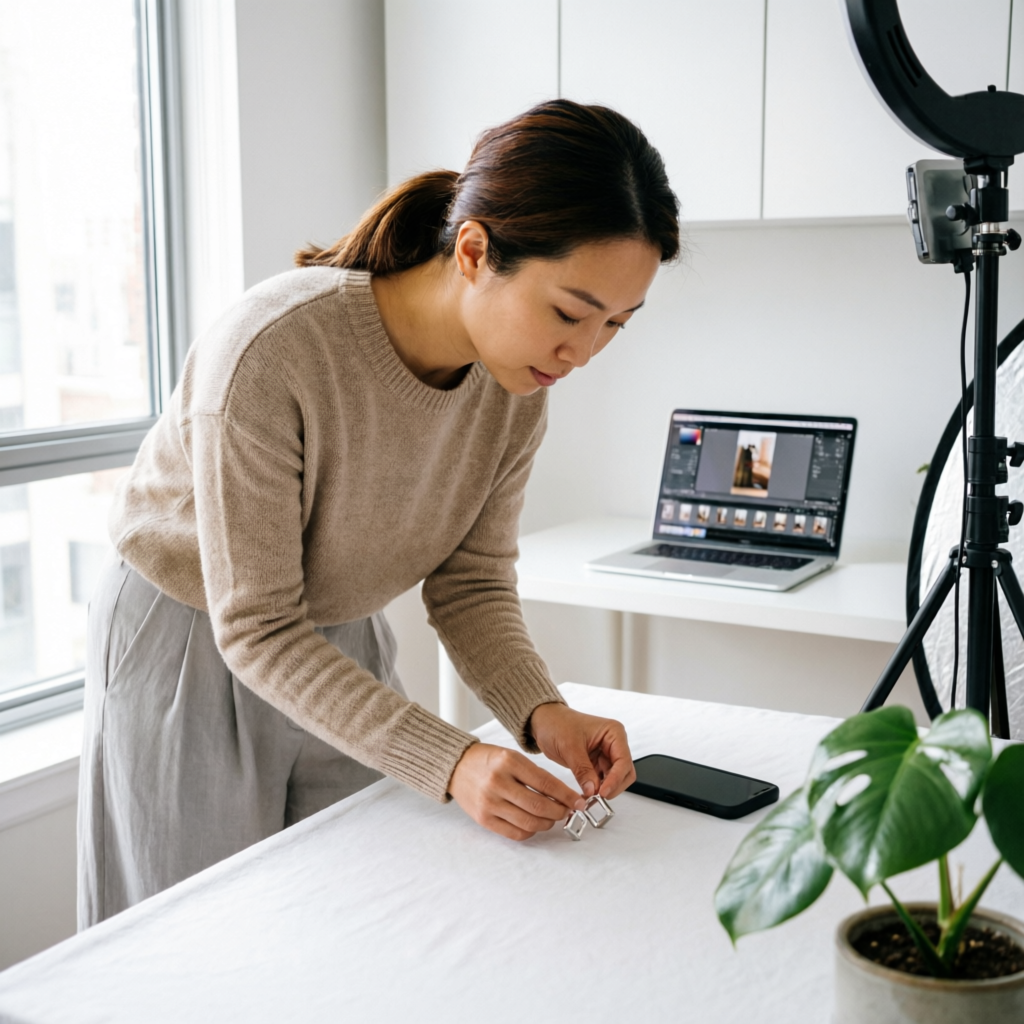
In the world of e-commerce, your product photos are your storefront, sales team, and brand ambassador rolled into one. Studies consistently show that high-quality product photography can increase conversion rates by over 30% and reduce return rates by up to 22%. Yet professional product photography and editing traditionally cost hundreds to thousands of dollars per shoot, putting it out of reach for many small businesses and individual sellers.
AI photo editing has transformed e-commerce product photography in 2026, enabling businesses of all sizes to create professional-quality product images without expensive studios or experienced editors. From automatic background removal to lighting enhancement and color correction, AI tools now handle tasks that once required hours of manual work in Photoshop.
This comprehensive guide reveals exactly how successful e-commerce brands are using AI photo editing to create product images that sell. Whether you're a small business owner, marketplace seller, or e-commerce manager, you'll discover practical techniques to dramatically improve your product photography while cutting costs and production time.
Why Product Photography Quality Directly Impacts Sales
The Visual Commerce Reality
E-commerce is fundamentally a visual medium where customers cannot touch or examine products physically:
Customer Behavior Data:
- 93% of consumers consider visual appearance the key deciding factor in purchase decisions
- 75% of online shoppers rely on product photos to make buying choices
- High-quality images increase purchase likelihood by 94%
- 22% of product returns occur because items look different than their photos
The Cost of Poor Product Photography:
- Lower conversion rates (3-5% less per poorly photographed product)
- Higher bounce rates (customers leave without exploring further)
- Increased customer service inquiries about product details
- More returns and negative reviews due to unmet expectations
- Damaged brand perception and reduced customer trust
Traditional Product Photography Challenges
Creating professional product photos has historically required significant investment:
Professional Studio Approach:
- Equipment costs: $2,000-$10,000 (camera, lenses, lighting, backdrops)
- Studio space rental: $50-$200 per hour
- Professional photographer: $100-$300 per hour
- Post-production editing: $25-$75 per image
- Turnaround time: 3-7 days from shoot to delivery
DIY Photography Problems:
- Inconsistent lighting and shadows
- Distracting or messy backgrounds
- Poor color accuracy
- Lack of professional polish
- Time-consuming manual editing
For businesses with hundreds or thousands of SKUs, these costs and limitations create serious barriers to maintaining high-quality visual catalogs.
How AI Transforms E-commerce Product Photography
The AI Advantage for Product Images
Modern AI photo editing tools specifically address e-commerce pain points:
Automated Background Removal:
- Instantly isolate products from any background
- Perfect edge detection even for complex items (fur, hair, glass, transparent objects)
- Generate pure white or transparent backgrounds meeting marketplace standards
- Process hundreds of images in batch mode
Intelligent Enhancement:
- Automatic color correction matching real product colors
- Exposure and lighting balance for professional consistency
- Shadow generation and removal as needed
- Perspective correction for product positioning
Creative Flexibility:
- Virtual staging with lifestyle backgrounds
- Multiple background options from single source photo
- Consistent styling across entire product catalog
- Seasonal or promotional variations without reshooting
Speed and Scale:
- Edit 50-100 product photos in under an hour
- Maintain consistent quality across thousands of SKUs
- Update entire catalogs for seasonal refreshes
- Rapid turnaround for new product launches
Essential AI Tools for E-commerce Product Photography
Background Removal and Replacement
Primary Use Case: Creating clean, professional product images with perfect backgrounds
Top AI Tools:
Remove.bg (remove.bg):
- Specialized in automatic background removal
- Excellent edge detection for complex products
- API integration for automated workflows
- Pricing: Free for low-res, $0.20-$0.40 per HD image
Slazzer (slazzer.com):
- Advanced AI for hair and fur detail preservation
- Batch processing capabilities
- Custom background library
- Pricing: From $6/month for 100 images
Pixelcut (pixelcut.ai):
- Mobile-first design for on-the-go editing
- Background removal plus enhancement features
- Template library for consistent styling
- Pricing: Free basic, $7.99/month premium
AImage Features (aimage.io):
- One-click background removal
- Smart background replacement options
- Batch processing for entire catalogs
- Integration-ready for e-commerce platforms
Best For:
- Remove.bg: High-volume sellers needing API automation
- Slazzer: Products with complex edges (clothing, accessories)
- Pixelcut: Mobile sellers and Instagram shop owners
- AImage: All-in-one solution for comprehensive editing
Color Correction and Enhancement
Primary Use Case: Ensuring accurate product colors and professional lighting
Key Capabilities:
Automated Color Matching:
- AI analyzes and corrects color casts from poor lighting
- Maintains consistent colors across product variations
- Matches colors to brand guidelines or reference images
Lighting Enhancement:
- Balances exposure and highlights automatically
- Reduces harsh shadows while maintaining natural appearance
- Enhances product details and textures
Professional Polish:
- Subtle sharpening for crisp product details
- Noise reduction for clean, professional look
- Automatic white balance correction
Recommended Tools:
- Adobe Lightroom with AI Auto settings
- Luminar Neo for intelligent enhancement
- Colorcinch for quick color adjustments
- AImage for all-in-one color and lighting fixes
Shadow Generation and Lighting Effects
Primary Use Case: Adding realistic shadows and lighting for dimensional appearance
Why Shadows Matter:
- Product photos without shadows appear flat and fake
- Natural shadows convey size, shape, and dimension
- Professional shadow work increases perceived value
AI Shadow Capabilities:
- Generate realistic drop shadows matching light direction
- Create reflection shadows for glossy surfaces
- Adjust shadow intensity, blur, and position
- Remove unwanted shadows from source photos
Tools Specializing in Shadows:
- PhotoRoom: Advanced shadow generation with lighting control
- Clipping Magic: Customizable shadow effects
- Picsart: Quick shadow templates for consistent results
Image Upscaling and Detail Enhancement
Primary Use Case: Improving low-resolution product photos for large displays
When You Need Upscaling:
- Enlarging smartphone product photos for desktop displays
- Preparing images for print catalogs or packaging
- Improving supplier-provided low-quality images
- Creating zoom-capable product detail views
AI Upscaling Benefits:
- 2x to 8x resolution increase without blur or pixelation
- Enhanced detail and texture clarity
- Maintained or improved sharpness
- Suitable for large format displays and printing
Top Upscaling Tools:
- Topaz Gigapixel AI: Industry-leading quality for serious upscaling
- Let's Enhance: Fast bulk upscaling with good results
- VanceAI Image Enlarger: Affordable option for regular needs
- ImgUpscaler: Free for occasional use
Step-by-Step AI Product Photography Workflow
Phase 1: Capture Source Photos (15-30 minutes per session)
Minimal Equipment Needed:
- Smartphone camera (iPhone 12 or later, Samsung Galaxy S21 or similar)
- Simple white backdrop (poster board, sheet, or paper roll)
- Natural window light or basic LED lighting ($20-$50)
- Tripod or stable surface (optional but helpful)
Shooting Best Practices:
-
Lighting Setup:
- Position product near large window for soft natural light
- Use diffused light to minimize harsh shadows
- Shoot during overcast days or morning/afternoon for even lighting
- Alternative: Use two LED panels at 45-degree angles
-
Background Preparation:
- Use any clean, neutral background (white, gray, or solid color)
- AI will remove background, so perfection not required
- Ensure background contrasts somewhat with product edges
-
Product Positioning:
- Center product in frame with some space around edges
- Shoot from multiple angles (front, side, 45-degree, detail shots)
- Maintain consistent distance and height for product series
- Capture any important details, textures, or features
-
Camera Settings (if using DSLR/mirrorless):
- ISO: 100-400 for clean images
- Aperture: f/8-f/11 for sharp focus throughout product
- White balance: Daylight or custom for accurate colors
- Format: RAW for maximum editing flexibility
Pro Tip: Take 3-5 photos of each product from slightly different exposures. AI tools can select or merge the best qualities from multiple source images.
Phase 2: Background Removal with AI (2-5 minutes per image)
Using AImage for Background Removal:
-
Upload Product Photo:
- Navigate to AImage Background Removal tool
- Upload individual image or batch upload multiple products
- AI processes automatically within seconds
-
Review Edge Quality:
- Zoom in to check edge accuracy around product
- AI handles most cases perfectly, including complex edges
- For tricky areas (very fine details, transparent elements), use manual refinement brush
-
Select Background Option:
- Pure white (standard for most marketplaces like Amazon, eBay)
- Transparent PNG (for website use with custom backgrounds)
- Custom color matching your brand palette
- Lifestyle background from template library
-
Adjust and Export:
- Fine-tune any edge imperfections with precision tools
- Generate shadows if desired (see next section)
- Export in required format (JPG for white, PNG for transparent)
- Download in marketplace-required dimensions
Batch Processing for Multiple Products:
- Upload 10-50 images simultaneously
- AI processes all automatically with consistent settings
- Review and approve batch results
- Export entire set in minutes rather than hours
Phase 3: Enhancement and Polish (3-7 minutes per image)
Color and Lighting Optimization:
-
Automatic Enhancement:
- Apply AI auto-enhancement for instant improvement
- AI adjusts exposure, contrast, saturation for optimal appearance
- Maintains color accuracy while making images pop
-
Color Accuracy Check:
- Compare edited image to actual product or reference photo
- Adjust color temperature if slight casting remains
- Ensure consistency across product variations (different colors of same item)
-
Detail Enhancement:
- Apply subtle sharpening to emphasize product texture and details
- Use noise reduction if source photo was taken in lower light
- Enhance contrast slightly to add dimension
Shadow Generation for Realism:
-
Assess Shadow Need:
- Flat products on white may not need shadows
- 3D products benefit from drop or cast shadows
- Reflective products look better with subtle reflection shadows
-
Apply AI Shadow:
- Select shadow type (drop shadow, cast shadow, reflection)
- AI generates realistic shadow matching product shape
- Adjust shadow opacity, distance, and blur to taste
-
Shadow Refinement:
- Ensure shadow direction is consistent across all products
- Match shadow intensity to your brand style
- Keep shadows subtle—less is more for professional look
Phase 4: Marketplace Optimization (5 minutes per listing)
Size and Format Requirements:
Different marketplaces have specific image requirements:
Amazon:
- Minimum: 1000px on longest side (enables zoom feature)
- Recommended: 2000px for high-quality zoom
- Format: JPG or PNG
- Background: Pure white (RGB 255, 255, 255) for main image
- File size: Under 10MB
eBay:
- Minimum: 500px on longest side
- Recommended: 1600px for SuperSize feature
- Format: JPG, PNG, GIF
- No strict background requirements
Etsy:
- Minimum: 2000px on shortest side
- Square format recommended (1:1 ratio)
- Format: JPG, PNG, GIF
- File size: Under 10MB
Shopify/Own Website:
- Recommended: 2048px or larger for Retina displays
- Format: JPG for photos, PNG for graphics/transparency
- Progressive JPG for faster loading
- Optimize file size (100-300KB ideal)
Using AI for Marketplace Compliance:
- Batch resize to meet each marketplace's specifications
- Automatically generate required aspect ratios
- Ensure pure white backgrounds meet marketplace standards
- Compress files while maintaining quality
Phase 5: Lifestyle and Contextual Variations (Optional, 10 minutes)
Creating Lifestyle Images with AI:
Beyond clean product-on-white images, lifestyle photos show products in use:
AI Background Replacement:
- Upload product photo with removed background
- Select from library of lifestyle settings (kitchen, bedroom, office, outdoor)
- AI composites product naturally into scene
- Adjust lighting and shadows to match environment
Use Cases for Lifestyle Images:
- Secondary product images on listings (2nd, 3rd image after main white background)
- Social media marketing and ads
- Email marketing campaigns
- Website category or collection headers
Creating Variations:
- Holiday/seasonal backgrounds (Christmas, summer, back-to-school)
- Demographic-targeted settings (family home, single apartment, office)
- Use-case scenarios (product being used for intended purpose)
AI Tools for Background Replacement:
- PhotoRoom: Extensive lifestyle background library
- Canva: Large template collection with easy customization
- AImage: Curated backgrounds optimized for e-commerce
Specialized Techniques for Different Product Types
Clothing and Apparel
Unique Challenges:
- Fabric texture and drape must look natural
- Colors must be accurate (especially important for fashion)
- Complex edges (flowing fabric, fur trim, lace)
- Showing fit and proportions
AI Solutions:
Ghost Mannequin Effect:
- Photograph clothing on mannequin or model
- Use AI to remove mannequin, leaving hollow neckline effect
- Shows 3D shape and fit without visible mannequin
- Professional look at fraction of traditional editing cost
Wrinkle and Fabric Smoothing:
- AI detects and subtly smooths fabric wrinkles
- Maintains texture while removing distracting creases
- Makes product appear fresh and new
Color Accuracy for Fabrics:
- Use color reference card in original photo
- AI corrects color cast to match reference
- Generate color variations (if product comes in multiple colors) from single photo
Recommended Workflow:
- Photograph on ghost mannequin or flat lay
- AI background removal with complex edge preservation
- Apply ghost mannequin effect (AI removes mannequin from hollow areas)
- Color correction and wrinkle smoothing
- Export multiple angles (front, back, detail) with consistent styling
Jewelry and Small Accessories
Unique Challenges:
- Reflective surfaces and gemstones
- Very fine details and intricate designs
- Need for close-up detail shots
- Maintaining sparkle and shine
AI Solutions:
Reflection and Highlight Management:
- AI removes unwanted reflections (photographer visible in chrome)
- Preserves intentional highlights that show dimension
- Balances exposure for both metal and stones
Detail Enhancement:
- AI upscaling for extreme close-ups showing craftsmanship
- Sharpening fine engravings and texture details
- Enhancing gemstone color and clarity
Multiple View Composition:
- AI combines multiple photos into single composite image
- Shows ring from multiple angles in grid layout
- Maintains consistent lighting and scale across views
Recommended Workflow:
- Macro photography on jewelry stand or model hand
- AI removes distracting backgrounds and reflections
- Upscale image for high-detail zoom capability
- Enhance colors and details with AI tools
- Create multi-angle composite images for comprehensive view
Electronics and Gadgets
Unique Challenges:
- Screen displays (need to show interface or replace with mockup)
- Reflective surfaces and screens
- Multiple components and accessories
- Technical specifications need to be visible
AI Solutions:
Screen Replacement:
- Photograph device with powered-on screen
- AI detects screen area automatically
- Replace with high-quality interface mockup or promotional graphics
- Maintain natural screen glare and perspective
Reflection Control:
- Remove photographer reflections from glossy surfaces
- Preserve natural highlights that show form and finish
- Balance exposure for both screen and device body
Product + Accessories Composition:
- Photograph all components separately with consistent lighting
- AI combines into organized flat-lay or arranged composition
- Perfect alignment and spacing
- Shadows generated to unify composition
Recommended Workflow:
- Photograph main device and accessories on neutral background
- AI background removal for each component
- Screen replacement with mockup if needed
- Compose items using AI layout tools
- Add unified shadows and export
Food and Consumables
Unique Challenges:
- Color accuracy critical for appetizing appearance
- Texture and freshness must appear in peak condition
- Lighting must enhance appeal without looking artificial
- Packaging and portion presentation
AI Solutions:
Color and Freshness Enhancement:
- AI boosts saturation and vibrancy for appetizing appearance
- Subtle enhancement of texture (crispy, creamy, fresh)
- Maintains natural look while maximizing appeal
Background Styling:
- Remove distracting backgrounds from food photography
- Add lifestyle settings (table, kitchen counter, outdoor picnic)
- Generate props and context that enhance appeal
Consistency Across Product Line:
- Batch process entire food product catalog
- Maintain consistent styling, lighting, and backgrounds
- Update seasonal offerings with matching aesthetic
Recommended Workflow:
- Photograph food in peak condition with good lighting
- AI background removal or replacement
- Color and texture enhancement for maximum appeal
- Add contextual elements or lifestyle backgrounds
- Maintain consistent look across product variations
Marketplace-Specific Requirements and Best Practices
Amazon Product Images
Amazon's Image Requirements:
- Main image: Pure white background (RGB 255, 255, 255)
- Product fills 85% or more of frame
- No text, graphics, or watermarks on main image
- Additional images: Can show product in use, with context, include text
AI Workflow for Amazon Compliance:
-
Main Image (Required pure white):
- AI background removal with pure white setting
- Crop to ensure product fills 85%+ of frame
- Verify white background meets exact RGB spec
- Save as high-res JPG (minimum 1000px, recommended 2000px)
-
Additional Images (More flexibility):
- Image 2: Product variation or alternate angle
- Image 3: Detail shot or size reference
- Image 4: Lifestyle image showing product in use
- Images 5-9: Features, benefits, dimensions (text allowed)
AI Advantages for Amazon Sellers:
- Batch process entire catalog to meet white background requirement
- Generate multiple angles from single source photo
- Create compliant lifestyle images with background replacement
- Maintain consistency across product variations
Shopify and Custom E-commerce Sites
Flexibility Advantages:
- No strict background requirements
- More creative freedom for brand expression
- Opportunity for distinctive visual style
AI Strategies for Brand Consistency:
Develop Signature Style:
- Choose consistent background approach (white, colored, lifestyle, transparent)
- Apply uniform editing style across catalog (bright and airy, dark and moody, clean and minimal)
- Use AI templates to maintain visual cohesion
Product Grid Optimization:
- Ensure all products have consistent framing and scale
- Use AI to standardize aspect ratios for clean grid display
- Generate hover effects (alternate angles or lifestyle shots)
Mobile-First Optimization:
- Products clearly visible on small screens
- Fast-loading images with AI compression
- Responsive sizing for different devices
Creative Opportunities:
- Transparent PNG products layered over brand-specific backgrounds
- Seasonal background variations for promotions
- Interactive elements (360-degree views, zoom overlays)
Instagram Shopping and Social Commerce
Instagram Shopping Requirements:
- Square format preferred (1:1 ratio, minimum 1080x1080px)
- Product clearly visible and centered
- Lifestyle or contextual images perform better than pure white backgrounds
- Must comply with Instagram's commerce policies
AI Workflow for Instagram Shopping:
-
Square Format Generation:
- Use AI to reframe product photos into square format
- Intelligent cropping that maintains product focus
- Add brand-consistent backgrounds or contexts
-
Lifestyle Variations:
- AI background replacement with lifestyle settings
- Show product in aspirational contexts (fashion, home, travel)
- Maintain Instagram aesthetic (bright, engaging, authentic-feeling)
-
Story and Reel Content:
- Vertical format optimization (9:16 ratio)
- Quick edits and variations for multiple posts
- Consistent branding across content
Best Practices:
- Mix product-on-white with lifestyle contexts
- Use AI to create cohesive feed aesthetic
- Generate multiple variations for A/B testing
- Optimize for mobile viewing experience
Advanced AI Techniques for High-Volume Sellers
Automated Batch Processing Workflows
For Catalogs with Hundreds or Thousands of SKUs:
Challenge: Editing individual photos one by one is impossible at scale
AI Solution: Automated batch workflows with minimal manual intervention
Setting Up Automated Workflows:
-
Establish Standard Settings:
- Define background type (white, transparent, or specific color)
- Set shadow style and position
- Determine enhancement levels (color boost, sharpening)
- Specify output format and dimensions
-
Batch Upload and Processing:
- Upload 50-200 images per batch
- AI applies standard settings automatically
- Processing completes in 10-30 minutes depending on volume
-
Quick Review and Approval:
- AI flags images that need manual attention (complex edges, poor source quality)
- Most images approved without changes
- Manual fixes only for flagged exceptions
-
Automated Export and Delivery:
- Export directly to required formats and sizes
- Automated file naming based on SKU or product codes
- Delivery to specific folders or cloud storage
- Optional: Direct API integration to upload to marketplace
Tools with Strong Batch Capabilities:
- Remove.bg API for automated background removal
- Adobe Lightroom with AI presets for consistent enhancement
- Pixelcut for batch mobile editing
- Custom scripts using AI APIs for full automation
Time Savings Example:
- Manual editing: 10-15 minutes per image = 25-38 hours for 100 products
- AI batch workflow: 2-3 minutes per image review = 3-5 hours for 100 products
- Savings: 80-85% time reduction
API Integration for Seamless Operations
For Advanced Users and Development Teams:
What API Integration Enables:
- Automatic product photo processing upon upload
- No manual intervention for standard products
- Instant availability of edited photos for listings
- Scalability to handle any volume
Common Integration Scenarios:
Scenario 1: New Product Upload:
- Seller uploads raw product photo to internal system
- System automatically sends photo to AI editing API
- AI processes (background removal, enhancement, resizing)
- Edited images return to system in multiple required formats
- Images automatically populate listing on marketplace
- Total time: 2-3 minutes from upload to live listing
Scenario 2: Catalog Refresh:
- Trigger batch process for entire product catalog
- AI updates all images with new background or styling
- Updated images push to all connected sales channels
- Consistent rebrand or seasonal update across thousands of SKUs
Popular AI Editing APIs:
- Remove.bg API: Background removal at scale
- Cloudinary AI: Comprehensive image transformation
- Imgix AI: Intelligent cropping and optimization
- AImage API: Full editing suite with e-commerce focus
Technical Considerations:
- API costs scale with volume (typically per-image pricing)
- Response times (usually 2-10 seconds per image)
- Rate limits and throughput capacity
- Error handling for problematic images
Quality Control Systems for Consistency
Maintaining High Standards at Scale:
Challenge: As volume increases, quality inconsistencies can slip through
AI-Assisted Quality Control:
Automated Quality Checks:
- AI detects common issues (poor lighting, blurry images, wrong backgrounds)
- Flags images that don't meet marketplace standards
- Identifies color inconsistencies across product variations
- Verifies image dimensions and file formats
Consistency Verification:
- Compare new images against reference style guide
- Ensure similar products have matching aesthetic
- Check that shadows and lighting match across catalog
- Flag outliers for manual review
Implementing QC Workflow:
- AI processes images with standard settings
- Automated QC scan checks for issues
- Passed images: Automatically approved and exported
- Flagged images: Routed to human reviewer
- Reviewer makes corrections and approves
- Final export to all required destinations
Result: 95%+ of images pass automated QC and require no human intervention, while quality remains consistently high.
Cost Analysis: AI vs Traditional Product Photography
Traditional Professional Photography Costs
Typical Investment for 100 Products:
Professional Studio Approach:
- Photography day rate: $1,500-$3,000 (for 100 products shot in one day)
- Studio rental: $500-$1,000
- Post-production editing: $25-$50 per image × 100 = $2,500-$5,000
- Total: $4,500-$9,000
- Timeline: 1 week shoot to final delivery
DIY Traditional Approach:
- Equipment investment: $2,000-$5,000 (one-time)
- Your time: 2-3 hours shooting + 30-60 minutes editing per product
- Total time: 250-350 hours for 100 products
- Implied cost at $25/hour: $6,250-$8,750 plus equipment
AI-Powered Product Photography Costs
Investment for 100 Products:
Basic Equipment:
- Smartphone camera: Already owned (or $300-$1,000 if purchasing)
- Simple lighting setup: $50-$200
- White backdrop: $20-$50
- Total equipment: $70-$1,250
AI Software Subscriptions:
- Background removal tool: $10-$30/month (covers 100+ images)
- Enhancement tool: $10-$20/month or free
- Total software: $20-$50/month
Your Time:
- Shooting: 30-45 minutes per product (includes multiple angles)
- AI editing and review: 5-10 minutes per product
- Total time: 35-55 minutes per product = 58-92 hours for 100 products
- Implied cost at $25/hour: $1,450-$2,300
Total First-Time Cost: $1,540-$3,600 (equipment + software + time) Ongoing Cost (equipment already owned): $1,470-$2,350
Cost Comparison Summary:
- Professional studio: $4,500-$9,000 per 100 products
- DIY traditional: $6,250-$8,750 (first time) or $6,250-$8,750 (ongoing)
- AI-powered: $1,540-$3,600 (first time) or $1,470-$2,350 (ongoing)
Savings: 65-85% compared to traditional approaches
ROI and Payback Period
For a Small E-commerce Business:
Scenario: Jewelry store with 200 SKUs, updating photos quarterly
Traditional Approach Annual Cost:
- Professional photography: 4 quarters × $4,500 = $18,000/year
AI Approach Annual Cost:
- Equipment (year 1): $1,000 (one-time)
- Software subscriptions: $50/month × 12 = $600/year
- Time (owner or employee): 150 hours/year at $25/hour = $3,750
- Total year 1: $5,350
- Total ongoing years: $4,350/year
Annual Savings: $18,000 - $4,350 = $13,650/year Payback Period: Immediate (saves money from month 1)
Additional Benefits:
- Can update photos more frequently (weekly instead of quarterly)
- Respond quickly to seasonal trends or promotional needs
- Maintain higher quality control with in-house process
- No scheduling delays waiting for photographer availability
Real-World Success Stories
Case Study 1: Small Jewelry Business
Business: Handmade jewelry e-commerce store Challenge: Professional photography cost $300 per product shoot with 15-20 pieces Previous Cost: $6,000-$8,000/month for new inventory photography
AI Solution Implemented:
- Purchased macro lens for iPhone 14 Pro ($50)
- Subscribed to Pixelcut Pro ($15/month)
- Owner shoots photos on jewelry stand at home
- AI removes background, enhances colors, generates shadows
- Total time: 20 minutes per piece shooting and editing
Results After 6 Months:
- Monthly photography cost: $15 software only
- Savings: $72,000/year (over 95% reduction)
- Ability to photograph and list new products same day instead of waiting weeks
- Increased inventory turnover by 40% due to faster time-to-market
- Higher quality consistency across entire catalog
Owner Quote: "AI tools completely transformed our business. We can now photograph new pieces immediately after creating them and have them listed within hours instead of waiting for our quarterly professional shoot. The quality is indistinguishable from our previous professional photos, and we've saved over $70,000 this year."
Case Study 2: Medium-Sized Fashion Retailer
Business: Online clothing store with 500+ SKUs Challenge: Need for constant catalog updates, seasonal refreshes, and promotional variations Previous Approach: Combination of studio photography ($50,000/year) and in-house manual editing (2 full-time editors)
AI Solution Implemented:
- Set up simple in-house photography corner with LED panels ($400)
- Subscribed to Remove.bg API and Adobe Lightroom ($60/month)
- Hired one photographer to shoot products on ghost mannequin
- Implemented automated batch workflow for background removal and enhancement
- Two editors became image directors, focusing on creative direction and quality control
Results After 12 Months:
- Annual photography/editing cost: $720 software + $60,000 photographer salary = $60,720
- Previous cost: $50,000 studio + $120,000 editors = $170,000/year
- Savings: $109,280/year (64% reduction)
- Processing time per product: Reduced from 2 hours to 15 minutes
- Catalog refresh capability: Quarterly to monthly (3x increase in update frequency)
- Promotional variation speed: 2 weeks to 2 days (7x faster)
Marketing Director Quote: "AI didn't eliminate jobs—it elevated them. Our editors now focus on creative strategy and brand consistency instead of repetitive background removal. We can respond to trends immediately and run more promotional campaigns because we're not bottlenecked by editing capacity."
Case Study 3: Amazon FBA Seller (Electronics)
Business: Third-party Amazon seller specializing in phone accessories Challenge: Competing with hundreds of similar products requires high-quality images Previous Approach: Using supplier-provided photos (low quality, inconsistent)
AI Solution Implemented:
- Purchased products from supplier
- Photographed all items on white background at home (iPhone 13)
- Used Remove.bg for perfect white backgrounds meeting Amazon standards
- Applied automated enhancement and upscaling
- Created lifestyle images using AI background replacement
Results After 3 Months:
- Conversion rate: Increased from 8% to 14% (75% improvement)
- Average order value: Increased by 22% (customers buying multiple items due to higher trust)
- Return rate: Decreased from 12% to 7% (more accurate representation)
- Revenue increase: 95% attributed to improved product photography
- Cost: Less than $100 for equipment and software
Seller Quote: "I was competing with dozens of sellers offering the exact same products. Better photos were my only differentiation, and AI tools made professional photography accessible on my limited budget. My sales nearly doubled in three months purely from better product images."
Common Mistakes to Avoid
Mistake 1: Over-Editing and Unrealistic Representation
The Problem: Making products look too perfect or different from reality
Consequences:
- Customer disappointment upon receiving product
- Higher return rates and negative reviews
- Damaged reputation and trust
AI Tools Can Enable This:
- Excessive skin smoothing on fabric textures
- Unrealistic color enhancement
- Adding details or features that don't exist
Best Practice:
- Use AI to enhance, not misrepresent
- Aim for "best possible version of reality" not fantasy
- Test with real customer feedback
- Always compare edited image to actual product side-by-side
Mistake 2: Inconsistent Styling Across Catalog
The Problem: Each product edited differently creates unprofessional appearance
Consequences:
- Catalog looks disorganized and amateur
- Reduces brand perception and trust
- Customers uncertain about quality consistency
How It Happens with AI:
- Using different tools or settings for different product batches
- Not establishing standard workflow
- Forgetting to apply brand style guide
Best Practice:
- Create documented editing workflow with specific settings
- Use AI presets or templates for consistency
- Process similar products in same batch with identical settings
- Regular catalog audits to identify and fix inconsistencies
Mistake 3: Ignoring Marketplace Requirements
The Problem: Images don't meet technical specifications and get rejected
Consequences:
- Listings disabled or deprioritized in search results
- Loss of sales during time required for corrections
- Extra work re-editing non-compliant images
Common Compliance Issues:
- Amazon main images without pure white backgrounds
- Insufficient resolution for zoom features
- Incorrect aspect ratios or dimensions
- File sizes too large or too small
Best Practice:
- Research specific requirements for each sales channel before editing
- Configure AI tools with marketplace-specific presets
- Automated compliance checking before upload
- Keep reference checklist for each platform
Mistake 4: Neglecting Mobile Viewing Experience
The Problem: Images look great on desktop but fail on mobile devices
Consequences:
- 70%+ of e-commerce traffic is mobile—poor mobile images directly hurt sales
- Products too small or details unclear on phone screens
- Slow loading times from oversized files
How It Happens:
- Editing and reviewing only on desktop monitors
- Not optimizing file sizes for mobile networks
- Products too small within frame for mobile viewing
Best Practice:
- Always preview edited images on mobile device before publishing
- Ensure products fill adequate portion of frame (85%+ for main images)
- Use AI compression to optimize file sizes (under 200KB ideal)
- Test loading speed on mobile connection
Mistake 5: Skipping A/B Testing
The Problem: Assuming one style works best without data validation
Consequences:
- Missing opportunities for higher conversion rates
- Continuing with suboptimal image strategies
- Not understanding what resonates with your specific customers
Why It's Easy to Skip:
- Takes time and effort to test variations
- False confidence that "professional-looking" automatically equals "best-converting"
- Not tracking image-specific performance data
Best Practice:
- Test different background styles (pure white vs lifestyle vs colored)
- Test different angles and compositions
- Test with and without shadows
- Track conversion rates by image style and iterate
- Use AI to quickly generate variations for testing
Future Trends in AI Product Photography
Trend 1: Full 3D Generation from 2D Photos
Emerging Technology: AI that creates fully rotatable 3D models from a few 2D product photos
Current State (2026):
- Early tools available but limited quality
- Works best for simple geometric products
- Requires 10-20 photos from different angles
Near Future (2027-2028):
- Generate 360-degree interactive views from 3-5 photos
- Photorealistic quality suitable for e-commerce
- Customer can rotate and zoom products from any angle
Impact on E-commerce:
- Significant reduction in return rates (customers can examine products thoroughly before purchase)
- Higher engagement and time on product pages
- Competitive advantage for sellers offering 3D views
Trend 2: AI Virtual Try-On and Contextual Placement
Technology: Customers can visualize products on themselves or in their spaces using AR and AI
Current Applications:
- Furniture visualization in rooms (IKEA, Wayfair)
- Eyewear virtual try-on (Warby Parker)
- Makeup try-on (Sephora, Ulta)
Expanding to More Categories:
- Clothing fit and appearance on body-specific models
- Jewelry on customer's own photos
- Home decor in customer's actual rooms
- Electronics on customer's desk or in hand
E-commerce Opportunity:
- Sellers providing product photos optimized for AR integration
- AI-generated contextual placement from single product photo
- Higher conversion rates from increased purchase confidence
Trend 3: Automated Product Photography Robots
Technology: Robotic photography systems that capture and process product photos fully automatically
How It Works:
- Place product in automated photo booth
- Robot captures 20-30 images from all angles with perfect lighting
- AI processes all images automatically
- Export marketplace-ready photos in minutes
Current Availability:
- High-end solutions for enterprise (Orbitvu, StyleShoots)
- Cost: $15,000-$50,000+ per system
- Payback period: 6-18 months for high-volume sellers
Future Direction:
- Affordable consumer versions ($2,000-$5,000) by 2027-2028
- Mobile robot apps using smartphone cameras
- Pay-per-use shared studio spaces with automated booths
Trend 4: AI Style Transfer for Brand Consistency
Technology: Apply specific brand aesthetic across any product photo automatically
Use Case Example:
- Brand establishes signature visual style (color grading, lighting, mood)
- AI learns this style from reference images
- New product photos automatically styled to match brand aesthetic
- Consistency maintained even with different photographers or sources
Benefits:
- Instant brand recognition across all marketing channels
- Professional consistency even with user-generated content
- Rapid onboarding of new products matching existing catalog
Currently Available (Limited):
- Instagram filters and presets
- Adobe Lightroom style presets
- Basic AI tools with template matching
Future Enhancement (2027+):
- One-click brand style application to any photo
- Maintains product accuracy while applying aesthetic
- Cross-platform consistency (website, social, print)
Trend 5: AI-Generated Lifestyle and Marketing Content
Technology: Generate completely synthetic lifestyle photos and marketing materials from product photos
Capability Evolution:
- Current (2026): Replace backgrounds with realistic environments
- Near Future (2027): Generate photorealistic models holding/wearing products
- Advanced Future (2028+): Create entire marketing campaigns (models, settings, scenarios) from product photo only
Impact on Small Businesses:
- Access to model photography without hiring models
- Unlimited lifestyle variations without photoshoots
- Diverse representation easily achieved
- Cost reduction from thousands to tens of dollars
Ethical Considerations:
- Disclosure requirements for AI-generated models
- Potential regulation of synthetic content in advertising
- Customer trust and transparency
Conclusion: Making AI Product Photography Work for Your Business
AI photo editing has fundamentally changed who can succeed in e-commerce. The barriers of expensive equipment, professional expertise, and time-consuming manual editing have collapsed. Today, any motivated business owner can produce professional-quality product photography competitive with major brands.
The key to success isn't just using AI tools—it's implementing systematic workflows that maintain quality and consistency at scale. Start with the fundamentals: good source photos, appropriate AI tool selection for your product types, and marketplace-compliant specifications. Then evolve toward automation and optimization as your volume grows.
Getting Started Checklist:
-
Assess Your Current State:
- How many products need photography?
- What are your current costs and time investments?
- Which marketplaces and platforms are you selling on?
-
Choose Your AI Tools:
- Background removal (Remove.bg, Slazzer, Pixelcut, or AImage)
- Enhancement (Lightroom, Luminar Neo, or AImage)
- Specialized needs (upscaling, shadows, lifestyle backgrounds)
-
Set Up Simple Photography Station:
- White backdrop or roll
- Natural window light or basic LED panels
- Smartphone or camera on tripod
-
Develop Standard Workflow:
- Document shooting process for consistency
- Create AI editing presets for your brand style
- Establish QC checklist before publishing
-
Start Small and Scale:
- Process 10-20 products as proof of concept
- Measure conversion rate changes on test products
- Expand to full catalog once workflow validated
-
Monitor and Optimize:
- Track conversion rates by product and image style
- A/B test variations to find what works best
- Continuously refine workflow for efficiency
The investment is minimal. The learning curve is manageable. The results speak for themselves: professional product photography that drives sales, builds trust, and scales with your business—without the traditional costs and complexity.
Your competitors are already using these tools. The question isn't whether to adopt AI product photography, but how quickly you can implement it to gain or maintain competitive advantage in your market.
Related Articles:
- AI Photo Editing for Real Estate Listings: Complete Guide 2026
- AI Photo Editing for Social Media Content Creators 2026
- AI Photography Success Stories: From Hobby to Business 2026
Recommended E-commerce Photography Tools:
- Remove.bg - AI Background Removal
- Pixelcut - Mobile Product Photography
- Canva - Product Image Templates
Ready to transform your product photography?
Try AImage for Free →Ready to try it yourself?
Try AImage for Free →