
AI Face Swap Technology: Complete Tutorial 2026
Master AI face swap technology with this comprehensive guide. Learn the techniques, tools, ethics, and best practices for professional face swapping in 2026.
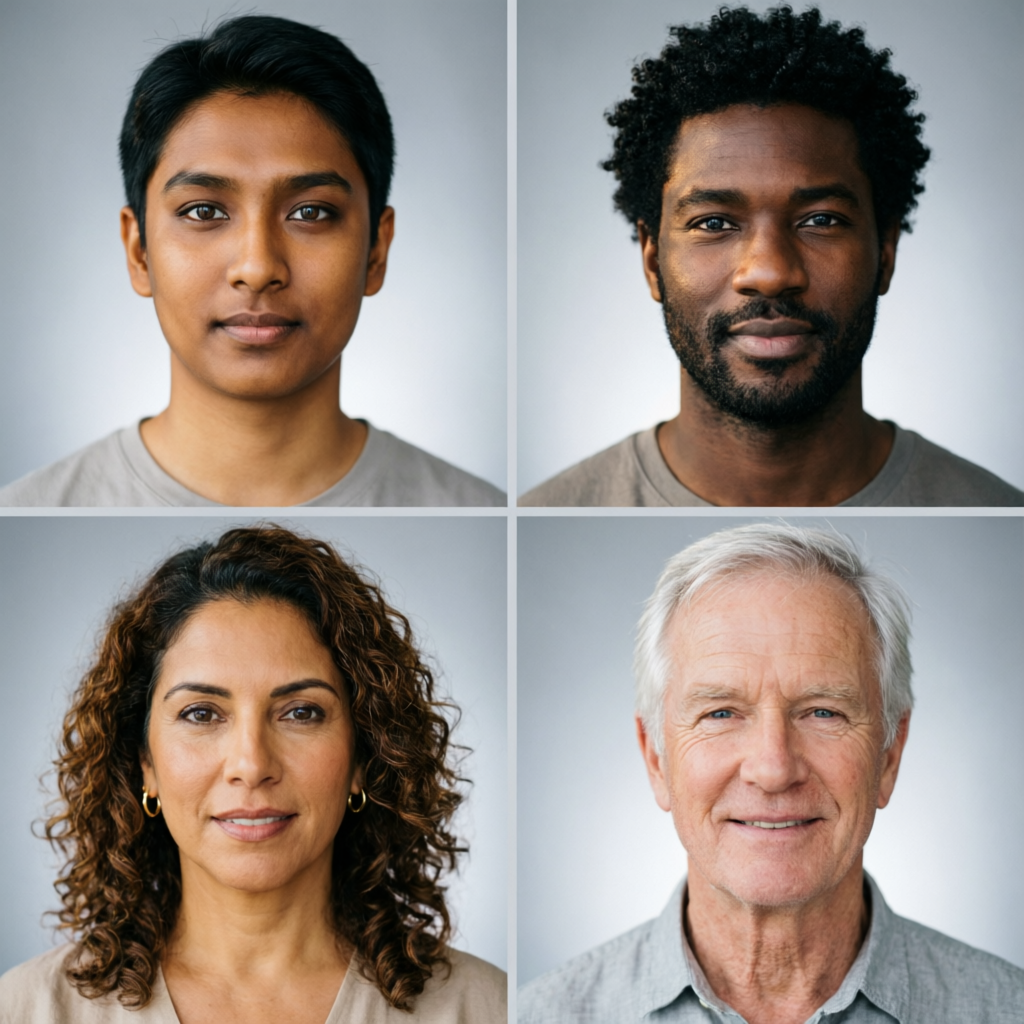
Face swapping technology has evolved dramatically over the past few years. What once required Hollywood-level special effects studios and weeks of manual work can now be accomplished in minutes using AI-powered tools. Whether you're creating fun social media content, producing professional video effects, or exploring creative photography projects, understanding face swap technology has become an essential skill for digital creators.
This comprehensive guide takes you through everything you need to know about AI face swap technology in 2026. You'll learn the underlying principles, discover the best tools available, master the technical workflow, and understand the ethical considerations that come with this powerful technology. By the end, you'll be equipped to create professional-quality face swaps while using the technology responsibly.
Understanding Face Swap Technology
How AI Face Swapping Works
At its core, face swap technology relies on sophisticated machine learning models that have been trained on millions of human faces. The process involves several key steps:
Face Detection: The AI first identifies faces in both the source image (the face you want to use) and the target image (where you want to place the face). Modern algorithms can detect faces even in challenging conditions—partial occlusion, unusual angles, poor lighting, or motion blur.
Facial Landmark Mapping: Once faces are detected, the system identifies key facial landmarks—eyes, nose, mouth, jawline, and other distinctive features. Advanced systems map over 100 specific points on each face, creating a detailed template that preserves unique characteristics.
Feature Extraction: Deep learning models analyze the unique characteristics of both faces, including skin texture, facial structure, expression, and lighting conditions. This information guides how the swap will be performed to maintain realism.
Face Alignment: The source face is mathematically transformed to match the pose, angle, and perspective of the target face. This involves complex geometric calculations that ensure the swapped face appears naturally positioned.
Blending and Refinement: The final step involves seamlessly blending the swapped face with the target image. This includes matching skin tones, adjusting lighting, preserving original expressions, and ensuring smooth transitions at the face boundaries.
Modern AI face swap systems use generative adversarial networks (GANs) and diffusion models that have been specifically trained for this task. These models can preserve fine details like wrinkles, pores, and subtle expressions while maintaining photorealistic quality.
The Evolution of Face Swap Technology
Early Methods (2015-2019): The first generation of face swap apps used simple overlay techniques that produced obvious, unrealistic results. These early tools could barely handle frontal faces and struggled with lighting, angles, and expressions.
Deep Learning Era (2020-2023): The introduction of deepfake technology marked a major leap forward. Neural networks trained on massive datasets could produce convincing swaps, but required significant computing power and technical expertise.
AI-Powered Simplicity (2024-2026): Today's face swap tools combine powerful AI models with user-friendly interfaces. Real-time processing, automatic quality enhancement, and one-click operations have made professional-grade face swapping accessible to everyone.
The technology continues to advance rapidly, with new models released regularly that improve accuracy, speed, and realism.
Types of Face Swap Applications
Static Image Face Swaps
The most common and straightforward application involves swapping faces in still photographs. This is ideal for:
- Social media content creation
- Creative photography projects
- Historical photo recreation
- Marketing and advertising materials
- Artistic explorations and experiments
Static face swaps are the easiest to master and produce the highest quality results because the AI has more processing time and no temporal consistency requirements.
Video Face Swaps
More complex but increasingly accessible, video face swapping involves applying the technology across multiple frames while maintaining consistency. Applications include:
- Film and video production
- Content creation for YouTube and TikTok
- Special effects for indie films
- Deepfake detection research
- Entertainment and parody content
Video face swaps require more computational power and careful attention to temporal consistency—ensuring the swapped face looks natural across all frames.
Real-Time Face Swaps
The cutting edge of the technology, real-time face swapping happens during live video streams or video calls. Uses include:
- Live streaming entertainment
- Virtual meetings and presentations
- Interactive gaming experiences
- Augmented reality applications
- Performance capture for animation
Real-time swaps sacrifice some quality for speed, but 2026 technology has reached impressive levels of realism even in live applications.
Best AI Face Swap Tools in 2026
Professional-Grade Tools
FaceSwapPro (Desktop Application)
FaceSwapPro leads the professional market with its powerful features and exceptional quality output. The software uses proprietary AI models trained on diverse datasets for superior accuracy.
Key Features:
- Batch processing for multiple images
- Advanced lighting and color matching
- Expression preservation technology
- High-resolution output (up to 8K)
- Video face swap with frame consistency
- Custom model training capabilities
Best For: Professional photographers, video editors, and content creators who need the highest quality results.
Pricing: One-time purchase of $299 or subscription at $29/month.
DeepFaceLab (Open Source)
For those willing to invest time in learning, DeepFaceLab remains the most powerful and customizable option. This command-line tool gives you complete control over every aspect of the face swap process.
Key Features:
- Complete customization of AI models
- Support for video and image processing
- Multiple face swap algorithms
- Advanced quality control options
- Active community and regular updates
- Free and open source
Best For: Technical users, researchers, and those who want maximum control.
Pricing: Free (requires powerful GPU for best results).
Consumer-Friendly Apps
Reface (Mobile App)
Reface has become the go-to mobile app for quick, fun face swaps. Its one-tap interface and extensive template library make it perfect for casual users.
Key Features:
- Huge library of GIF and video templates
- One-tap face swapping
- Social sharing integration
- Regular content updates
- Face animation capabilities
- Celebrity face swap modes
Best For: Social media enthusiasts and casual users wanting quick, entertaining results.
Pricing: Free with watermark, $9.99/month for premium.
FaceApp (Mobile App)
While famous for age transformation, FaceApp also offers sophisticated face swap capabilities with impressive quality.
Key Features:
- AI-powered face detection
- Multiple face swap modes
- Additional editing tools
- High-quality output
- Easy sharing options
- Regular feature updates
Best For: Mobile users seeking quality and convenience.
Pricing: Free basic version, $7.99/month premium.
Web-Based Solutions
Face Swapper Online
Browser-based tools have become surprisingly capable, with Face Swapper Online leading the pack for quality and ease of use.
Key Features:
- No software installation required
- Works on any device with browser
- Instant processing
- Privacy-focused (processing in-browser)
- Simple drag-and-drop interface
- Export in multiple formats
Best For: Quick projects, testing ideas, or users without powerful hardware.
Pricing: Free for basic use, $12.99/month for HD output.
Step-by-Step Face Swap Tutorial
Preparing Your Images
The quality of your source materials significantly impacts the final result. Follow these guidelines:
Source Face Selection:
- Choose high-resolution images (minimum 1080p)
- Ensure clear, well-lit faces
- Avoid heavy makeup or accessories that obscure features
- Use frontal or slight angle shots for best results
- Multiple source images at different angles improve quality
Target Image Requirements:
- Similar lighting conditions to source
- Comparable face size and resolution
- Clear, unobstructed facial features
- Appropriate angle (matching source when possible)
- Good overall image quality
Pro Tip: Images with similar expressions in source and target produce more natural results. While AI can adjust expressions, starting with similarity helps maintain authenticity.
Using Desktop Software (FaceSwapPro Example)
Step 1: Import Your Images
Launch FaceSwapPro and create a new project. Import both your source face and target image using the "Add Media" button or drag-and-drop.
Step 2: Face Detection and Selection
The software automatically detects all faces in both images. Click on the source face you want to use, then click on the target face where you want it placed. You can swap multiple faces in a single image.
Step 3: Adjust Face Alignment
Use the alignment controls to fine-tune how the source face maps to the target:
- Adjust face boundaries if detection is imperfect
- Modify the face mesh for better geometric matching
- Set anchor points for eyes, nose, and mouth
- Preview the initial alignment before processing
Step 4: Configure Processing Settings
Choose your quality and processing options:
- Quality Level: High, Ultra, or Maximum (affects processing time)
- Blend Mode: Natural, Seamless, or Manual
- Color Matching: Auto-adjust skin tones to match target lighting
- Expression Transfer: Preserve original expression or use source expression
- Edge Refinement: Smooth or Sharp boundaries
Step 5: Process and Preview
Click "Generate Face Swap" and wait for processing (typically 10-60 seconds depending on settings). Preview the result and use the comparison slider to check quality.
Step 6: Fine-Tune the Result
Use the refinement tools if needed:
- Adjust color temperature and saturation
- Modify edge blending for smoother transitions
- Apply subtle blur or sharpness
- Fix specific problem areas with the manual touch-up tool
Step 7: Export Your Final Image
When satisfied, export in your desired format:
- JPEG (smaller file size, slight quality loss)
- PNG (lossless, larger files)
- TIFF (professional quality, very large)
Choose resolution and compression settings based on intended use.
Using Mobile Apps (Reface Example)
Step 1: Open the App and Choose Mode
Launch Reface and select "Face Swap" from the main menu. Choose whether to use a template or upload your own image.
Step 2: Upload Your Face
Take a new selfie or upload a photo from your gallery. The app guides you to position your face properly—frontal view, well-lit, clear features.
Step 3: Select Target Content
Browse the template library or upload your own target image. Templates are organized by categories: celebrities, memes, movie scenes, etc.
Step 4: Generate the Swap
Tap "Swap Face" and wait a few seconds while the AI processes. The app shows a progress indicator.
Step 5: Review and Edit
Preview your result and use built-in tools to:
- Adjust face positioning slightly
- Apply filters for better integration
- Add text or stickers
- Trim video length (for video swaps)
Step 6: Save and Share
Download to your device or share directly to social media platforms. The app integrates with Instagram, TikTok, WhatsApp, and more.
Advanced Techniques for Professional Results
Multi-Angle Source Collection: For best results with challenging angles, provide the AI with multiple photos of your source face from different angles. Some tools can create a 3D face model from multiple images.
Lighting Pre-Adjustment: Before swapping, adjust the lighting of your source image to roughly match the target. This gives the AI a better starting point.
Expression Matching: When possible, choose source and target images with similar expressions. Neutral expressions are easiest to work with.
Post-Processing Integration: Don't rely solely on the face swap tool. Import results into Photoshop or similar editors for final touches—color grading, sharpness adjustments, and detail enhancements.
Temporal Consistency for Video: When working with video, process in segments and ensure consistent settings across all frames. Some tools offer batch processing specifically designed for video.
Technical Challenges and Solutions
Common Problems and Fixes
Problem: Visible Face Boundaries
The swapped face shows obvious edges where it meets the original image.
Solution: Increase edge feathering in your tool's settings. Use a wider blend zone. If your tool allows manual adjustment, use a soft brush to manually blend problem areas. Consider slightly expanding or contracting the face mask.
Problem: Color Mismatch
The swapped face has different skin tones or lighting than the rest of the image.
Solution: Enable automatic color matching in your tool. Manually adjust color temperature, tint, and saturation. In advanced tools, use targeted color correction on just the face region. Match the histogram of the face to the overall image.
Problem: Loss of Expression
The swapped face looks flat or loses the original expression from the target photo.
Solution: Enable expression preservation mode if available. Choose source images with neutral expressions. Use tools that offer expression transfer from target to source. Post-process to enhance expression details.
Problem: Distortion at Angles
Face swaps work well for frontal views but distort at side angles.
Solution: Use source images from similar angles as your target. Provide multiple source angles to the AI. Use tools with 3D face modeling capabilities. Manual adjustment of key facial landmarks can help align geometry.
Problem: Inconsistent Video Frames
Video face swaps flicker or change appearance between frames.
Solution: Use tools specifically designed for video with temporal consistency features. Process at higher quality settings (slower but smoother). Apply frame-by-frame manual correction to key frames. Use stabilization tools before face swapping.
Hardware and Performance Optimization
GPU Requirements: Face swapping is GPU-intensive work. For best performance:
- Minimum: NVIDIA GTX 1060 or equivalent (4GB VRAM)
- Recommended: RTX 3060 or better (8GB+ VRAM)
- Professional: RTX 4080/4090 (16GB+ VRAM)
Processing Speed Tips:
- Process at lower resolution first to test settings
- Use batch processing for multiple similar images
- Close other GPU-intensive applications
- Enable GPU acceleration in software settings
- Update graphics drivers regularly
Storage Considerations: Face swap projects generate large files:
- Source images: 50-500 MB total
- Processing cache: 1-5 GB per project
- Output files: 10-100 MB per image, 1-50 GB per video
- Plan for fast SSD storage (minimum 100 GB free recommended)
Ethical Considerations and Responsible Use
Understanding the Ethics of Face Swap Technology
Face swap technology is powerful and can be misused. Responsible creators must consider:
Consent and Permission: Always obtain explicit permission before using someone's likeness, especially for public or commercial purposes. Just because you can swap someone's face doesn't mean you should.
Transparency Requirements: When sharing face-swapped content, clearly label it as manipulated. Use hashtags like #FaceSwap, #AIGenerated, or #Deepfake to inform viewers. Deceptive use erodes public trust.
Preventing Misinformation: Never create face swaps intended to spread false information, damage reputations, or deceive viewers about real events. The ease of creation makes this a serious concern.
Respecting Privacy: Be cautious about using face swap technology with private individuals, especially minors. What seems fun to you might be unwanted or harmful to others.
Platform Policies: Understand and comply with content policies on platforms where you share face swaps. Many social networks have specific rules about manipulated media.
Legal Considerations
Copyright and Likeness Rights: In many jurisdictions, individuals have rights to control use of their likeness. Celebrity faces, in particular, are often protected. Commercial use almost always requires explicit permission.
Defamation Concerns: Creating face swaps that damage someone's reputation could expose you to legal liability, especially if the content is defamatory or invasive of privacy.
Terms of Service: Many face swap tools prohibit specific uses in their terms of service. Violating these terms could result in account termination and potential legal action.
Emerging Regulations: Governments worldwide are developing regulations specifically addressing deepfakes and face swap technology. Stay informed about laws in your jurisdiction.
Best Practices for Ethical Use
1. Create with Good Intent: Use the technology for entertainment, art, education, or legitimate professional purposes—not deception or harm.
2. Obtain Consent: Get permission from anyone whose face you plan to use, especially for public sharing or commercial projects.
3. Provide Attribution: Credit the original images when appropriate and disclose that content is AI-generated.
4. Consider Context: Think about how your face swap content might be interpreted or misused before sharing publicly.
5. Educate Others: Help people understand that face swap technology exists and can create realistic fake content. Media literacy is crucial.
6. Report Misuse: If you encounter harmful face swap content, report it to platform moderators and appropriate authorities.
Creative Applications Beyond Entertainment
Professional Video Production
Film and video professionals use face swap technology for legitimate production purposes:
Stunt Double Face Replacement: Replace stunt performer faces with actors' faces in dangerous scenes, reducing the need for dangerous closeup stunts.
Historical Recreation: Recreate historical figures for documentaries and educational content when photographic evidence is limited.
Continuity Correction: Fix continuity errors in editing when reshoots aren't feasible—replacing an actor's face from a different take.
Age Transformation: De-age or age-up actors for flashback sequences or time-jump narratives without extensive makeup.
Education and Research
Medical Training: Create diverse training materials by swapping faces to represent different patient demographics while protecting real patient privacy.
Historical Analysis: Researchers can reconstruct facial features of historical figures for educational purposes.
Psychology Studies: Scientists study human perception and recognition using controlled face swap experiments.
Technology Development: Researchers develop detection methods for malicious deepfakes by studying how face swap technology works.
Artistic Expression
Digital Art: Artists incorporate face swap technology into multimedia art pieces exploring identity, perception, and reality.
Portrait Photography: Creative photographers experiment with identity and self-representation through face swapping.
Performance Art: Live performers use real-time face swapping as part of interactive installations and performances.
Future Trends in Face Swap Technology
Emerging Capabilities
Real-Time 3D Face Swaps: Next-generation tools will perform accurate face swaps in real-time 3D environments, enabling applications in virtual reality and gaming.
Emotion and Expression Transfer: Advanced AI will better preserve and even transfer subtle emotions and microexpressions between faces.
Multi-Person Optimization: Future tools will handle group photos with multiple faces more efficiently, swapping several faces simultaneously while maintaining relationships.
Improved Temporal Consistency: Video face swaps will achieve perfect frame-to-frame consistency, eliminating current flickering and inconsistency issues.
Detection Technologies
As creation tools advance, so do detection methods:
Forensic Analysis Tools: Specialized software can identify face swaps by analyzing compression artifacts, lighting inconsistencies, and biological implausibilities.
Blockchain Verification: Some platforms are exploring blockchain-based image verification to prove authenticity.
AI vs AI: Machine learning models trained to detect face swaps are becoming more sophisticated, leading to an ongoing technological arms race.
Regulatory Landscape
Content Authentication Standards: Industry groups are developing standards for authenticating original content and labeling manipulated media.
Platform Accountability: Social media platforms face increasing pressure to detect and label face-swapped content automatically.
Legal Frameworks: Governments worldwide are introducing laws specifically addressing deepfakes and face manipulation technology.
Conclusion
AI face swap technology represents a remarkable achievement in computer vision and machine learning. What once required Hollywood budgets and expertise is now accessible to anyone with a smartphone. This democratization brings incredible creative opportunities along with significant responsibilities.
By understanding the underlying technology, mastering professional tools, and committing to ethical use, you can harness face swap technology for legitimate creative, educational, and professional purposes. The key is approaching this powerful capability with respect for individuals' rights, transparency about manipulation, and careful consideration of potential impacts.
As the technology continues to evolve, staying informed about both capabilities and concerns will be essential. Use face swap technology to create, entertain, and innovate—but always with integrity and responsibility.
The future of face swap technology is bright, with applications we're only beginning to imagine. Whether you're a content creator, filmmaker, educator, or curious experimenter, now is the perfect time to explore this fascinating technology while helping establish norms for its responsible use.
Related Articles:
- Advanced AI Portrait Enhancement Techniques 2026
- AI Photo Editing Mistakes to Avoid 2026
- AI vs Traditional Photo Editing: 2026 Comparison
Recommended External Tools:
- FaceSwapPro - Professional desktop face swapping software
- DeepFaceLab - Open source face swap framework
- Reface App - Mobile face swap entertainment app
Ready to explore creative possibilities with AI?
Try AImage for Free →Ready to try it yourself?
Try AImage for Free →