
AI Photo Editing Gone Wrong: 15 Common Mistakes to Avoid in 2026
Learn from real-world AI photo editing failures. Discover the 15 most common mistakes photographers and content creators make with AI tools, and how to avoid them for professional results.
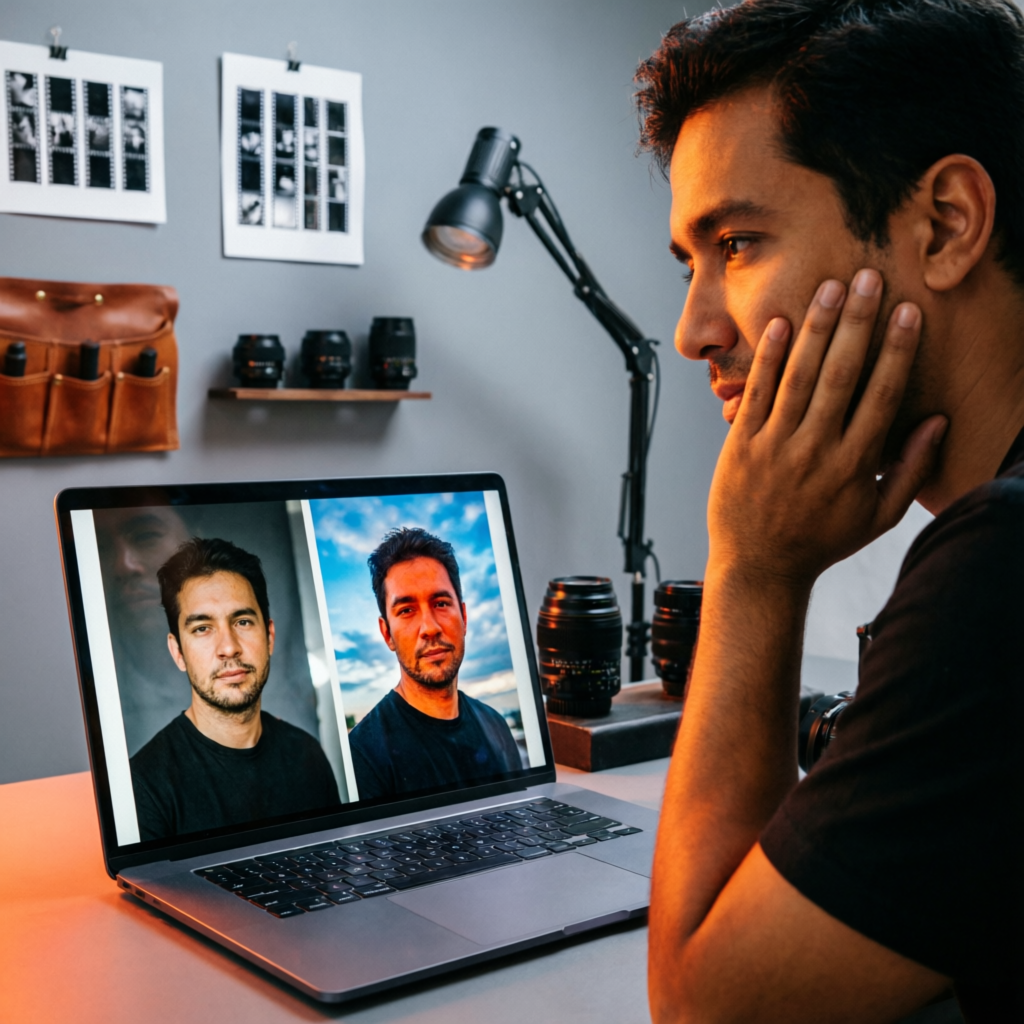
AI photo editing tools have revolutionized how we create and enhance images, offering incredible power at our fingertips. But with great power comes great responsibility – and plenty of opportunities to make mistakes that can ruin your photos or damage your professional reputation.
After analyzing thousands of AI-edited images and speaking with professional photographers and content creators, we've identified the most common pitfalls that plague AI photo editing. Whether you're a beginner experimenting with your first AI tool or a professional looking to refine your workflow, this guide will help you avoid costly mistakes and achieve consistently professional results.
The good news? Most of these mistakes are easily preventable once you know what to watch for. Let's dive into the 15 most common AI photo editing mistakes – and more importantly, how to fix them.
1. Over-Relying on AI Without Understanding Photography Basics
The Mistake
Many users treat AI tools as magic buttons that can fix any photo problem. They skip learning fundamental photography principles like composition, lighting, and exposure, assuming AI will handle everything.
Why It Fails
AI tools are incredibly powerful, but they work best when applied to well-composed, properly exposed images. No amount of AI processing can save a fundamentally flawed photo. AI enhances what's already there – it doesn't create something from nothing.
The Fix
Before reaching for AI tools:
- Study basic photography principles (rule of thirds, leading lines, proper exposure)
- Learn to recognize good source material vs. unsalvageable images
- Master your camera or smartphone settings first
- Use AI as an enhancement tool, not a replacement for good photography
Real-world example: A professional food photographer told us: "I used to spend hours trying to fix poorly lit product shots with AI. Now I spend 5 minutes setting up proper lighting, and AI enhancement takes 30 seconds instead of an hour."
2. Ignoring the "Uncanny Valley" Effect in AI Portraits
The Mistake
Cranking up AI portrait enhancement settings to maximum, resulting in overly smoothed skin, unnaturally large eyes, and plastic-looking faces that fall into the "uncanny valley" – looking almost human but disturbingly artificial.
Why It Fails
Humans are incredibly sensitive to subtle facial details. When AI over-processes portraits, we instinctively recognize something is "off," even if we can't pinpoint exactly what. This triggers discomfort rather than admiration.
The Fix
Portrait enhancement best practices:
- Use AI enhancement at 50-70% strength, not 100%
- Always preserve natural skin texture and pores
- Keep facial proportions realistic (resist the temptation for impossibly large eyes)
- Compare your edit to the original at regular intervals
- Get feedback from others – you become blind to your own edits
Settings to watch:
- Skin smoothing: Maximum 40-50%
- Eye enlargement: Maximum 10-15%
- Face slimming: Maximum 15-20%
- Blemish removal: Selective, not universal
3. Applying AI Effects to the Entire Image Uniformly
The Mistake
Using AI effects with the same intensity across an entire image, resulting in unnatural-looking photos where background objects receive the same treatment as the main subject.
Why It Fails
Human vision naturally focuses on subjects while perceiving backgrounds with less detail. When AI sharpens or enhances backgrounds as much as foregrounds, images look artificial and uncomfortable to view.
The Fix
Selective enhancement strategy:
- Use AI tools with masking or selective adjustment capabilities
- Apply maximum AI enhancement to your main subject
- Reduce effect intensity on backgrounds by 50-70%
- Use depth-aware AI tools that automatically adjust enhancement based on distance
- Manually mask complex subjects when automatic selection fails
Workflow tip: Process your image in layers:
- First pass: AI enhancement on the entire image at medium strength
- Second pass: Selective additional enhancement on subject only
- Final pass: Subtle background blur or desaturation to enhance subject separation
4. Ignoring Lighting Consistency After AI Edits
The Mistake
Using AI to remove backgrounds, add objects, or composite images without considering whether lighting directions and qualities match across all elements.
Why It Fails
Inconsistent lighting is one of the fastest ways to make a composite look obviously fake. Our brains instantly recognize when light sources don't match, even if we can't consciously articulate why something looks wrong.
The Fix
Lighting consistency checklist:
- Identify the main light source direction in your base image
- Ensure all added or modified elements match this direction
- Match lighting color temperature across all elements (warm vs. cool light)
- Use AI tools that offer lighting direction control
- Add subtle shadows and highlights to composite elements manually if needed
Pro technique: Before finalizing AI composites, convert the image to black and white temporarily. Lighting inconsistencies become much more obvious without the distraction of color.
5. Failing to Save Original Files Before AI Processing
The Mistake
Overwriting original images with AI-processed versions, losing the ability to revisit edits or try different approaches later.
Why It Fails
AI technology evolves rapidly. Tools that seemed perfect today might be surpassed by better alternatives next month. Without original files, you're stuck with yesterday's edits forever.
The Fix
File management best practices:
- ALWAYS work with copies, never originals
- Create a systematic folder structure: "Originals," "Work-in-Progress," "Finals"
- Save AI edits as new files with descriptive names (e.g., "portrait_AI_enhanced_v2.jpg")
- Consider keeping intermediate versions for complex edits
- Use cloud backup for both originals and finals
Naming convention suggestion:
[Date]_[Subject]_[Version]_[AI-Tool-Used].jpg
Example: 2026-04-22_Family_Portrait_v3_TopazAI.jpg
6. Over-Sharpening and Creating Halo Effects
The Mistake
Applying excessive AI sharpening, resulting in bright "halos" around edges, exaggerated noise, and an unnatural, overly crispy appearance.
Why It Fails
While sharpness seems desirable, excessive sharpening amplifies noise and creates obvious artifacts that scream "over-processed." Real-world scenes have natural softness in some areas.
The Fix
Sharpening wisdom:
- View images at 100% zoom (not fit-to-screen) when judging sharpness
- Apply sharpening in multiple subtle passes rather than one aggressive application
- Use selective sharpening – focus on eyes and main details, not entire images
- Reduce sharpening on skin, skies, and smooth surfaces
- If you see halos, you've gone too far – dial back 30-40%
AI tool settings:
- Sharpness intensity: 50-70% for most images
- Radius: Smaller is usually better (0.5-1.0 pixels)
- Detail enhancement: Moderate setting only
- Noise reduction: Enable to counteract sharpening artifacts
7. Neglecting Color Grading Consistency Across Series
The Mistake
Using AI auto-enhancement on individual images in a series (like product shots or event photos) without ensuring consistent color grading across all images.
Why It Fails
Inconsistent color grading makes photo collections look unprofessional and disjointed. This is especially critical for brands, portfolios, and social media feeds where visual consistency builds recognition.
The Fix
Batch processing strategy:
- Create and save AI presets for similar image types
- Process entire series with the same AI settings
- Use reference images to match color grading across sessions
- Verify consistency by viewing images side-by-side or in a grid
- Make manual adjustments to outliers rather than reprocessing everything
Workflow for product photography:
- Select the best-lit image as your master
- Perfect AI edits on this master image
- Save settings as a preset
- Apply preset to all similar images
- Make minor individual adjustments only when necessary
8. Trusting AI-Generated Content Without Fact-Checking
The Mistake
Using AI to generate or modify image text, labels, signs, or documents without verifying accuracy and legibility.
Why It Fails
AI text generation and reconstruction often produces nonsensical characters, misspellings, or inappropriate content. Publishing such images damages credibility and can cause legal or reputational issues.
The Fix
Text safety protocol:
- Always zoom in and read all text in AI-processed images at 100-200% zoom
- Verify accuracy of AI-reconstructed text against original sources
- Replace AI-generated text with clean text overlays when possible
- Be especially careful with legal documents, product labels, and signage
- Use AI text removal tools, then add clean text manually
High-risk text areas:
- Product packaging and labels
- Street signs and business names
- Documents and certificates
- Screen captures and UI elements
- Foreign language text (AI struggles more with non-English)
9. Choosing the Wrong AI Tool for the Job
The Mistake
Using generalist AI tools for specialized tasks, or worse, using the wrong algorithm (applying portrait enhancement to landscapes, for example).
Why It Fails
Different AI tools are trained on different datasets and optimized for specific use cases. A portrait AI tool trained on faces will perform poorly on architecture or nature scenes.
The Fix
Tool selection guide:
For portraits and people:
- Dedicated portrait AI tools (trained on facial features)
- Enable face detection and skin optimization
- Use tools with separate controls for skin vs. non-skin areas
For landscapes and architecture:
- Landscape-optimized AI tools
- Focus on sky enhancement and color grading
- Tools with horizon detection and perspective correction
For product photography:
- Background removal specialists
- Tools with shadow and reflection generation
- Product-specific enhancement algorithms
General rule: Research which AI model a tool uses and what it was trained on before committing to a workflow.
10. Ignoring File Format and Quality Loss
The Mistake
Repeatedly editing and saving AI-processed images in lossy formats like JPEG, resulting in quality degradation with each save.
Why It Fails
Each time you save a JPEG, it applies compression that permanently discards image information. Multiple edit-and-save cycles compound this loss, resulting in visible artifacts and reduced quality.
The Fix
File format strategy:
During editing workflow:
- Work in lossless formats (PNG, TIFF, or tool-native formats)
- Use maximum quality settings for intermediate saves
- Save layered files with editable AI adjustments when possible
For final delivery:
- Convert to JPEG only as the absolute final step
- Use 85-95% quality settings (higher rarely provides visible benefits)
- Save master TIFF/PNG version before creating JPEG deliverables
Quality preservation checklist:
- Original capture: Highest resolution your camera offers
- Editing format: TIFF or PNG (lossless)
- Archive format: TIFF or PNG (lossless)
- Delivery format: JPEG at 90% quality or client-specified format
- Web/social media: Optimized JPEG per platform requirements
11. Failing to Consider Platform-Specific Requirements
The Mistake
Applying the same AI edits to images regardless of their final destination, ignoring different technical requirements and viewing contexts of various platforms.
Why It Fails
What looks perfect on a desktop monitor may appear too dark on mobile, oversaturated on Instagram, or get crushed by Facebook's compression. Different platforms have different color spaces, compression algorithms, and viewing contexts.
The Fix
Platform-specific optimization:
For Instagram:
- Slightly increase contrast and saturation (Instagram's compression reduces these)
- Ensure images look good at both feed size and full screen
- Test on mobile before posting (where 98% of viewing happens)
- Use sRGB color space
- Export at maximum dimensions allowed (1080x1080 for square)
For printing:
- Use CMYK color space and adjust for print-specific color rendering
- Increase resolution to 300 DPI minimum
- Slightly reduce saturation (prints often appear more vibrant than screens)
- Account for paper type (glossy vs. matte affects appearance)
For websites:
- Optimize file size without sacrificing quality
- Use responsive image sizes for different screen sizes
- Test on various devices and browsers
- Consider dark mode viewing if applicable
Pro tip: Create platform-specific presets in your AI tools for consistent, optimized results across all channels.
12. Over-Removing Background Noise and Texture
The Mistake
Using aggressive AI noise reduction that removes not just noise but also important texture, detail, and natural grain, resulting in waxy, plastic-looking images.
Why It Fails
Some grain and texture is natural and desirable. Completely smooth images look artificial and lifeless. Film photographers intentionally preserve grain; digital photographers should too.
The Fix
Noise reduction balance:
- Apply noise reduction at 40-60% strength, not 100%
- Preserve texture in important areas (fabrics, skin, natural materials)
- Use luminance noise reduction more aggressively than color noise reduction
- Increase grain slightly after AI noise reduction to maintain natural look
- Compare heavily reduced areas with original to ensure texture retention
Texture preservation techniques:
- Use masking to apply noise reduction selectively
- Reduce noise in smooth areas (skies, walls) but preserve in detailed areas
- Layer noise reduction passes instead of one heavy application
- Add subtle grain back in post-processing to restore natural feel
13. Misusing AI Background Replacement
The Mistake
Replacing backgrounds with AI without considering edge quality, lighting compatibility, perspective matching, and scale relationships.
Why It Fails
Background replacement is one of the most challenging compositing tasks. When done poorly, results look obviously fake, with hard edges, lighting mismatches, and unrealistic perspectives.
The Fix
Background replacement best practices:
Before replacement:
- Capture subjects with clean separation from original background
- Avoid complex hair or transparent elements if possible
- Use consistent lighting that could realistically match intended backgrounds
During replacement:
- Refine edge selection manually if AI selection fails
- Match background blur/focus to subject depth of field
- Adjust subject lighting to match background lighting direction and color
- Scale and position subjects realistically within new environments
- Add contact shadows or reflections where subjects touch the ground/surfaces
After replacement:
- Blend edges with subtle feathering (1-3 pixels)
- Match color temperature and saturation between subject and background
- Add atmospheric effects (haze, fog) to blend distant elements
- Review at full size and thumbnail size for different viewing contexts
Red flags that reveal fake backgrounds:
- Perfect edges on complex subjects (hair, fur)
- Lighting direction or color that doesn't match
- Subject appears to float without shadows or ground contact
- Focus/blur mismatch between subject and background
- Unrealistic scale relationships
14. Ignoring Ethical Considerations and Disclosure
The Mistake
Making dramatic AI alterations to images without disclosing edits, especially in contexts where authenticity matters (journalism, documentation, scientific imagery, legal evidence).
Why It Fails
AI photo manipulation can mislead viewers and erode trust. In professional contexts, undisclosed edits can result in job loss, legal consequences, and destroyed reputations.
The Fix
Ethical AI editing guidelines:
Always disclose when:
- Publishing journalism, documentary, or news imagery
- Submitting photos to competitions
- Using images in legal or scientific contexts
- Making structural changes beyond basic enhancement
- Adding, removing, or moving significant elements
- Creating composite images from multiple sources
How to disclose:
- Add captions like "AI-enhanced" or "AI composite"
- Include technical details in image metadata
- Maintain unedited originals for verification if needed
- Follow platform-specific disclosure requirements
- Be transparent about the extent of modifications
Professional standards by field:
- Journalism: Minimal adjustment only (exposure, color correction)
- Advertising/Marketing: Creative freedom but must not mislead about product features
- Social Media Personal Use: Ethical flexibility but consider impact
- Scientific/Medical Imaging: Strict limitations, full documentation required
- Legal Evidence: Chain of custody, minimal or no manipulation
15. Not Keeping Up with AI Tool Updates and New Features
The Mistake
Continuing to use AI tools the same way for months or years without exploring new features, updated algorithms, or better tools that have emerged.
Why It Fails
AI technology evolves at a breakneck pace. Tools improve dramatically within months. Sticking with outdated workflows means missing significant quality improvements and efficiency gains.
The Fix
Staying current strategy:
Monthly habits:
- Check for AI tool updates and read release notes
- Experiment with new features in updated tools
- Follow AI photo editing communities and forums
- Watch tutorial videos for tools you already own
- Test new AI tools via free trials
Quarterly habits:
- Review your entire workflow for efficiency opportunities
- Compare your current tools against new market entrants
- Update or create new presets reflecting improved techniques
- Audit your editing style – are you stuck in habits from years ago?
Annual habits:
- Major workflow overhaul consideration
- Professional training or workshop attendance
- Budget evaluation for tool subscriptions and upgrades
- Portfolio review – compare current work against previous years
Resources to follow:
- Official blogs and YouTube channels of AI tool companies
- Photography and content creation communities (Reddit, Facebook groups)
- Professional photography education platforms
- AI technology news sites
- Beta testing programs for early access
Learning from Mistakes: Your Action Plan
Now that you understand the most common AI photo editing mistakes, here's how to implement what you've learned:
Immediate Actions (Today)
- Audit your recent work: Review your last 10-20 AI-edited images for these mistakes
- Create a backup system: Ensure all your original files are safely stored
- Update your tools: Check for available updates to your AI photo editing software
- Bookmark this guide: Reference it before starting your next AI editing session
This Week
- Experiment with corrections: Re-edit one problematic image applying the fixes from this guide
- Create presets: Develop platform-specific presets for your most common use cases
- Join communities: Find and join one AI photography or content creation community
- Organize your workflow: Establish consistent file naming and folder structures
This Month
- Skill development: Focus on one area where you struggle (e.g., background replacement, color grading)
- Tool exploration: Try at least two new AI tools or features you haven't used before
- Get feedback: Share your work with other photographers or content creators for honest critique
- Document learnings: Start a mistakes journal to track what you learn
Ongoing Practice
- Always compare: Toggle between original and edited versions before finalizing
- Seek feedback: Regularly ask others to review your work
- Stay educated: Follow AI photo editing news and developments
- Practice intentionally: Don't just use AI tools – deliberately practice specific techniques
Conclusion: Excellence Through Awareness
AI photo editing tools are incredibly powerful and will only continue to improve. But tools are only as good as the people wielding them. The difference between mediocre AI-edited photos and exceptional ones isn't the software – it's understanding these common pitfalls and actively avoiding them.
Every photographer and content creator makes mistakes. The professionals who stand out are those who learn from mistakes quickly, adapt their workflows, and maintain high standards despite the temptation to rely entirely on AI automation.
Remember: AI tools should amplify your creative vision and technical skills, not replace them. Invest time in learning both the tools and the fundamental principles they build upon. Stay curious, remain critical of your own work, and never stop learning.
Your future self – and your audience – will thank you for the extra effort you put into avoiding these common mistakes. Now go forth and create AI-enhanced images that look professional, authentic, and stunning.
Related Articles:
- Advanced AI Portrait Enhancement Techniques: Complete Guide 2026
- AI vs Traditional Photo Editing: Complete 2026 Comparison
- AI Photo Editing for Social Media Content Creators: Complete 2026 Guide
Recommended AI Photo Editing Tools:
- Topaz Photo AI - Professional AI enhancement with excellent control
- Luminar Neo - User-friendly AI tools with great presets
- Adobe Photoshop Neural Filters - Industry-standard with powerful AI features
Ready to master AI photo editing without mistakes?
Try AImage for Free →Ready to try it yourself?
Try AImage for Free →