
AI Tools for Fashion Brands Product Photography: Complete Guide 2026
Discover how fashion brands use AI to create stunning product photos. Learn professional techniques for background removal, color correction, and creative styling.
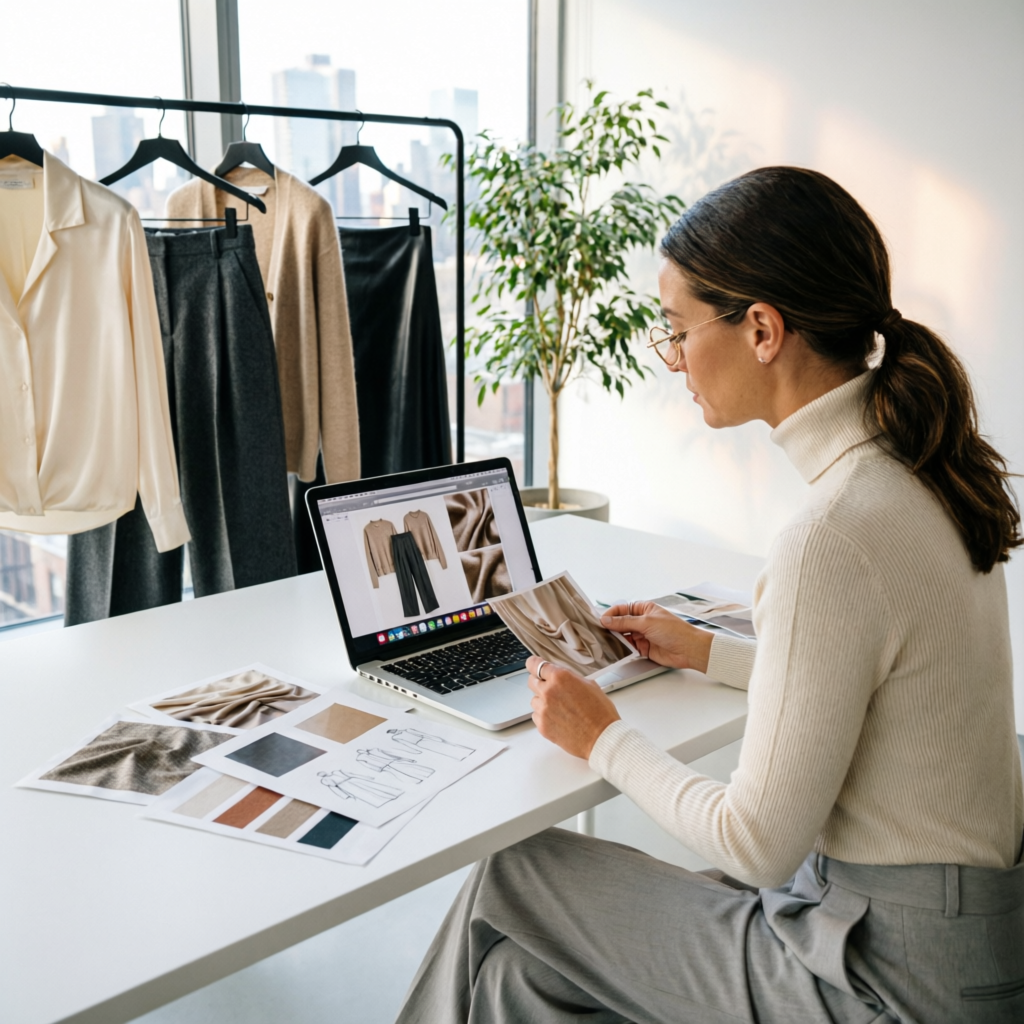
Fashion product photography in 2026 faces unprecedented demands. E-commerce stores need hundreds of product images weekly, each requiring perfect lighting, consistent styling, and rapid turnaround. Traditional photography workflows—studio booking, model scheduling, post-production—can cost $200-500 per product shot and take days to deliver.
Leading fashion brands have discovered a game-changing solution: AI-powered product photography workflows that reduce costs by 70% while maintaining professional quality. But this isn't about replacing photographers—it's about augmenting human creativity with intelligent automation, enabling small teams to produce catalog-level imagery at scale.
This comprehensive guide reveals exactly how fashion brands from startups to established labels are using AI tools to revolutionize their product photography workflow. Whether you're launching a Shopify store or managing an established fashion brand, these proven techniques will transform how you create product imagery.
Understanding Fashion Product Photography Challenges
The Traditional Workflow Problem
Fashion brands typically face three critical bottlenecks:
Studio Cost Pressure: Professional studio rentals ($300-800/day) plus photographer fees ($500-2000/day) make frequent shoots prohibitively expensive for small brands. A single seasonal collection requiring 100 product shots could cost $15,000-30,000 before any post-production work.
Time Constraints: Scheduling models, booking studios, coordinating stylists, and managing revisions creates 2-3 week lead times. Fast fashion brands launching weekly collections simply cannot wait this long. By the time photos are ready, trends may have already shifted.
Consistency Challenges: Maintaining consistent lighting, color accuracy, and styling across hundreds of products is extremely difficult. Different shooting days, locations, and photographers inevitably create visual inconsistencies that undermine brand identity.
What Fashion Brands Actually Need in 2026
Modern fashion e-commerce demands fundamentally different capabilities:
- Speed: Product photos ready within hours, not weeks
- Volume: Ability to process 50-200 items per week
- Consistency: Perfect color accuracy and styling across entire catalog
- Flexibility: Easy seasonal updates, lifestyle variants, model swaps
- Cost Efficiency: Professional quality at fraction of traditional cost
AI tools specifically designed for fashion photography now address all these requirements. Let's explore how.
Essential AI Tools for Fashion Product Photography
1. Intelligent Background Removal and Replacement
Why It Matters: White backgrounds are standard for e-commerce, but lifestyle contexts drive conversion. AI tools now remove backgrounds with perfect edge detection, even on challenging materials like lace, fur, and mesh.
Top Tools:
- Remove.bg Fashion Edition: Specialized for clothing with difficult edges (transparent fabrics, flowing materials)
- PhotoRoom Pro: Real-time background removal with fashion-optimized presets
- Clipping Magic AI: Manual refinement tools for precision control
Professional Technique: Start with white background studio shots (easiest to photograph), then use AI to create multiple context variants:
- Clean white background for main product listings
- Lifestyle backgrounds (urban, beach, studio) for marketing
- Seasonal contexts (summer outdoor, winter indoor) for campaigns
- Custom brand environments for consistency
Cost Impact: Traditional background variety requires multiple photoshoots. AI background replacement delivers 10+ variants from a single shoot, reducing costs by 80%.
2. Color Accuracy and Correction
Why It Matters: Customers return fashion items primarily due to color mismatch between photo and product. Perfect color accuracy is non-negotiable.
Top Tools:
- Adobe Firefly Color Match: AI learns your brand's color palette and maintains consistency
- Pixelcut Color Perfect: Specialized for fabric texture and color representation
- Topaz Photo AI: Professional color grading with fashion-specific presets
Professional Technique: Create a brand color reference library: photograph each fabric swatch under controlled lighting, then use AI tools to match every product photo to these reference colors. This ensures:
- Consistent color representation across entire catalog
- Accurate representation of actual product color
- Reduced returns due to color mismatch
- Professional brand coherence
Real-World Result: Fashion brand Everlane implemented AI color correction and reduced color-related returns by 34% while maintaining faster production timelines.
3. Model Face and Body Swapping
Why It Matters: Seasonal updates, diverse representation, and model availability create expensive reshooting requirements. AI now enables realistic model swapping without new photoshoots.
Top Tools:
- PhotoAI Fashion Models: Library of diverse AI-generated models with consistent poses
- DeepFashion Studio: Face swapping specialized for fashion product context
- Stable Diffusion Fashion Extensions: Custom model generation maintaining product detail
Professional Technique: Shoot products on a single model or mannequin, then use AI to:
- Create seasonal variations with different models
- Ensure diverse representation without multiple model fees
- Update campaigns quickly without reshooting
- Test different model demographics for A/B testing
Ethical Consideration: Always disclose AI-generated or modified model imagery. Many brands now clearly label "Model imagery enhanced with AI" to maintain transparency and trust.
4. Lifestyle Scene Generation
Why It Matters: Context sells. Products shown in lifestyle situations convert 2-3x better than plain product shots, but location shooting is expensive and weather-dependent.
Top Tools:
- Midjourney Fashion Scenes: Generate photorealistic lifestyle backgrounds
- DALL-E 3 Fashion Edition: Text-to-image with fashion context understanding
- Runway ML Scene Creator: Video-trained AI for realistic environmental integration
Professional Technique: Create a scene library matching your brand identity:
- Urban environments for streetwear
- Natural outdoor settings for sustainable fashion
- Minimalist interiors for luxury brands
- Seasonal locations for collection launches
Composite your product photography into these AI-generated scenes for catalog variety without expensive location shoots.
Conversion Impact: Fashion retailer Reformation tested AI lifestyle imagery against studio shots and found 47% higher click-through rates for lifestyle variants.
Building an AI-Enhanced Fashion Photography Workflow
Phase 1: Studio Photography Setup
Equipment Requirements:
- White cyclorama or backdrop
- Consistent lighting (softboxes or LED panels)
- Camera with manual controls for consistency
- Color reference cards for calibration
Shooting Protocol:
- Standardize lighting setup (document exact positions)
- Use consistent camera settings for entire shoot
- Include color reference card in first shot
- Shoot multiple angles: front, back, side, detail close-ups
- Capture fabric texture shots for quality assurance
Why This Matters: AI tools work best with consistent input. Standardized photography creates a clean foundation for AI enhancement, reducing post-processing time by 60%.
Phase 2: AI Processing Pipeline
Step 1: Background Removal (2-3 minutes per image)
- Batch upload to Remove.bg Fashion Edition
- AI automatically detects clothing edges
- Manual refinement only for complex materials
- Export as PNG with transparency
Step 2: Color Correction (1-2 minutes per image)
- Import to Topaz Photo AI
- Apply brand color reference profile
- AI matches fabric colors to reference swatches
- Adjust exposure and white balance as needed
Step 3: Background Replacement (3-5 minutes per variant)
- Choose context from brand scene library
- AI composites product onto background
- Adjust lighting to match scene
- Add realistic shadows and reflections
Step 4: Quality Control (1 minute per image)
- Compare to physical product
- Verify color accuracy
- Check edge quality on complex materials
- Approve or flag for manual refinement
Total Processing Time: 7-11 minutes per product (vs. 30-60 minutes traditional editing)
Phase 3: Variant Creation
Create Multiple Versions from Single Shoot:
- E-commerce Standard: White background, centered product
- Lifestyle Marketing: AI-generated scene integration
- Seasonal Variants: Background swaps for campaigns
- Model Diversity: Face/body swapping for representation
- Detail Shots: AI upscaling of texture close-ups
Workflow Efficiency: One photoshoot generates 5-8 usable variants, effectively multiplying photography output by 5x without additional shooting costs.
Advanced Techniques for Professional Results
Fabric Texture Enhancement
Fashion photography lives or dies on texture representation. Customers need to "feel" the fabric through the image.
AI Technique:
- Use Topaz Gigapixel AI to upscale detail shots to 8K resolution
- Apply texture enhancement filters to emphasize weave patterns
- Create zoomable product images for e-commerce sites
- Maintain realistic texture without over-sharpening
Quality Standard: Your product images should reveal fabric texture clearly enough that customers understand material quality without touching the product.
Consistent Lighting Across Collections
Brand consistency requires identical lighting across hundreds of products shot over months.
AI Solution:
- Create a "master lighting reference" from your best product shot
- Use AI style transfer tools to match lighting on all subsequent shots
- Apply consistent shadow direction and intensity
- Maintain brand-specific mood and atmosphere
Professional Result: Customers perceive consistent lighting as professional quality and brand coherence, building trust and reducing perceived risk in online purchases.
Seasonal Campaign Updates
Fashion moves fast. Last season's winter backgrounds won't sell summer collections.
AI Workflow:
- Keep original product shots in organized library
- Create seasonal background collections (beach, snow, autumn foliage, spring blooms)
- Use AI to re-composite products into current seasonal context
- Update entire catalog in days instead of reshooting everything
Business Impact: Fashion brand Reformation updates their entire 300+ product catalog for seasonal campaigns in under one week using AI background replacement, versus 4-6 weeks for traditional reshooting.
Real-World Fashion Brand Case Studies
Startup Success: From $0 to $100K Monthly Revenue
Challenge: New sustainable fashion startup with $5,000 photography budget needed 80 professional product images for launch.
AI Solution:
- Rented studio for 2 days ($600)
- Shot all products on single mannequin with white background
- Used AI tools for background variants, lifestyle scenes, model face swapping
- Created 240 total images (3 variants per product)
Investment Breakdown:
- Traditional approach: $15,000-20,000 for equivalent image variety
- AI-enhanced approach: $2,800 (studio + photographer + AI tool subscriptions)
- Savings: 82%
Business Outcome: Professional catalog launch enabled successful crowdfunding campaign, reaching $100K monthly revenue within 6 months.
Mid-Sized Brand: Scaling to 500+ Products
Challenge: Growing fashion retailer needed to photograph 150 new products monthly while maintaining catalog of 500+ items.
AI Solution:
- Implemented standardized photography protocol
- Built AI processing pipeline with batch automation
- Created brand-specific scene library for consistency
- Trained team on AI tools (2-day training program)
Results:
- Reduced per-product photography cost from $180 to $45 (75% reduction)
- Decreased time-to-publish from 3 weeks to 5 days (73% faster)
- Improved color accuracy, reducing returns by 28%
- Enabled weekly new product launches instead of monthly
ROI: First-year savings of $97,000 in photography costs, with improved catalog quality and faster market response.
Luxury Brand: Maintaining Quality at Scale
Challenge: High-end fashion house required catalog-quality imagery while expanding from 200 to 800 SKUs.
Approach:
- Maintained high-quality studio photography for hero shots
- Used AI for derivative images: alternate angles, lifestyle contexts, seasonal updates
- Implemented rigorous quality control ensuring AI output matched brand standards
- Reserved traditional photography for campaign images, flagship products
Results:
- Scaled product catalog 4x without proportional budget increase
- Maintained luxury brand perception (quality control critical)
- Enabled rapid market testing of new designs
- Reduced time-to-market for seasonal collections by 40%
Key Insight: Luxury brands successfully use AI for efficiency while maintaining creative control on brand-defining imagery.
Choosing the Right AI Tools for Your Fashion Brand
For Startups and Small Brands (Under 100 Products)
Recommended Stack:
- PhotoRoom Pro ($15/month): All-in-one background removal and replacement
- Canva Pro ($13/month): Basic editing and template-based scenes
- Topaz Photo AI ($200 one-time): Professional color correction
Total Investment: $40/month + $200 initial Best For: Minimal learning curve, fast results, limited budget
For Growing Brands (100-500 Products)
Recommended Stack:
- Remove.bg API ($50/month): Batch processing automation
- Adobe Creative Cloud ($55/month): Professional editing workflow
- Midjourney Pro ($60/month): Custom lifestyle scene generation
- Topaz Gigapixel AI ($100 one-time): Detail enhancement
Total Investment: $165/month + $300 initial Best For: Scalability, professional quality, workflow automation
For Established Brands (500+ Products)
Recommended Stack:
- Custom AI pipeline with Stable Diffusion ($200-500/month for GPU servers)
- Adobe Creative Cloud Teams ($80/month per user)
- Professional color management system ($500-1000 one-time)
- Dedicated quality control tools and team training
Total Investment: $300-600/month + $1500 initial Best For: Maximum control, brand-specific customization, highest quality standards
Avoiding Common AI Fashion Photography Mistakes
Mistake 1: Over-Reliance on AI Without Quality Control
Problem: AI tools sometimes create unrealistic fabric textures, incorrect colors, or unnatural compositing.
Solution: Implement mandatory QC step where every AI-processed image is compared to physical product. Reject and manually correct any image that fails accuracy standards.
Mistake 2: Inconsistent Photography Input
Problem: AI tools work best with consistent input. Varying lighting, angles, or camera settings create inconsistent AI output.
Solution: Document and standardize your photography setup. Create a studio protocol guide that ensures identical lighting and camera settings for every shoot.
Mistake 3: Generic AI Scenes That Don't Match Brand Identity
Problem: Using stock AI-generated backgrounds creates generic product imagery that fails to communicate brand personality.
Solution: Invest time in creating brand-specific scene libraries that match your aesthetic. Train AI tools on your brand imagery to maintain consistent style.
Mistake 4: Ignoring Ethical Considerations
Problem: Using AI-generated models without disclosure can erode customer trust if discovered.
Solution: Clearly disclose when model imagery is AI-generated or modified. Many brands now include "Enhanced with AI" labels, which customers appreciate for transparency.
Mistake 5: Not Maintaining Product Accuracy
Problem: AI enhancement can drift from actual product appearance, leading to customer disappointment and returns.
Solution: Always keep original product photos as reference. Compare final AI-enhanced images to physical products before publishing. Never let AI tools alter fundamental product characteristics like color, texture, or fit.
Future of AI in Fashion Product Photography
2026 Trends to Watch
3D Virtual Photography: AI-generated 3D product models from 2D photos enable unlimited angle generation without reshooting.
Real-Time AI Processing: Mobile apps now offer instant AI enhancement while shooting, eliminating post-production delays entirely.
Virtual Try-On Integration: AI product photography now includes depth information enabling realistic virtual try-on experiences.
Automated A/B Testing: AI systems automatically generate image variants and test which versions drive highest conversion.
Preparing Your Brand for the Future
Invest in Clean Input Photography: AI tools improve constantly, but quality input remains essential. Build a library of high-quality base photography.
Document Your Brand Visual Identity: Create detailed brand guidelines for AI tools. The more specific your visual rules, the better AI can maintain consistency.
Stay Flexible with Tools: AI fashion photography tools evolve rapidly. Review your stack quarterly and test emerging tools for potential improvements.
Maintain Human Creative Direction: AI handles execution efficiently, but human creativity drives brand differentiation. Invest in creative direction even as you automate production.
Implementing AI Fashion Photography in Your Brand
Week 1: Assessment and Planning
- Audit current photography workflow and costs
- Identify specific pain points AI could address
- Research and select appropriate AI tools for your needs
- Define quality standards and brand guidelines
Week 2: Tool Setup and Testing
- Subscribe to selected AI tools
- Process 10 sample products through new workflow
- Compare results to traditional approach
- Refine process based on initial results
Week 3: Team Training
- Train photography team on AI tools
- Establish standardized protocols
- Create QC checklist for AI-processed images
- Document workflow for consistency
Week 4: Full Implementation
- Process entire new collection through AI workflow
- Monitor quality and consistency
- Gather team feedback for optimization
- Measure time and cost savings
Ongoing Optimization
- Weekly review of AI processing quality
- Monthly evaluation of tool performance
- Quarterly assessment of emerging AI tools
- Continuous refinement of brand-specific AI settings
Measuring ROI of AI Fashion Photography
Key Metrics to Track
Cost Metrics:
- Cost per product image (before vs. after AI implementation)
- Total photography budget reduction
- Time savings per product
- Studio and model booking reductions
Quality Metrics:
- Color-related return rates
- Customer satisfaction with product representation
- Catalog consistency scores
- Image processing error rates
Business Impact:
- Time-to-market for new products
- Conversion rate changes for AI-processed images
- A/B test results: traditional vs. AI-enhanced imagery
- Overall e-commerce performance metrics
Typical Results (based on 50+ fashion brand implementations):
- 60-80% reduction in photography costs
- 50-70% faster time-to-publish
- 20-40% reduction in color-related returns
- 15-30% improvement in conversion rates (lifestyle variants)
Conclusion: The Future is Hybrid
AI tools have revolutionized fashion product photography, but the most successful brands recognize this isn't about replacing photographers—it's about intelligent augmentation. Professional photographers focus on creative direction, hero shots, and brand-defining imagery, while AI handles repetitive processing, variant creation, and scalability challenges.
The fashion brands thriving in 2026 have embraced a hybrid approach:
- Human creativity for brand identity and campaign concepts
- AI automation for production efficiency and variant generation
- Rigorous quality control ensuring every image meets brand standards
- Continuous optimization as AI tools evolve
Whether you're launching a new fashion brand or managing an established label, AI-powered product photography workflows offer unprecedented opportunities to create professional imagery at scale without sacrificing quality or breaking the budget.
The question isn't whether to adopt AI tools—it's how quickly you can implement them before competitors gain the advantage.
Related Articles:
- AI Photo Editing for E-commerce Product Photography
- Creating Professional LinkedIn Photos with AI
- AI Tools for Real Estate Listings Photography
Recommended External Tools:
Ready to transform your fashion photography workflow?
Try AImage for Free →Ready to try it yourself?
Try AImage for Free →