
AI Photo Editing for Restaurant Menu Photography: Complete Guide 2026
Transform your restaurant menu photos with AI tools. Learn professional food photography techniques that boost orders by 30% and create irresistible visual menus.
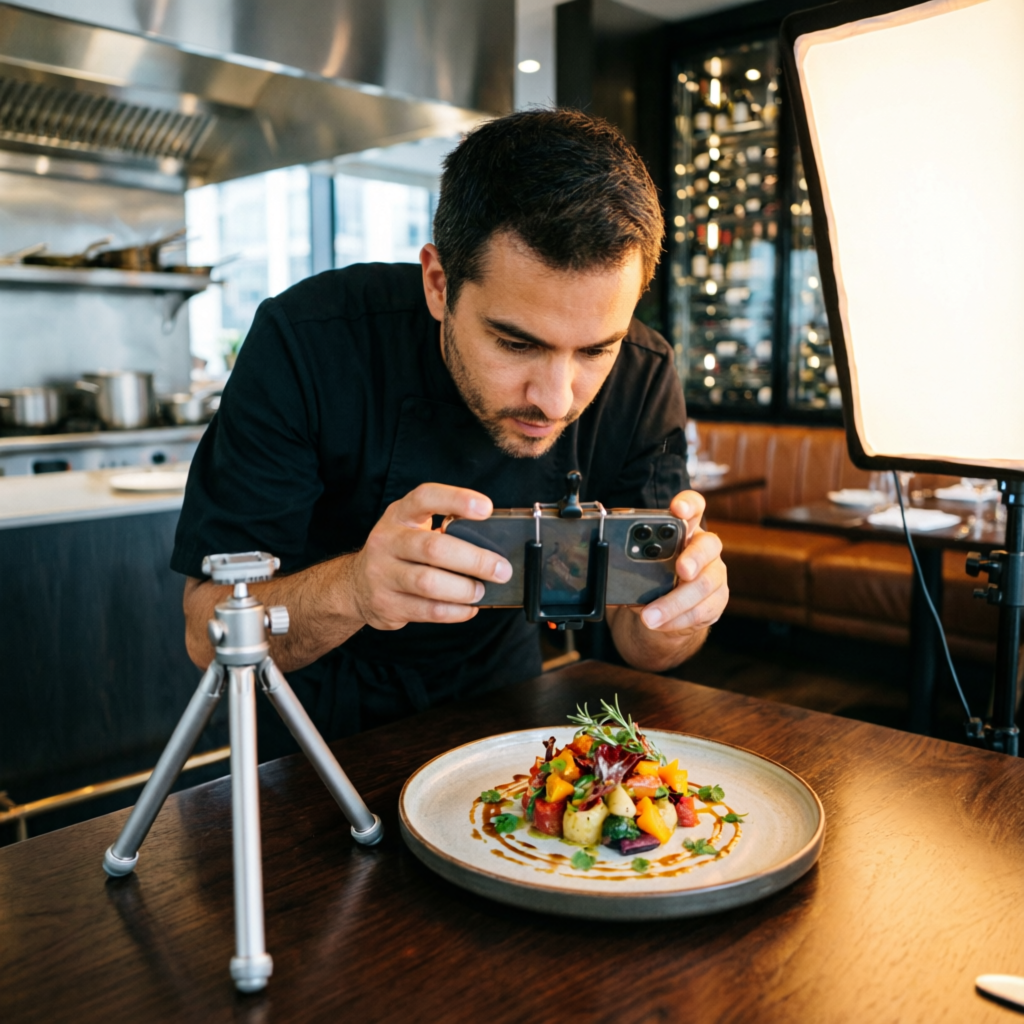
In the competitive restaurant industry of 2026, menu photography isn't just about documenting dishes—it's about selling them. Research from major food delivery platforms shows that professional food photos increase order rates by 30-50% compared to amateur snapshots. Yet most restaurant owners and small eateries lack the budget for professional photography shoots or the time to master complex editing software.
AI photo editing technology has democratized professional-quality food photography. Modern AI tools can transform ordinary smartphone photos into mouth-watering menu images that rival those shot by professional food photographers. From adjusting lighting and color temperature to enhancing texture and composition, AI handles the technical heavy lifting while preserving the authentic appearance of your dishes.
This comprehensive guide reveals how restaurant owners, chefs, and food service professionals are using AI tools to create stunning menu photography that drives sales. Whether you're updating printed menus, optimizing delivery platform listings, or creating social media content, you'll discover practical techniques that work in real restaurant environments with realistic constraints.
Why Restaurant Menu Photography Matters
The Visual Menu Effect
Human brains process visual information 60,000 times faster than text. When customers scan a menu—whether physical, digital, or on a delivery app—photos dramatically influence their ordering decisions:
Ordering Psychology:
- Dishes with photos are ordered 2-3 times more frequently than text-only items
- High-quality food images increase average order value by 20-35%
- Visual menus reduce decision time by 40%, improving table turnover
- Professional photography builds perceived quality and justifies premium pricing
Platform Requirements:
- DoorDash, Uber Eats, and Grubhub prioritize restaurants with complete photo catalogs
- Instagram and TikTok marketing depend entirely on compelling food visuals
- Google Business listings with food photos receive 42% more requests for directions
- QR code digital menus need mobile-optimized images that load quickly and look appetizing
Common Menu Photography Challenges
Restaurant environments present unique obstacles for quality food photography:
Lighting Issues:
- Harsh overhead restaurant lighting creates unflattering shadows and color casts
- Inconsistent color temperature between natural window light and indoor fixtures
- Low-light conditions in atmospheric dining spaces
- Reflection and glare from plates, glasses, and glossy surfaces
Technical Constraints:
- Limited time between plating and serving (food appearance degrades quickly)
- Inability to control environment (customers, staff, and ambient activity)
- Smartphone camera limitations compared to professional DSLR equipment
- Lack of professional photography backgrounds or props
Post-Production Barriers:
- No dedicated photo editor or design staff
- Steep learning curve for traditional editing software like Photoshop
- Time-consuming manual adjustments for color, exposure, and sharpness
- Inconsistent results across different dishes and shooting conditions
AI tools solve these problems by automating technical corrections while maintaining authentic food appearance.
Essential AI Tools for Restaurant Menu Photography
Tool Category 1: All-in-One AI Photo Editors
AImage (Free Tier Available):
- One-click food enhancement preset optimized for appetizing colors
- Intelligent background replacement for distracting restaurant settings
- Automatic shadow and highlight balancing
- Batch processing for entire menu catalogs
- Mobile app for on-the-spot editing between services
Best For: Restaurant owners needing fast, consistent results across multiple dishes
Luminar Neo (Subscription: $12/month):
- AI-powered color grading specifically tuned for food photography
- Texture enhancement that makes food look fresh and detailed
- Relight AI feature corrects lighting after shooting
- Layer-based editing for advanced creative control
Best For: Professional food photographers working with restaurant clients
Photoshop with Neural Filters (Subscription: $20/month):
- Industry-standard tool with comprehensive AI features
- Smart Sharpen optimized for food textures
- Neural Filters for complex adjustments
- Integration with Adobe Lightroom for workflow efficiency
Best For: Design agencies managing multiple restaurant accounts
Tool Category 2: Specialized Food Photography AI
Foodshot (Free and Pro versions):
- AI trained exclusively on food imagery
- Automatic recognition of food types and optimal enhancement
- Plating composition suggestions
- Social media format optimization (square, vertical, horizontal)
Best For: Quick social media posting and delivery platform uploads
PlateUp AI (Commercial license: $50/month):
- Professional-grade enhancement for high-end restaurants
- Michelin-star quality preset adjustments
- Texture enhancement that reveals food detail without oversaturation
- Consistent style application across full menu catalogs
Best For: Fine dining establishments and upscale restaurants
Tool Category 3: Background and Composition Tools
Remove.bg (Free tier + subscription):
- Instant background removal for food subjects
- Replace distracting restaurant backgrounds with clean gradients or custom scenes
- Batch processing for multiple dishes
Best For: Creating consistent menu backgrounds across all items
Canva AI Background Generator (Free tier available):
- Generate custom restaurant-themed backgrounds
- Match backgrounds to restaurant branding colors
- Create seasonal or promotional background themes
Best For: Digital menus and seasonal marketing campaigns
Step-by-Step AI Editing Workflow
Phase 1: Shooting Preparation
Even with powerful AI editing, starting with the best possible photos saves time and produces superior results.
Lighting Setup (5 minutes):
- Shoot near windows during daylight hours when possible (10am-2pm ideal)
- Turn off overhead restaurant lights temporarily if they create harsh shadows
- Use white poster board as reflector to bounce light onto shadow areas
- Position dish at 45-degree angle from window for dimensional lighting
Camera Settings (Smartphone):
- Enable HDR mode for better highlight and shadow capture
- Use portrait mode to create natural background blur
- Tap focus on the hero element of the dish (protein, garnish, key ingredient)
- Shoot from slightly above (30-45 degree angle) for most dishes
- Take 3-5 variations of each dish from different angles
Composition Guidelines:
- Remove clutter from frame (condiments, menus, other items)
- Include complementary elements (garnish, sauce drizzle, fresh ingredients)
- Leave negative space around the dish (easier for cropping and layout)
- Consider final use (vertical for mobile, horizontal for websites, square for Instagram)
Pro Tip: Shoot immediately after plating when food looks freshest. Salads wilt, sauces congeal, and steam dissipates within minutes.
Phase 2: AI Enhancement
Step 1 - Import and Organize: Upload photos to your chosen AI tool. For restaurants managing multiple dishes, create folders by category (appetizers, entrees, desserts, beverages).
Step 2 - Apply Food-Optimized Preset: Most AI tools offer food-specific enhancement profiles. These presets typically:
- Boost color saturation in appetizing ranges (reds, yellows, warm tones)
- Enhance sharpness and texture to show food detail
- Brighten highlights slightly to create fresh appearance
- Warm overall color temperature for inviting atmosphere
In AImage: Select photo → Click "Food Enhancement" → Adjust intensity slider to taste (75-85% typically works well)
In Luminar Neo: Import → Apply "Food Photography" preset → Fine-tune with sliders
Step 3 - Correct Lighting Issues: AI tools excel at rescuing photos shot in poor lighting conditions.
If photo is too dark:
- Use AI-powered "Relight" or "Enhance" features
- Target shadow recovery to reveal hidden details
- Preserve highlights to avoid blown-out white plates or glasses
If photo has color casts:
- Use automatic white balance correction (analyzes scene and neutralizes color temperature)
- For stubborn casts, use selective color adjustment on background vs. food
Step 4 - Enhance Texture and Detail: Food photography lives and dies by texture. Crispy fried chicken should look crunchy, juicy burgers should glisten, fresh salads should appear crisp.
AI Texture Enhancement:
- Applies selective sharpening to food surfaces
- Preserves smooth areas (sauces, beverages) while enhancing texture areas
- Avoids over-sharpening artifacts that look artificial
Manual Fine-Tuning:
- Adjust clarity slider (adds midtone contrast for definition)
- Use structure slider carefully (too much creates unnatural HDR effect)
- Apply local adjustments to hero elements if needed
Step 5 - Background Optimization: Restaurant backgrounds are often cluttered, dimly lit, or distracting. AI background tools solve this instantly.
Option A - Blur Background: If background is acceptable but distracting, apply AI-powered blur to create depth-of-field effect similar to professional cameras. This keeps context while ensuring focus stays on food.
Option B - Replace Background: For severely problematic backgrounds, use AI background removal then add:
- Solid color matching restaurant branding
- Subtle gradient (dark to light from bottom to top)
- Realistic restaurant or kitchen environment (AI-generated)
- Wooden table, marble surface, or other food-appropriate texture
Step 6 - Crop and Compose: AI composition tools can suggest optimal framing, but general rules work well:
For Printed Menus: Horizontal 3:2 or 4:3 ratio with dish centered For Digital Menus: Square 1:1 works universally across devices For Delivery Apps: Vertical 4:5 or 9:16 shows more detail in thumbnail view For Instagram: Square 1:1 for feed, vertical 9:16 for Stories and Reels
Phase 3: Batch Processing and Consistency
If you're editing an entire menu catalog (10-50 dishes), consistency is crucial. Customers should perceive a unified visual style.
Batch Processing Workflow:
-
Create Master Style:
- Perfect editing on one representative dish
- Save settings as custom preset or template
- Test preset on dishes with different colors and compositions
-
Apply to All Similar Items:
- Use AI batch processing to apply preset across all images
- AI tools automatically adjust intensity based on individual photo characteristics
-
Manual Review:
- Quickly review each result (10-15 seconds per photo)
- Make minor adjustments where needed
- Ensure consistency in brightness, color tone, and overall style
Time Investment:
- First dish (establishing style): 10-15 minutes
- Subsequent dishes with batch AI: 2-3 minutes each
- Complete 30-item menu: 2-3 hours total
Compare this to traditional manual editing (20-30 minutes per photo = 15+ hours for 30 items) or professional photography services ($100-300 per hour = $1,500-4,500 for full menu shoot).
Advanced Techniques for Specific Food Types
Technique 1: Meat and Protein Dishes
Challenge: Making cooked meat look juicy and appealing rather than dry or dull.
AI Solutions:
- Use AI color grading to enhance reds and browns in meat tones
- Apply selective saturation boost to crust and char marks
- Add micro-contrast to highlight texture (grill marks, crispy edges)
- Use dodge and burn AI to create dimensional lighting
Pro Tip: Slightly underexpose meat dishes when shooting (by about -0.3 to -0.5 stops). This preserves highlight detail in lighter meat areas, which AI can then brighten while maintaining texture.
Technique 2: Fresh Salads and Vegetables
Challenge: Keeping greens vibrant without looking artificial, showing freshness.
AI Solutions:
- Selective color enhancement on greens, yellows, and reds
- Texture enhancement to show crispness and leaf detail
- Remove any discoloration or wilting using AI object removal
- Add subtle sharpening to emphasize fresh, crisp appearance
Pro Tip: Mist salads very lightly with water spray before shooting. AI enhancement will turn these droplets into appealing freshness indicators.
Technique 3: Desserts and Baked Goods
Challenge: Showcasing texture (layers, frosting, glaze) while maintaining accurate colors.
AI Solutions:
- Precise white balance to show true colors (especially important for pastels)
- Enhanced highlights to create appealing glisten on frosting and glazes
- Texture detail to show layers, crumb structure, and decorative elements
- Shadow detail to reveal depth in chocolate and dark elements
Pro Tip: Desserts benefit from warmer lighting (2800-3200K color temperature). AI tools can add this warm cast if shot in cooler light.
Technique 4: Beverages and Cocktails
Challenge: Capturing clarity, color, and condensation while managing reflections.
AI Solutions:
- AI glare removal to eliminate harsh reflections on glassware
- Clarity enhancement to show liquid transparency and ice
- Selective brightening on condensation droplets for fresh appearance
- Background blur to isolate drink from cluttered bar environment
Pro Tip: Backlight beverages slightly (position light source behind glass) to show liquid color and clarity. AI will enhance this effect beautifully.
Technique 5: Sauces and Garnishes
Challenge: Making sauces look glossy and fresh, ensuring garnishes add appeal rather than clutter.
AI Solutions:
- Highlight enhancement on sauce surfaces to create appetizing sheen
- Selective focus AI to keep sauces sharp while softening background
- Color pop on fresh herb garnishes to make them stand out
- Object removal AI to eliminate scattered or wilted garnish elements
Pro Tip: Add fresh garnish just before shooting, even if not typically used when serving. Parsley, microgreens, or herb sprigs add visual appeal that AI can enhance.
Creating Menu Layouts with AI-Edited Photos
Digital Menu Design
Single-Dish Focus Layout:
- Feature photo takes 60% of screen space
- Dish name, description, and price overlay or positioned beside photo
- Use AI-blurred version of same photo as background for cohesive look
Grid Gallery Layout:
- Square-cropped photos in 2-column or 3-column grid
- Consistent background treatment across all images
- Category headers with sample photos
Scrolling Card Layout:
- Horizontal-scrolling cards with featured photo on top
- Best for mobile devices and tablet digital menus
- AI-optimized vertical crops for better thumbnail visibility
Printed Menu Design
Photo Size Guidelines:
- Appetizers: 2x2 inches (smaller items, lower price point)
- Entrees: 3x4 inches (hero items deserve prominent display)
- Desserts: 2x3 inches (visual decision-makers)
- Beverages: 1.5x2 inches (supplementary items)
Layout Best Practices:
- Don't overcrowd—white space improves readability and perceived quality
- Align photos consistently (all left, all right, or alternating)
- Use AI-generated neutral backgrounds for printed menus (avoids color printing costs)
- Consider spot UV coating on photos only (cost-effective visual pop)
Delivery Platform Optimization
Platform Requirements:
- Minimum 1024x1024 pixels (square) for most platforms
- Maximum 5MB file size
- JPEG format with 80-90% quality setting
- Consistent lighting and style across all items
AI-Assisted Optimization:
- Batch export at exact required dimensions
- AI compression maintains quality while meeting file size limits
- Automatic color profile conversion for web display
- Sharpening optimized for screen viewing vs. print
Measuring the Impact of Better Menu Photography
Tracking Metrics
For Delivery Platforms:
- Click-through rate on menu items (before and after photo updates)
- Order frequency per menu item
- Average order value (customers order more when they see appetizing photos)
- Customer reviews mentioning food appearance expectations
For Dine-In Restaurants:
- Server reports on most-ordered items (track if visual items sell more)
- Table turnover time (visual menus speed decision-making)
- Customer feedback about menu usefulness
- Social media posts tagging restaurant (guests share beautifully presented menus)
For Social Media Marketing:
- Engagement rate on food photo posts (likes, comments, shares)
- Click-through to website or ordering platform from social media
- Follower growth rate correlated with content posting frequency
- Story views and completion rates for food content
Real-World Results
Case Study 1: Local Italian Restaurant
- Updated 25-item menu with AI-edited smartphone photos (previous menu had no photos)
- Implementation time: 2 days (shooting and editing)
- Results after 3 months:
- Appetizer orders increased 45%
- Average check size grew $8.50 per table
- Delivery platform ranking improved from page 3 to page 1 in local search
- Google Business profile views increased 78%
Case Study 2: Fast-Casual Chain (15 locations)
- Replaced professional photography ($12,000 annual contract) with in-house AI editing
- Each location manager shoots and edits menu items quarterly
- Results after 1 year:
- Photography costs reduced 87% ($12,000 to $1,500 in tool subscriptions)
- Menu update frequency increased from 1x/year to 4x/year
- Seasonal item launches happen 2 weeks faster (no scheduling photographer)
- Consistency across locations improved (standardized AI editing workflow)
Case Study 3: Cloud Kitchen (Delivery-Only)
- Built entire brand around AI-optimized food photography
- Invested in smartphone photography training + AI editing tools
- Results after 6 months:
- Ranked #1 in category on DoorDash and Uber Eats in market
- Order volume 3x higher than competitors with amateur photos
- Customer retention rate 68% (industry average: 45%)
- Featured in platform promotional emails based on photo quality
Common Mistakes to Avoid
Over-Editing and Unrealistic Expectations
The Problem: AI tools make it tempting to over-enhance photos until they look perfect but unrealistic. This creates disappointed customers when actual food doesn't match the photo.
The Solution:
- Maintain authentic food appearance (real colors, realistic portions)
- Enhance to "best possible version" rather than "perfect fantasy version"
- Test edited photos against actual dishes (would customer feel deceived?)
- Build reputation for accuracy (positive reviews mention "looks like the picture")
Inconsistent Styling Across Menu
The Problem: Editing dishes individually without cohesive style guidelines creates disjointed menu appearance.
The Solution:
- Create editing template and apply consistently
- Use same background treatment for all items in category
- Maintain consistent lighting direction and color temperature
- Review complete menu layout together rather than individual photos
Ignoring Mobile Optimization
The Problem: Photos that look great on desktop computers appear dark, cluttered, or illegible on smartphone screens where most customers view them.
The Solution:
- Preview edited photos at actual mobile sizes (3-4 inches wide)
- Increase contrast and brightness slightly for mobile viewing
- Crop tighter on mobile versions (less background, more food detail)
- Test on actual devices in various lighting conditions (bright sunlight, dim restaurants)
Neglecting Seasonal Updates
The Problem: Keeping the same menu photos year-round when actual dishes change seasonally or inventory varies.
The Solution:
- Schedule quarterly photo updates (aligned with seasonal menu changes)
- Create AI editing templates for quick updates
- Build photo library with variations (different garnishes, seasonal sides)
- Update delivery platforms immediately when switching seasonal items
Budget-Friendly Implementation Plan
For Small Restaurants (Budget: $0-100/month)
Equipment:
- Smartphone with decent camera (iPhone 12+ or equivalent Android)
- Free photo editing apps (AImage free tier, remove.bg free tier)
- White poster board for light reflection ($5)
- Simple clip-on LED light for dark restaurants ($20)
Workflow:
- Designate staff member for photos (manager or chef during slow periods)
- Shoot key items first (best-sellers, highest-margin items)
- Use free AI tools for basic enhancement
- Update delivery platform listings (biggest ROI)
- Gradually expand to complete menu over 2-3 months
Expected Results:
- Delivery platform orders increase 20-30%
- Time investment: 5 hours initial, 2 hours/quarter for updates
- ROI: Pays for itself with 10-15 additional orders
For Mid-Size Restaurants (Budget: $100-300/month)
Equipment:
- Professional smartphone or entry-level camera (iPhone 15 Pro or Sony A6000)
- Luminar Neo or similar AI editor subscription ($12-20/month)
- Basic lighting kit ($50-100)
- Simple props and backgrounds ($50)
Workflow:
- Dedicated photography time twice weekly
- Professional-quality AI editing for all menu items
- Regular social media posting of food photos
- Print menus with photos for high-margin items
- Quarterly full menu refresh
Expected Results:
- Overall sales increase 10-15%
- Social media engagement doubles
- Perceived restaurant quality improves
- ROI: 300-500% return on photography investment
For Restaurant Groups (Budget: $500-1000/month)
Equipment:
- Professional photography equipment for flagship location
- Commercial AI editing software licenses
- Professional food photography training for staff
- Brand guidelines documentation with editing standards
Workflow:
- Centralized photo library with AI-edited assets
- Consistent editing style across all locations
- Professional marketing materials (printed menus, website, ads)
- Seasonal campaign planning with coordinated visuals
- Metrics tracking and optimization across locations
Expected Results:
- Brand consistency across locations
- Marketing material costs reduced 50-70%
- Menu update frequency increased 4x
- Competitive advantage in crowded markets
Future Trends in Restaurant Food Photography
AI-Generated Food Photography
Emerging technology in late 2026 allows generation of completely synthetic food photos from text descriptions. While not yet replacing real photography, these tools help with:
- Menu concept testing before dish development
- Seasonal promotional materials planning
- Variation testing (different plating, garnishes, backgrounds)
Ethical Consideration: Always use real photos of actual dishes for customer-facing menus to avoid misrepresentation.
Real-Time AI Enhancement on Ordering Platforms
Delivery platforms are experimenting with AI that automatically enhances restaurant photos during upload, maintaining consistency across all restaurants on the platform.
What This Means: Restaurant-submitted photos will compete in an environment where basic AI enhancement is table stakes. Investing in strong source photography becomes even more critical.
AR Menu Visualization
Augmented reality menu features let customers see 3D models of dishes on their table before ordering. Early adopters are creating these experiences from AI-enhanced 2D photos.
Preparation: Shoot multiple angles of signature dishes (front, side, top) to enable future AR menu development.
Conclusion and Next Steps
AI photo editing has removed the technical and financial barriers that previously kept quality menu photography accessible only to well-funded restaurants. In 2026, any restaurant with a smartphone and basic AI tools can create professional menu photography that drives sales, improves customer satisfaction, and builds brand reputation.
The key is starting with intention: shoot photos specifically for menu use, apply AI enhancement strategically to maintain authenticity while maximizing appeal, and maintain consistency across your complete menu catalog. The restaurants winning in today's competitive market aren't necessarily those with the biggest budgets—they're the ones using modern tools intelligently to showcase their food at its absolute best.
Begin with your highest-margin items or best-sellers. Perfect your technique on these critical dishes, then expand systematically across your full menu. Track results through delivery platform analytics and customer feedback. Iterate based on what works. Most importantly, remember that photos are meant to serve your food—not replace it. The goal is accurate representation that makes customers excited to order, creating expectations you can confidently exceed when the dish arrives.
Related Articles:
- AI Tools for Food Photography Workflow
- Creating Professional Product Photos with AI
- How Small Businesses Use AI for Visual Marketing
Recommended External Tools:
- AImage - Free AI Photo Editing
- Remove.bg - Background Removal Tool
- Luminar Neo - Professional Food Photography AI
Ready to transform your restaurant's menu photography?
Try AImage for Free →Ready to try it yourself?
Try AImage for Free →