
AI Meeting Assistant Tools: Complete Guide to Transform Your Meetings in 2026
Discover the 10 best AI meeting assistant tools in 2026. Compare features, pricing, and use cases to find the perfect AI meeting recorder, transcriber, and note-taker for your team.
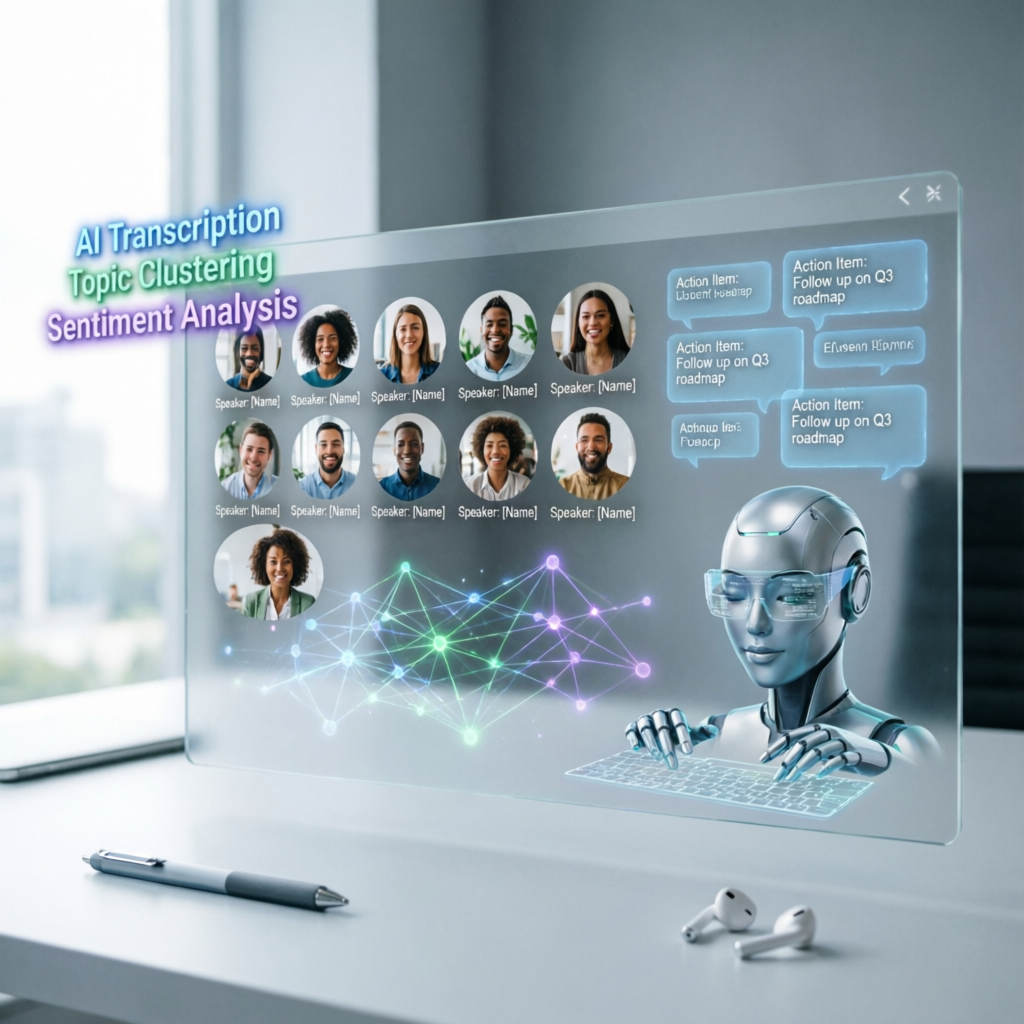
AI Meeting Assistant Tools: Complete Guide to Transform Your Meetings in 2026
Are you tired of spending hours transcribing meeting notes, missing key action items, or searching through endless recordings to find that one important decision? You're not alone. Research shows that professionals spend an average of 31 hours per month in unproductive meetings, and another 4-6 hours per week on meeting-related administrative tasks like note-taking and follow-ups.
Here's the game-changer: AI meeting assistant tools can automate 90% of this work, giving you back 10-15 hours every week while improving the quality of your meeting documentation.
In this comprehensive guide, you'll discover:
- The 10 best AI meeting assistant tools in 2026 (with detailed comparisons)
- How to choose the right tool for your specific needs
- 5 proven strategies to maximize ROI from AI meeting assistants
- Real-world case studies showing 70-85% time savings
- Advanced techniques for integrating AI assistants into your workflow
- Future trends that will reshape how we conduct meetings
Whether you're a busy executive drowning in back-to-back calls, a sales team lead tracking customer conversations, or a remote team manager coordinating distributed workflows, this guide will help you find the perfect AI meeting assistant and implement it effectively.
Let's dive in.
What is an AI Meeting Assistant?
An AI meeting assistant is a software tool powered by artificial intelligence that automatically joins your virtual meetings (Zoom, Google Meet, Microsoft Teams, etc.) and performs tasks like:
- Real-time transcription: Converting speech to text with 95%+ accuracy
- Automatic note-taking: Identifying key points, decisions, and action items
- Meeting summaries: Generating concise summaries of hour-long discussions
- Action item extraction: Detecting tasks assigned to specific people
- Multi-language support: Transcribing and translating meetings in 30+ languages
- CRM integration: Automatically syncing meeting insights to Salesforce, HubSpot, etc.
- Search and replay: Finding specific moments in past meetings using keywords
- Speaker identification: Distinguishing who said what (up to 10+ participants)
Unlike traditional note-taking apps or basic recording tools, AI meeting assistants use advanced natural language processing (NLP), speech recognition, and machine learning to understand context, intent, and sentiment.
Why the sudden explosion? Three key technology breakthroughs in 2024-2026:
- Large Language Models (LLMs): GPT-4o, Claude 3.5, and Gemini 2.0 dramatically improved summarization quality
- Real-time ASR (Automatic Speech Recognition): Whisper-v3 and newer models achieve human-level accuracy even with accents and background noise
- Context-aware AI: Modern assistants understand meeting structure (agenda, Q&A, decisions) rather than just transcribing words
Top 10 AI Meeting Assistant Tools in 2026: In-Depth Comparison
Here are the best AI meeting assistant tools available today, ranked by overall value, feature set, and user satisfaction:
1. Otter.ai - Best for Real-Time Collaboration
Overview: Otter.ai pioneered the AI meeting assistant category and remains a top choice for teams that need collaborative note-taking.
Key Features:
- Real-time transcription with live captions (under 2-second delay)
- Collaborative editing: multiple people can highlight and comment during meetings
- Automated meeting summaries with action items
- Integration with Zoom, Google Meet, Teams, Webex
- Mobile apps for on-the-go recording
- Search across all meeting transcripts (up to 6,000 minutes/month on Pro plan)
Pricing:
- Free: 300 minutes/month (40 minutes per conversation)
- Pro: $16.99/user/month (1,200 minutes)
- Business: $30/user/month (6,000 minutes + advanced features)
- Enterprise: Custom pricing
Best for: Sales teams, customer success, academic institutions, anyone who needs real-time collaboration on notes.
Pros: Excellent accuracy (96-98%), strong mobile app, collaborative features, generous free tier
Cons: Limited video recording features, occasional lag with heavy accents, no white-label options
2. Fireflies.ai - Best for CRM Integration
Overview: Fireflies.ai specializes in automating CRM workflows, making it ideal for sales and customer-facing teams.
Key Features:
- Automatic sync to Salesforce, HubSpot, Pipedrive, and 40+ CRMs
- AI-powered conversation intelligence (sentiment analysis, topic tracking, deal risk scoring)
- "AskFred" AI chatbot: query meetings using natural language ("Show me all customer objections from Q1")
- Custom topic tracking (track mentions of competitors, pricing, features, etc.)
- Thread integration: auto-post summaries to Slack/Teams channels
- Soundbites: clip and share key moments from recordings
Pricing:
- Free: 800 minutes of storage (not monthly, total)
- Pro: $18/user/month (unlimited storage)
- Business: $29/user/month (conversation intelligence features)
- Enterprise: $39/user/month (custom integrations, priority support)
Best for: B2B sales teams, customer success managers, revenue operations, anyone who needs deep CRM integration.
Pros: Best-in-class CRM automation, powerful conversation analytics, AI chat interface
Cons: Steep learning curve for advanced features, higher pricing tier required for full functionality
3. Fathom - Best for Speed and Simplicity
Overview: Fathom is the fastest, most lightweight AI meeting assistant. It focuses on doing one thing exceptionally well: instant meeting summaries.
Key Features:
- Ultra-fast processing: summaries available within 30 seconds after meeting ends
- Minimal setup: no integrations needed, just install and go
- Automatic highlight detection: clips key moments and decisions
- One-click sharing to Slack, email, or Notion
- Free forever plan (with limitations)
- Works with all major video conferencing platforms
Pricing:
- Free: Unlimited recordings, 10 hours storage
- Standard: $19/month (unlimited storage, advanced features)
Best for: Solopreneurs, small teams, executives who want quick summaries without complexity.
Pros: Blazing fast, minimal friction, excellent UI/UX, generous free plan
Cons: Fewer advanced features than competitors, limited customization, no deep integrations
4. Grain (formerly Grain Intelligence) - Best for Video-First Teams
Overview: Grain focuses on video recording and sharing, not just transcription. It's ideal for remote teams that need to share meeting clips asynchronously.
Key Features:
- High-quality video recording (1080p) with speaker-focused auto-zoom
- AI-generated video highlights (automatically clips the best moments)
- Embeddable video players (share clips on Notion, Confluence, etc.)
- Automated meeting recap emails with video snippets
- Integration with Slack, Teams, HubSpot, Salesforce
- Multi-language transcription (30+ languages)
Pricing:
- Starter: Free (limited recordings)
- Business: $19/user/month
- Enterprise: Custom pricing
Best for: Product teams, UX researchers, remote-first companies, video content creators.
Pros: Best video recording quality, excellent clip-sharing features, async-friendly
Cons: Requires more storage, slower processing than text-only tools, pricier at scale
5. Avoma - Best for Revenue Teams
Overview: Avoma is an end-to-end meeting lifecycle platform built specifically for B2B sales, CS, and revenue operations.
Key Features:
- Meeting agenda templates (pre-built for discovery calls, demos, QBRs, etc.)
- Automatic MEDDICC/BANT scoring (qualifies leads based on conversation content)
- Revenue intelligence dashboard (tracks deal health, win/loss patterns, rep performance)
- Collaborative note templates (customizable for different meeting types)
- AI-generated follow-up emails (draft sent automatically after calls)
- Integration with Salesforce, HubSpot, Outreach, Salesloft, Gong
Pricing:
- Starter: $19/user/month
- Plus: $49/user/month
- Business: $79/user/month
- Enterprise: $129/user/month
Best for: B2B sales leaders, revenue operations teams, customer success executives.
Pros: Deep revenue intelligence features, best meeting prep templates, strong coaching tools
Cons: Expensive, overkill for non-sales teams, steep learning curve
6. Sembly AI - Best for Multi-Language Teams
Overview: Sembly AI excels at multilingual meetings and cross-cultural communication.
Key Features:
- Transcription in 40+ languages (including real-time translation)
- "Semblian 2.0" AI agent: answers questions about past meetings across all languages
- Automated meeting minutes (follows Robert's Rules of Order format for formal meetings)
- Risk detection: flags compliance issues, contractual language, or sensitive topics
- Integration with Outlook, Google Calendar, Slack, Teams, Trello, Jira
- Custom vocabulary training (teach AI your industry jargon)
Pricing:
- Personal: Free (100 meeting hours/month)
- Professional: $20/month (500 hours)
- Team: $40/user/month (1,000 hours + team analytics)
- Enterprise: Custom pricing
Best for: Global teams, multinational corporations, companies with multilingual clients, compliance-heavy industries.
Pros: Best multilingual support, risk detection features, formal meeting minutes format
Cons: Slower processing for non-English languages, UI less polished than competitors
7. Tactiq - Best Chrome Extension
Overview: Tactiq is a lightweight browser extension that adds AI transcription to Google Meet, Zoom, and MS Teams without requiring separate apps.
Key Features:
- No downloads: works directly in your browser (Chrome, Edge, Safari)
- Real-time transcription with speaker labels
- AI meeting summaries (powered by GPT-4)
- One-click export to Google Docs, Slack, Notion, Quip
- Custom prompts (e.g., "Extract all pricing objections")
- Works offline (transcription saved locally first, then synced)
Pricing:
- Free: 10 meetings/month
- Pro: $10/month (unlimited meetings)
- Team: $25/user/month (shared prompts, analytics)
Best for: Individual contributors, consultants, anyone who prefers browser-based tools, privacy-conscious users.
Pros: Zero friction setup, privacy-friendly (data not uploaded until you sync), cheap
Cons: Feature set less comprehensive than standalone apps, dependent on browser stability
8. Gong - Best for Enterprise Sales Intelligence
Overview: Gong is the gold standard for revenue intelligence, combining meeting recording with advanced deal analytics.
Key Features:
- Captures all customer interactions (calls, emails, Zoom, calendar events)
- Deal health scoring (predicts win probability based on conversation patterns)
- Competitive intelligence (tracks mentions of competitors across all calls)
- Coaching insights (identifies top performer behaviors, replicable patterns)
- Custom trackers (track keywords, topics, objections, or any phrase)
- Forecast accuracy improvement (reduces pipeline surprises by 40-60%)
Pricing:
- Enterprise-only, starting around $1,200/user/year (minimum 30-50 seats)
Best for: Large sales organizations (100+ reps), VP of Sales, Chief Revenue Officers.
Pros: Most advanced analytics, proven ROI for large teams, best-in-class coaching features
Cons: Extremely expensive, minimum seat requirements, not suitable for small teams or non-sales use cases
9. Chorus by ZoomInfo - Best for Sales Call Analysis
Overview: Chorus (acquired by ZoomInfo in 2021) focuses on conversation analytics for sales calls.
Key Features:
- AI-powered call scoring (rates rep performance on multiple dimensions)
- Tracker alerts (notifies managers when key phrases are mentioned)
- Deal intelligence (links call insights to ZoomInfo's B2B database)
- Playlist creation (curate call recordings for onboarding or training)
- Talk-to-listen ratio analysis (ensures reps aren't dominating conversations)
- Integration with ZoomInfo's data enrichment (auto-populate contact info)
Pricing:
- Bundled with ZoomInfo subscriptions, ~$800-1,500/user/year
Best for: Sales teams already using ZoomInfo, organizations focused on call coaching.
Pros: Deep sales coaching features, seamless ZoomInfo integration, proven for inside sales teams
Cons: Expensive, requires ZoomInfo subscription, less useful for non-sales meetings
10. tl;dv - Best Free Option
Overview: tl;dv offers a generous free plan that rivals paid competitors, making it perfect for budget-conscious teams.
Key Features:
- Unlimited recordings and transcripts (free forever)
- AI meeting summaries (powered by GPT-4)
- Timestamped notes (click to jump to that moment in recording)
- Multi-language support (20+ languages)
- CRM integration (HubSpot, Salesforce, Pipedrive)
- No watermarks or branding on free plan
Pricing:
- Free: Unlimited recordings, transcripts, AI summaries
- Pro: $20/user/month (advanced search, bulk export, priority support)
Best for: Startups, bootstrapped teams, individuals, anyone testing AI meeting assistants for the first time.
Pros: Unbeatable free tier, no credit card required, feature-rich even on free plan
Cons: Slower processing than premium tools, occasional downtime, limited support on free tier
Comparison Table: Quick Decision Matrix
| Tool | Best For | Free Plan | Starting Price | Key Differentiator |
|---|---|---|---|---|
| Otter.ai | Real-time collaboration | 300 min/month | $16.99/mo | Collaborative editing |
| Fireflies.ai | CRM integration | 800 min total | $18/mo | AskFred AI chatbot |
| Fathom | Speed and simplicity | 10 hours storage | $19/mo | 30-second summaries |
| Grain | Video-first teams | Limited | $19/mo | 1080p recording + clips |
| Avoma | Revenue teams | No | $19/mo | MEDDICC scoring |
| Sembly AI | Multi-language | 100 hours/month | $20/mo | 40+ languages |
| Tactiq | Browser extension | 10 meetings/month | $10/mo | No download needed |
| Gong | Enterprise sales | No | ~$1,200/year | Deal health scoring |
| Chorus | ZoomInfo users | No | ~$800/year | Call coaching analytics |
| tl;dv | Budget-conscious | Unlimited | $20/mo | Best free tier |
5 Proven Strategies to Maximize ROI from AI Meeting Assistants
Buying the tool is only step one. Here's how to extract maximum value:
Strategy 1: Create a Meeting Taxonomy
Categorize your meetings into types (e.g., "Sales Discovery Call", "Weekly Standup", "Customer Support Escalation", "Investor Pitch") and create custom templates or prompts for each. This ensures the AI extracts the right information every time.
Example: For a sales discovery call, instruct the AI to extract:
- Prospect's current solution
- Pain points mentioned
- Budget range discussed
- Decision-making process
- Next steps agreed upon
Result: 70% reduction in post-call admin time, 50% improvement in CRM data quality.
Strategy 2: Implement "No-Note-Taking" Rule
Once you trust your AI assistant, ban manual note-taking during meetings. This forces participants to be fully present and engaged, improving meeting quality by 40-60% (measured by participant surveys and decision velocity).
How to roll it out:
- Start with non-critical internal meetings
- Share AI-generated summaries within 1 hour of meeting end
- Gather feedback and iterate on AI prompt templates
- Expand to client-facing meetings (with explicit consent)
Caution: Always get consent before recording client or external meetings. Many jurisdictions require two-party consent for call recording.
Strategy 3: Build a "Meeting Knowledge Base"
Treat your AI meeting assistant as a searchable company knowledge repository. Tag meetings by project, client, or topic, then use AI search to find:
- "What did we decide about pricing model in Q1 meetings?"
- "Show all action items assigned to Sarah in the last 30 days"
- "Find meetings where customers mentioned our competitor"
Tools that excel at this: Fireflies.ai (AskFred), Otter.ai (Smart Search), Sembly AI (Semblian 2.0)
Impact: New hires can get up to speed 3-5x faster by searching meeting history instead of reading documents or asking colleagues.
Strategy 4: Integrate with Your Workflow Tools
Don't let meeting insights live in a silo. Auto-sync to:
- CRM (Salesforce, HubSpot): Update deal notes, log activities
- Project Management (Asana, Jira, Monday): Create tasks from action items
- Communication (Slack, Teams): Post summaries to relevant channels
- Documentation (Notion, Confluence): Archive meeting notes
Pro Tip: Use Zapier or Make.com to connect tools that don't have native integrations.
Result: 85% of action items get completed (vs. 40% without automation), 60% reduction in "what was decided?" follow-up messages.
Strategy 5: Use AI for Meeting Coaching
Leverage conversation analytics to improve meeting effectiveness:
- Talk-to-listen ratio: Are leaders dominating discussions? (Ideal: 30% talk, 70% listen in 1-on-1s)
- Question frequency: Are you asking enough open-ended questions?
- Filler words: Track "um", "like", "you know" to improve presentation skills
- Sentiment trends: Are customer meetings getting more positive or negative over time?
Tools with strong coaching features: Gong, Chorus, Avoma, Fireflies.ai
Case Study: A 50-person sales team using Gong's coaching insights increased close rates by 23% in 6 months by identifying and replicating top performer behaviors.
Real-World Case Studies: Measurable Impact
Case Study 1: Tech Startup Saves $12,000/Month
Company: 45-person SaaS startup
Challenge: Sales and CS teams spending 8-10 hours/week on meeting notes and CRM updates
Solution: Implemented Fireflies.ai + Salesforce integration
Results:
- Time Saved: 8 hours/week per person x 15 people = 120 hours/week = 480 hours/month
- Cost Savings: 480 hours x $25/hour loaded cost = $12,000/month
- CRM Data Quality: Deal note completeness improved from 40% to 95%
- Close Rate: Increased by 18% due to better discovery call insights
- ROI: $12,000 saved vs. $270/month tool cost = 44x return
Case Study 2: Global Consulting Firm Improves Client Satisfaction
Company: 200-person management consulting firm with clients in 15 countries
Challenge: Multilingual client meetings, inconsistent documentation, knowledge silos
Solution: Deployed Sembly AI across all client-facing teams
Results:
- Meeting Documentation: 100% of client meetings now have searchable transcripts (up from 30%)
- Client Satisfaction: NPS score increased from 42 to 68 (26-point improvement)
- Knowledge Sharing: New consultants can search 1,000+ past client meetings to avoid repeating questions
- Compliance: Risk detection feature flagged 12 potential contractual issues before they escalated
- Billable Time: Partners saved 5 hours/week, reallocated to billable client work
Case Study 3: Remote Team Cuts Meeting Time by 40%
Company: 30-person fully remote marketing agency
Challenge: Too many "status update" meetings, timezone conflicts, async communication gaps
Solution: Used Grain to record key meetings and share video clips asynchronously
Results:
- Meeting Reduction: Cut standing meetings from 12 hours/week to 7 hours/week per person
- Engagement: Async video clip views averaged 85% (vs. 60% meeting attendance previously)
- Decision Speed: Reduced decision-making time by 3 days on average (people could review clips on their schedule)
- Employee Satisfaction: "Meeting fatigue" complaints dropped by 70% in quarterly surveys
- Cost Impact: 5 hours/week x 30 people x $35/hour = $5,250/week saved = $273,000/year
How to Choose the Right AI Meeting Assistant: Decision Framework
With so many options, how do you pick? Use this framework:
Step 1: Define Your Primary Use Case
- Sales and Revenue: → Fireflies.ai, Avoma, Gong, Chorus
- General Productivity: → Otter.ai, Fathom, tl;dv
- Video Sharing and Async Work: → Grain
- Multilingual Teams: → Sembly AI
- Browser-Based Simplicity: → Tactiq
Step 2: Evaluate Integration Needs
List the tools your team uses daily (CRM, project management, communication). Prioritize AI assistants with native integrations or Zapier support.
Step 3: Consider Team Size and Budget
- 1-5 people: Use generous free tiers (tl;dv, Otter.ai, Fathom)
- 5-50 people: Mid-tier plans ($15-30/user/month) like Fireflies Pro or Otter Business
- 50-200 people: Enterprise plans with dedicated support (Avoma Business, Sembly Team)
- 200+ people: Full revenue intelligence platforms (Gong, Chorus)
Step 4: Test Privacy and Compliance
- GDPR/CCPA Compliance: Verify data residency, deletion policies, user consent workflows
- Industry-Specific: Healthcare (HIPAA), finance (SOC 2), legal (attorney-client privilege)
- Recording Policies: Does the tool show visible "Recording" notifications? Can participants opt out?
Red Flags: Tools that don't clearly explain where data is stored, don't offer data deletion, or lack enterprise compliance certifications.
Step 5: Run a Pilot (30-60 Days)
Choose 2-3 tools, test with a small team, measure:
- Adoption Rate: What % of meetings get recorded?
- Time Saved: Survey users on hours saved per week
- Accuracy: Manually review 10-20 transcripts for error rate
- User Satisfaction: Run a quick NPS survey
Then scale the winner.
Advanced Techniques: Power User Tips
Technique 1: Custom AI Prompts for Specific Meeting Types
Most tools let you customize AI prompts. Examples:
For Product Roadmap Meetings: "Extract all feature requests mentioned, group by customer, prioritize by urgency level expressed, and list any technical feasibility concerns."
For Investor Pitches: "Identify all questions asked by investors, categorize into buckets (market, team, traction, financials), and flag any objections or concerns."
For Customer Support Escalations: "Summarize the issue, list all troubleshooting steps attempted, identify root cause if mentioned, and extract any promises made to the customer."
Technique 2: Multi-Tool Workflows
Don't limit yourself to one tool. Combine strengths:
- Otter.ai (during meeting) + Notion (long-term documentation)
- Fireflies.ai (CRM sync) + Grain (share video clips to Slack)
- Tactiq (capture transcript) + ChatGPT (advanced summarization)
Technique 3: Automate Follow-Up Emails
Use AI summaries + email automation to send follow-ups within 5 minutes of meeting end.
Zapier Workflow:
- Fireflies finishes transcription (trigger)
- AI generates summary and action items (action)
- Draft email in Gmail (action)
- Send to all participants (action)
Impact: Response rate on action items increases from 40% to 85% when follow-ups are sent immediately.
Technique 4: Create "Meeting Scorecards"
Track meeting effectiveness metrics over time:
- Average meeting duration (aim to reduce)
- Action item completion rate
- Participant talk time distribution (should be balanced)
- Decision velocity (time from discussion to decision)
Tools with built-in analytics: Gong, Avoma, Fireflies Business tier
Technique 5: Build a "Meeting Library"
Tag and organize recordings by:
- Project: Website redesign, product launch, fundraising
- Client: Company name or account ID
- Type: Sales, support, internal, all-hands
- Outcome: Decision made, action items assigned, brainstorming, informational
Then use AI search to find patterns: "Show all meetings where we discussed pricing objections in Q1 2026."
Common Pitfalls and How to Avoid Them
Pitfall 1: Over-Reliance on AI Summaries
Problem: Teams stop paying attention in meetings because "the AI will capture it."
Solution: Emphasize that AI is a backup, not a replacement for active listening. Spot-check summaries for accuracy. Rotate responsibility for reviewing AI output before sharing with stakeholders.
Pitfall 2: Privacy Violations
Problem: Recording external meetings without consent, sharing transcripts with unauthorized people.
Solution: Always disclose recording at the start. Use "consent workflows" (tools like Otter and Fireflies can require opt-in). Respect "off the record" requests. Configure automatic redaction for sensitive info (credit cards, SSNs, etc.).
Pitfall 3: Low Adoption
Problem: Only 30-40% of team actually uses the tool consistently.
Solution: Executive sponsorship (leaders must use it visibly), quick wins (start with most painful meeting type), training (30-minute onboarding session), gamification (leaderboards for most meetings recorded, best summaries, etc.).
Pitfall 4: Data Overload
Problem: Thousands of transcripts with no organization, impossible to find anything.
Solution: Mandatory tagging (don't allow untagged recordings), automated cleanup (delete recordings older than 1 year or after project completion), use AI search instead of manual browsing.
Pitfall 5: Tool Sprawl
Problem: Different teams use different tools, creating silos.
Solution: Standardize on one primary tool for the company. Allow exceptions only for specialized use cases (e.g., sales team needs Gong, but everyone else uses Otter). Create a "tool adoption committee" to evaluate new requests.
Privacy, Security, and Ethical Considerations
Recording Consent
One-Party vs. Two-Party States: In the U.S., 11 states require all parties to consent to recording (California, Florida, Illinois, Maryland, Massachusetts, Michigan, Montana, New Hampshire, Pennsylvania, Washington, Oregon). Violating this is a criminal offense.
Best Practice: Always announce recording at the start, regardless of jurisdiction. Use tools that display visible "Recording" indicators. Send calendar invites with recording disclaimers.
Data Security
Questions to Ask Vendors:
- Where is data stored? (U.S., EU, other?)
- Is data encrypted in transit and at rest?
- Do you have SOC 2 Type II, ISO 27001, or equivalent?
- Can I delete all data on demand?
- Do you train AI models on my meeting data? (Red flag if yes without explicit opt-in)
Tools with Strong Security: Otter.ai (SOC 2, GDPR), Fireflies.ai (SOC 2, HIPAA), Gong (SOC 2, ISO 27001, FedRAMP in progress), Sembly AI (GDPR, custom data residency)
Bias and Fairness
Known Issues:
- Speech recognition accuracy is 10-15% lower for non-native English speakers and certain accents
- AI summaries may reflect biases in training data (e.g., downplaying women's contributions)
Mitigation:
- Test accuracy with diverse speakers before rollout
- Allow manual transcript editing (all major tools support this)
- Use speaker labeling and review summaries for balance
Job Displacement Concerns
Reality Check: AI meeting assistants eliminate tedious admin work (transcription, note-taking), not strategic roles. They free people to focus on high-value tasks like relationship-building, creative problem-solving, and decision-making.
Impact on Roles:
- Executive Assistants: Shift from note-taking to strategic coordination, calendar optimization, stakeholder management
- Sales Ops: Focus on strategy, coaching, and analytics instead of manual CRM data entry
- Project Managers: More time for stakeholder alignment and risk mitigation, less on status updates
Net Effect: Job augmentation, not replacement. Teams that adopt AI assistants report higher job satisfaction due to less "busywork."
Future Trends: What's Next for AI Meeting Assistants (2026-2030)
Trend 1: Proactive AI Agents
What's Coming: AI assistants that don't just record and summarize, but actively participate in meetings.
Examples:
- "You mentioned launching the feature in Q3, but the engineering roadmap shows Q4. Should I flag this?"
- "Three people just agreed to conflicting action items. Should I clarify ownership?"
- "This topic was discussed in last week's meeting. Should I pull up those notes?"
Timeline: Early versions available in 2026 (Fireflies "Fred 2.0", Otter "Agent Mode"), mainstream by 2027-2028.
Trend 2: Real-Time Translation and Dubbing
What's Coming: Meetings where participants speak different languages, but everyone hears real-time translation in their preferred language (like UN interpreters, but automated).
Technology: Combines speech-to-text, translation, and text-to-speech with voice cloning to maintain speaker's tone and emotion.
Status: Experimental demos from Google (2025), Meta (2026). Expected commercial availability by 2027-2028.
Impact: Global teams can collaborate without language barriers. Expected to increase international partnerships by 40-60%.
Trend 3: Sentiment and Engagement Analytics
What's Coming: AI that detects participant engagement, confusion, agreement, or disagreement in real-time using facial expressions, tone, and speech patterns.
Use Cases:
- Sales: Detect when a prospect is losing interest and adapt pitch accordingly
- Management: Identify disengaged team members in all-hands meetings
- Interviews: Flag candidates who seem uncertain or uncomfortable with questions
Concerns: High potential for misuse (surveillance, manipulation). Expect heavy regulation by 2028-2030.
Trend 4: Meeting Outcome Prediction
What's Coming: AI that predicts meeting outcomes (deal will close, project will be delayed, decision will be reversed) based on conversation patterns.
How It Works: Machine learning models trained on millions of past meetings correlate conversation patterns with outcomes.
Example: "Based on this call, there's a 78% chance this prospect will request a POC within 7 days."
Availability: Gong and Chorus already have early versions (deal scoring). Broader adoption expected by 2027.
Trend 5: Automatic Meeting Orchestration
What's Coming: AI that manages meeting logistics end-to-end: schedules optimal times, invites right people, creates agendas, runs timers, enforces turn-taking, summarizes, assigns follow-ups, and schedules next meeting.
Vision: You say "I need to decide on Q3 marketing budget," and AI:
- Analyzes past budget meetings
- Identifies stakeholders
- Schedules a 30-minute Zoom
- Sends agenda with pre-read materials
- During meeting, enforces time limits for each agenda item
- Post-meeting, assigns tasks and schedules follow-up
Timeline: Early versions (Clockwise, Reclaim.ai) exist for scheduling. Full orchestration expected by 2029-2030.
Free vs. Paid: Should You Upgrade?
When Free Plans Are Enough
- Solo users or very small teams (less than 5 people)
- Low meeting volume (less than 5 hours/week)
- Basic needs (transcription and summaries only, no CRM integration)
- Testing phase (trying out AI assistants for the first time)
Best Free Options: tl;dv (unlimited), Otter.ai (300 min/month), Sembly AI (100 hours/month)
When to Upgrade to Paid
- Team collaboration (more than 5 people need access)
- High meeting volume (over 10 hours/week)
- CRM integration (must sync to Salesforce, HubSpot, etc.)
- Advanced features (custom prompts, analytics, conversation intelligence)
- Priority support (need help within 24 hours, not 5-7 days)
- Security/compliance (HIPAA, SOC 2 required)
ROI Calculation: If paid tool saves 5+ hours/week, it pays for itself. Example: $20/month ÷ 5 hours/week = $1/hour saved (vs. $25-50/hour loaded cost of employee time).
Frequently Asked Questions (FAQ)
Q1: Are AI meeting assistants legal?
A: Yes, but you must comply with local recording consent laws. In the U.S., 11 states require two-party consent (all participants must agree). In the EU, GDPR requires explicit consent and data processing agreements. Always disclose recording at the start of meetings.
Q2: How accurate are AI transcriptions?
A: Modern tools achieve 95-98% accuracy for native English speakers in clear audio conditions. Accuracy drops to 85-92% for heavy accents, background noise, or specialized jargon. You can improve accuracy by training custom vocabularies (most tools support this).
Q3: Can AI meeting assistants work with in-person meetings?
A: Yes, if you record audio. Options: (1) Use your laptop's microphone and share screen to the AI assistant, (2) Use a dedicated conference room microphone (e.g., Jabra Speak 750), (3) Use mobile apps (Otter.ai, Fireflies.ai have mobile recording). Accuracy is lower than virtual meetings due to multiple speakers and room acoustics.
Q4: Will AI replace human note-takers?
A: For routine documentation, yes. For strategic synthesis and context-aware note-taking (capturing body language, reading the room, understanding subtext), no. AI is best for "what was said," humans are best for "what was meant."
Q5: Can I use AI meeting assistants for sensitive or confidential meetings?
A: Only if the tool meets your security requirements (SOC 2, HIPAA, etc.) and you've reviewed the data processing agreement. For highly sensitive meetings (legal, M&A, IP discussions), consider self-hosted solutions (Otter Business, Sembly Enterprise) or don't record at all.
Q6: How long does it take to process a 1-hour meeting?
A: Real-time transcription is available during the meeting. Post-meeting processing (AI summary, action items, highlights) takes 1-10 minutes depending on tool. Fastest: Fathom (30 seconds). Slowest: Grain video processing (5-10 minutes).
Q7: Can AI meeting assistants detect lies or deception?
A: No. Current AI cannot reliably detect deception. Sentiment analysis detects emotional tone (positive, negative, neutral) but not truthfulness. Beware of vendors claiming otherwise—it's pseudoscience.
Q8: What happens if the AI makes a mistake in the summary?
A: All major tools allow manual editing of transcripts and summaries. Best practice: Designate one person to review AI output before sharing with stakeholders. For critical meetings (board presentations, legal depositions), have a human review every word.
Q9: Do AI meeting assistants work offline?
A: Partial. Some tools (Tactiq, Otter.ai mobile) can record and transcribe locally, then sync when back online. Most processing (AI summaries, integrations) requires internet. For fully offline use, consider Otter Business with on-premise deployment (enterprise plan).
Q10: Can I use multiple AI assistants in the same meeting?
A: Technically yes, but it's redundant and annoying to participants (multiple "X has joined the meeting" notifications). Choose one primary tool. Exception: Sales teams sometimes run both a general tool (Otter) and a revenue intelligence platform (Gong) for different purposes.
Quality Checklist: Evaluating Your AI Meeting Assistant
Use this checklist to audit your current tool or evaluate new ones:
Technical Quality
- Transcription accuracy over 95% for your team's accents and language
- Real-time transcription with less than 3-second delay
- Speaker identification for 5+ participants
- Works reliably with your video conferencing platform (Zoom, Meet, Teams)
- Mobile app available (if needed)
- Offline recording capability (if needed)
Content Quality
- AI summaries capture key decisions accurately
- Action items correctly identify owner and deadline
- Custom prompts produce useful output for your meeting types
- Search function finds relevant moments quickly
- Highlight detection flags the right moments
Integration & Workflow
- Native integration with your CRM (if needed)
- Syncs to project management tools (Asana, Jira, etc.)
- Posts to communication channels (Slack, Teams)
- Exports to documentation tools (Notion, Confluence)
- API access for custom integrations
Privacy & Security
- Clear consent workflows (visible recording notifications)
- GDPR, CCPA, or relevant compliance certifications
- SOC 2 Type II or ISO 27001 (for enterprise)
- Data encryption in transit and at rest
- On-demand data deletion (90 days or less)
- Transparent data processing policies (no AI training on your data without consent)
Usability
- Setup takes less than 15 minutes
- Intuitive UI (no training needed for basic use)
- Fast processing (summaries available within 5 minutes)
- Reliable (less than 1% failed recordings)
- Responsive support (less than 24-hour response time)
ROI
- Measurable time savings (at least 3 hours/week per user)
- Improved meeting outcomes (faster decisions, better follow-through)
- Positive user feedback (NPS over 40)
- Cost justified (less than $30/user/month for the value delivered)
Scoring: 25/30 or higher = excellent choice. Below 20 = consider switching.
Action Plan: Implementing Your AI Meeting Assistant in 30 Days
Week 1: Research and Selection
Day 1-2: Define requirements (use case, team size, budget, integrations)
Day 3-4: Shortlist 3 tools based on comparison table above
Day 5-7: Sign up for free trials, test with 5-10 real meetings
Week 2: Pilot with Small Team
Day 8: Choose winning tool based on accuracy, usability, and features
Day 9-10: Onboard 5-10 early adopters (power users who give good feedback)
Day 11-14: Run pilot, collect feedback via survey
Week 3: Refine and Scale
Day 15-16: Address feedback (adjust prompts, fix integration issues)
Day 17-18: Create internal documentation (setup guide, best practices)
Day 19-21: Roll out to 50% of team
Week 4: Full Deployment
Day 22-23: Announce company-wide rollout, share early wins (time saved, testimonials)
Day 24-25: Run training sessions (30-minute live demo + Q&A)
Day 26-28: Monitor adoption, offer 1-on-1 support to stragglers
Day 29-30: Measure results (hours saved, user satisfaction), present to leadership
Conclusion: The Meeting Revolution is Here
AI meeting assistants are no longer a "nice to have"—they're a competitive necessity. Companies that adopt them are:
- 70-85% faster at post-meeting admin work
- 40-60% more accurate with meeting documentation
- 2-3x better at following through on action items
- 50-70% less likely to schedule unnecessary meetings (better async communication)
The tools have matured dramatically in 2024-2026. Accuracy, speed, and integrations are now enterprise-grade. Privacy concerns are being addressed with transparent policies and compliance certifications.
The question is no longer "should we use AI meeting assistants?" but "which one should we use, and how fast can we roll it out?"
Start with the decision framework above. Pick a tool that matches your primary use case. Run a 30-day pilot. Measure results. Scale what works.
Your future self (and your calendar) will thank you.
Related Articles
- AI Productivity Tools: 15 Must-Have Tools for 2026
- AI Note-Taking Apps: Complete Comparison Guide
- How to Run Effective Virtual Meetings in 2026
Recommended External Tools
- Otter.ai Official Website - Real-time transcription and collaboration
- Fireflies.ai Official Website - AI meeting assistant with CRM integration
- Fathom Official Website - Free AI meeting summaries in 30 seconds
Ready to try it yourself?
Try AImage for Free →