
AI Image Colorization: Complete Guide 2026 - Transform Black & White Photos
Master AI-powered image colorization in 2026. Compare 10+ tools for automatic photo colorization, learn techniques for portraits, landscapes, and historical photos. Expert tips included.
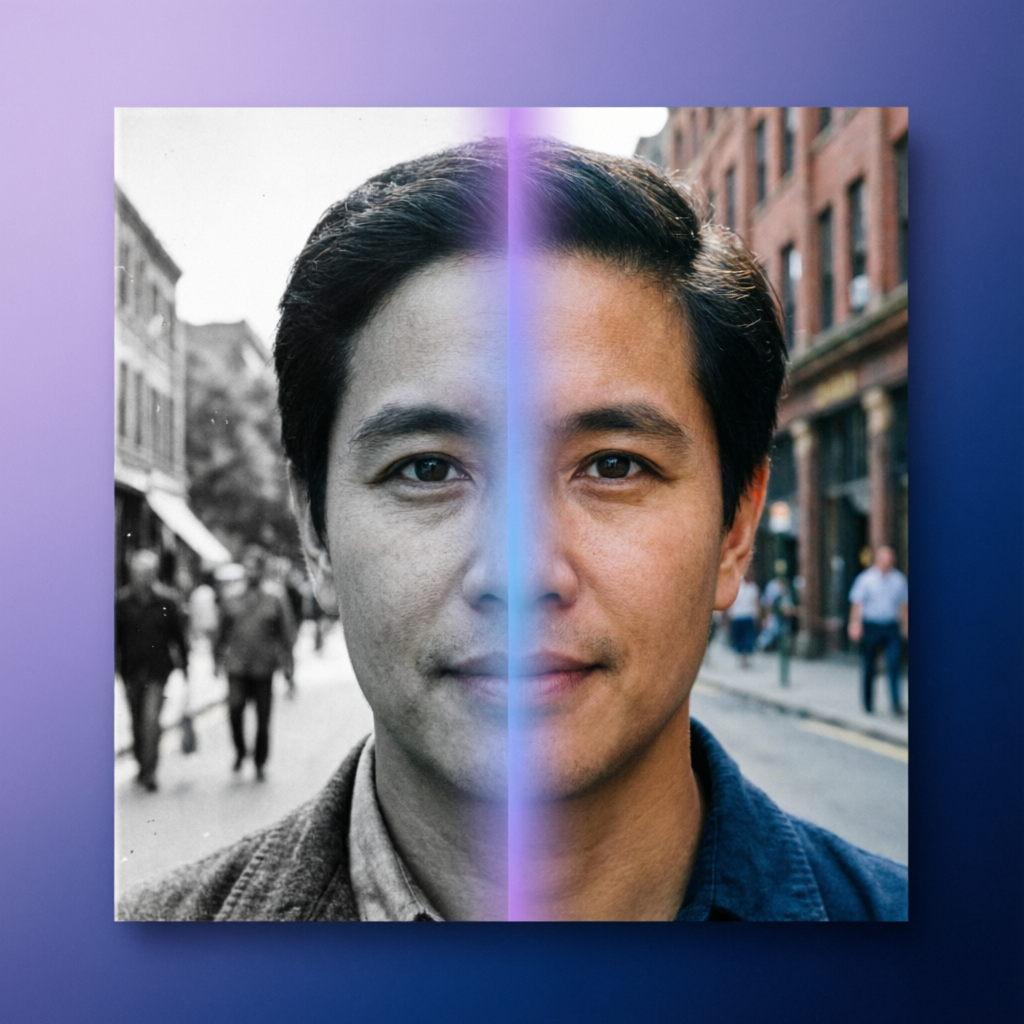
Black and white photographs hold irreplaceable memories, historical significance, and artistic value. While monochrome images have their timeless charm, modern AI colorization technology can breathe new life into these memories by intelligently predicting and applying realistic colors. This comprehensive guide explores the best AI colorization tools, techniques, and workflows for transforming grayscale images into vivid, natural-looking color photographs.
Understanding AI Image Colorization Technology
How AI Learns to Predict Colors
Modern colorization systems use deep learning models trained on millions of color images. The neural network learns:
- Object Recognition: Identifying grass, sky, skin, clothing, vehicles
- Color Patterns: Understanding natural color distributions (blue sky, green grass)
- Contextual Clues: Using surrounding elements to infer logical colors
- Texture Analysis: Matching textures to typical color palettes
Technology Comparison
| Technology | Accuracy | Speed | Use Case |
|---|---|---|---|
| CNN-based | 75-85% | Fast | General photos |
| GAN-based | 85-95% | Medium | Realistic portraits |
| Transformer-based | 90-97% | Slow | Professional restoration |
| Reference-based | 95-99% | Varies | Guided colorization |
Key Insight: No AI can achieve 100% accuracy for arbitrary photos, as the original colors are genuinely lost information. However, modern systems produce highly plausible results based on contextual understanding.
Top 10 AI Colorization Tools in 2026
1. Palette.fm - Industry Leading Colorization
Core Features:
- Automatic colorization with single-click processing
- Manual color adjustment tools for refinement
- Batch processing up to 50 images
- API for developers
Pricing:
- Free: 10 images per month (watermarked)
- Pro: $9/month for 200 images
- Business: $49/month for 2000 images + API access
Best For: Professional photographers, archivists, commercial projects
Pros:
- Highest accuracy for skin tones and natural scenes
- Excellent detail preservation
- Fast processing (under 10 seconds per image)
Cons:
- Limited free tier
- Watermarks on free version
2. DeOldify - Open Source Pioneer
Core Features:
- Free, open-source (MIT License)
- Runs locally or via web interface
- NoGAN architecture for stable results
- Video colorization support
Technical Specs:
- Model: ResNet-based generator
- Input: Any resolution (optimized for 512px)
- Output: Full resolution preservation
Best For: Developers, researchers, budget-conscious users
Pros:
- Completely free
- No upload limits
- Privacy-friendly (local processing)
Cons:
- Requires technical setup for local use
- Less accurate than commercial solutions
Setup Guide:
git clone https://github.com/jantic/DeOldify.git
cd DeOldify
pip install -r requirements.txt
python app.py
3. MyHeritage In Color - Family History Focus
Core Features:
- Integrated with family tree platform
- Specialized for portrait colorization
- Historical accuracy emphasis
- One-click sharing to family members
Pricing:
- Free: 10 colorizations per month
- Premium: $129/year (unlimited colorization + genealogy tools)
Best For: Family historians, genealogy enthusiasts
Pros:
- Excellent for vintage portraits
- Historical context awareness
- Easy sharing within family network
Cons:
- Requires account creation
- Expensive annual plan
4. Hotpot.ai Colorize - Fast Web Tool
Core Features:
- No registration required
- Instant processing (under 5 seconds)
- Side-by-side comparison view
- Mobile-friendly interface
Pricing:
- Free: Unlimited with ads
- Pro: $10/month (ad-free, priority queue)
Best For: Quick experiments, casual users
Pros:
- Zero setup friction
- Fast results
- Generous free tier
Cons:
- Lower quality than premium tools
- Ads on free version
5. Colorize.cc - Batch Processing Specialist
Core Features:
- Batch upload up to 100 images
- Queue management system
- Download all as ZIP
- Color adjustment sliders
Pricing:
- Free: 20 images per day
- Standard: $15/month for 500 images
- Pro: $50/month for 5000 images
Best For: Large photo collections, archival projects
Pros:
- Efficient batch workflow
- Reasonable pricing for volume
- Good accuracy
Cons:
- Daily limits on free tier
- No API access
6. Pixbim Colorize - Offline Desktop Tool
Core Features:
- Windows/Mac/Linux desktop application
- 100% offline processing
- Drag-and-drop interface
- Adjustable colorization intensity
Pricing:
- One-time purchase: $39.95
- No subscription required
Best For: Privacy-conscious users, offline workflows
Pros:
- Complete privacy (no cloud uploads)
- One-time payment
- Works without internet
Cons:
- Lower accuracy than cloud-based tools
- No updates after purchase
7. GIMP + Plugin - Free Desktop Solution
Core Features:
- GIMP colorization plugin
- Manual refinement tools
- Layers support for selective colorization
- Free and open source
Setup:
# Install GIMP
sudo apt install gimp

# Install Python dependencies
pip install opencv-python numpy

# Download colorization plugin
git clone https://github.com/richzhang/colorization
cp colorization.py ~/.config/GIMP/2.10/plug-ins/
Best For: Power users, manual control enthusiasts
Pros:
- Completely free
- Full manual control
- Integrates with GIMP workflow
Cons:
- Steep learning curve
- Slow processing
- Requires manual tweaking
8. ColouriseSG - Government-Backed Tool
Core Features:
- Developed by Singapore National Archives
- Specialized for historical photos (1950s-1990s)
- Free public service
- High-quality results
Best For: Historical photographs, Southeast Asian subjects
Pros:
- Free unlimited use
- Excellent for historical accuracy
- No registration required
Cons:
- Optimized for specific eras
- Less effective for modern photos
9. Photomyne - Mobile App Leader
Core Features:
- iOS and Android apps
- Photo scanning + colorization combo
- Album organization
- Cloud backup
Pricing:
- Free: 3 colorizations per month
- Premium: $4.99/month (unlimited)
Best For: Mobile users, on-the-go colorization
Pros:
- Convenient mobile workflow
- Integrated scanning
- Family sharing features
Cons:
- Subscription required for regular use
- Lower quality than desktop tools
10. Algorithmia - Developer API Platform
Core Features:
- RESTful API for colorization
- Multiple AI models to choose from
- Pay-per-use pricing
- Enterprise-grade infrastructure
Pricing:
- $0.01 per image (standard model)
- $0.05 per image (premium model)
- Free tier: 5000 credits/month
Best For: Developers, automated workflows
Pros:
- Easy integration
- Scalable infrastructure
- Multiple model options
Cons:
- Requires coding knowledge
- No manual adjustment tools
Practical Colorization Techniques
Portrait Photography Workflow
Step 1: Pre-Processing
1. Scan or digitize photo at 600 DPI minimum
2. Clean dust and scratches with healing brush
3. Adjust levels to maximize contrast
4. Crop to remove damaged edges
Step 2: Initial Colorization
- Use Palette.fm or MyHeritage for best skin tones
- Run at highest quality setting
- Save original result before adjustments
Step 3: Refinement
- Adjust skin tone warmth (if too orange or gray)
- Fix eye color (often defaults to blue)
- Correct hair color based on family knowledge
- Verify clothing colors match era (if known)
Step 4: Final Touches
- Subtle color grading for cohesive look
- Slight desaturation for vintage feel (optional)
- Sharpening to restore detail
Landscape Photography Workflow
Best Practices:
- Sky Colors: Verify blue tones are natural (avoid over-saturation)
- Vegetation: Check greens aren't too vibrant or artificial
- Water: Ensure reflections match sky colors
- Seasonal Context: Adjust colors for spring/summer/fall/winter
Common Issues:
- Purple Mountains: Often incorrectly colorized; manually adjust to blue-gray
- Yellow Grass: May indicate autumn or dry season; verify intent
- Flat Skies: Add gradient for realistic depth
Historical Photo Restoration
Research First:
- Look up original locations (flag colors, building paint)
- Check historical fashion (clothing color trends)
- Verify vehicle colors (model year-specific paints)
- Reference contemporary color photos from same era
Conservative Approach:
1. Start with 70% colorization intensity
2. Research specific elements (uniforms, logos)
3. Gradually increase saturation to match era
4. Keep some areas muted for authenticity
Video Colorization
Frame-by-Frame Consistency:
- Use tools like DeOldify for video support
- Expect 1-3 hours processing per minute of footage
- Preview sample frames before full processing
- Check for temporal flickering (color inconsistency between frames)
Recommended Tools:
- DeOldify: Free, good quality
- Runway ML: Professional, $15/month
- Topaz Video AI: Offline, $299 one-time
Common Issues and Solutions
Problem: Unnatural Skin Tones
Symptoms: Orange, gray, or red skin instead of natural beige/brown
Solutions:
- Try multiple tools (different AI models handle skin differently)
- Use portrait-specialized tools (MyHeritage, Palette.fm)
- Manual adjustment:
- Reduce saturation by 10-15%
- Shift hue slightly toward yellow (warmer) or magenta (cooler)
- Apply color correction layer in Photoshop
Problem: Oversaturated Colors
Symptoms: Colors look artificially vibrant, like cartoons
Solutions:
- Reduce global saturation by 20-30%
- Use vintage color grading presets
- Reference era-appropriate color palettes
- Apply slight desaturation to background elements
Problem: Inconsistent Object Colors
Symptoms: Blue cars, green faces, random color patches
Solutions:
- Use Reference Images: Upload similar scenes for AI guidance
- Manual Masking: Select problematic areas and recolorize separately
- Hybrid Approach: Combine results from multiple tools
- Local Adjustments: Use Photoshop/GIMP to manually correct specific regions
Problem: Loss of Detail
Symptoms: Blurry edges, lost textures after colorization
Solutions:
- Upscale image before colorization (use AI upscaling tools)
- Process at original resolution (don't resize down first)
- Apply selective sharpening after colorization
- Use detail-preserving tools (DeOldify's "Artistic" mode)
Future Trends in AI Colorization
1. Real-Time Video Colorization (2026-2027)
Expected: Live streaming black-and-white feeds colorized in real-time for film festivals and broadcasts.
2. Multi-Modal Reference Systems (2027)
Innovation: Using text descriptions ("red dress", "blue car") to guide colorization alongside visual context.
3. Historical Era Awareness (2027-2028)
Advancement: AI models trained on specific time periods (Victorian, 1920s, WWII) for period-accurate colors.
4. 3D Colorization (2028+)
Vision: Applying colors to 3D-reconstructed scenes from stereo black-and-white photos.
Choosing the Right Tool: Decision Matrix
START
│
├─ Budget: Free?
│   ├─ Yes → DeOldify (local) or Hotpot.ai (web)
│   └─ No → Continue
│
├─ Use Case: Portraits?
│   ├─ Yes → MyHeritage In Color or Palette.fm
│   └─ No → Continue
│
├─ Volume: Batch processing needed?
│   ├─ Yes → Colorize.cc or Algorithmia API
│   └─ No → Continue
│
├─ Privacy: Sensitive photos?
│   ├─ Yes → Pixbim or GIMP plugin (offline)
│   └─ No → Continue
│
├─ Platform: Mobile-only workflow?
│   ├─ Yes → Photomyne
│   └─ No → Palette.fm (best all-around)
│
└─ Developer? → Algorithmia API
Final Recommendations
- Start with free tools: Test Hotpot.ai or DeOldify to understand colorization capabilities
- Invest for quality: For important photos (family portraits, client work), use Palette.fm or MyHeritage
- Combine approaches: Use AI for initial colorization, then manually refine in Photoshop
- Preserve originals: Always keep unmodified black-and-white copies
- Manage expectations: Even best tools produce plausible colors, not guaranteed accurate ones
AI colorization has transformed from experimental technology to practical tool for photographers, historians, and anyone seeking to revitalize old memories. While no system can perfectly recreate lost color information, modern AI produces remarkably natural results that honor the original photographs while making them accessible to new generations.
Related Articles:
- AI Old Photo Restoration Guide
- AI Image Upscaling & Enhancement Complete Guide
- AI Image Style Transfer Complete Guide
Recommended External Tools:
Ready to try it yourself?
Try AImage for Free →