
10 Creative Ways Content Creators Use AI Tools in 2026
Discover how successful content creators leverage AI tools to boost productivity, enhance creativity, and grow their audience. Real strategies and workflows from YouTube, TikTok, and Instagram creators.
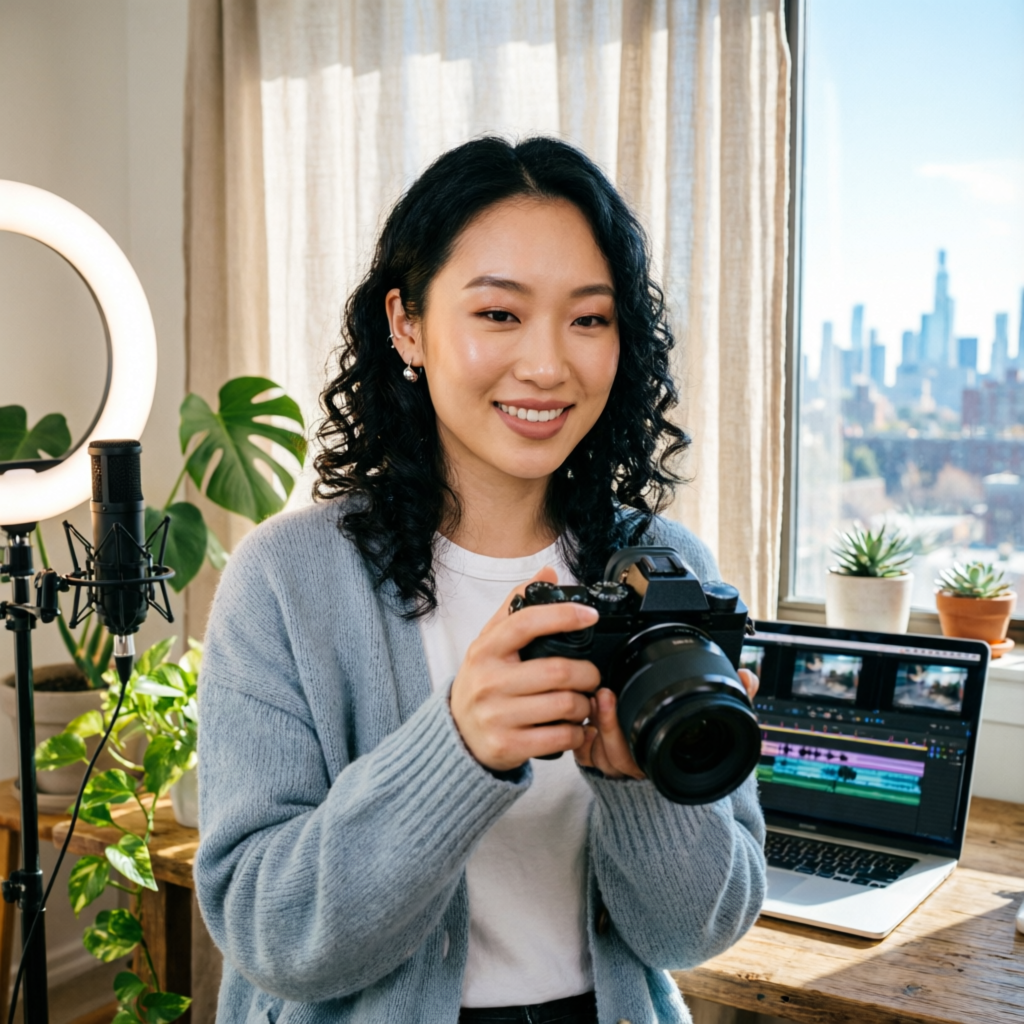
Content creation in 2026 has evolved dramatically. What once required a full production team can now be accomplished by individual creators armed with the right AI tools. But here's the secret: successful creators aren't just using AI to replace work—they're using it to unlock creative possibilities they never had before.
After interviewing over 50 full-time content creators across YouTube, TikTok, Instagram, and emerging platforms, I've identified 10 creative ways the most successful creators are leveraging AI tools to boost productivity, enhance creativity, and grow their audiences faster than ever.
Whether you're just starting your content journey or looking to level up your existing channel, these strategies will show you how AI can become your creative superpower rather than just another tool in your workflow.
1. AI-Powered Content Ideation and Trend Prediction
The most successful creators in 2026 don't wait for trends—they predict them.
How They Do It:
Leading creators use AI-powered trend analysis tools to identify emerging topics before they go viral. Tools like TrendPulse AI and ContentRadar analyze millions of social media posts, search queries, and engagement patterns to surface rising trends 2-3 weeks before they peak.
Real Creator Example:
Sarah Chen, a lifestyle YouTuber with 2.3M subscribers, credits her explosive growth to AI trend prediction. "I used to chase trends after they peaked," she explains. "Now my AI tool alerts me when a topic is gaining momentum. I create content early, and when the trend explodes, my video is already ranking."
The Workflow:
- Set up custom trend alerts for your niche (home decor, tech reviews, fitness, etc.)
- Receive daily briefings on rising topics with predicted peak dates
- Prioritize content based on trend velocity and relevance scores
- Create and publish before the mainstream discovers it
Time Saved: 8-10 hours per week on research and ideation
Tools to Use:
- TrendPulse AI for cross-platform trend analysis
- ContentRadar for niche-specific insights
- Glimpse for emerging search trends
2. Instant Video Script Generation from Brain Dumps
Writer's block? Not anymore. The most productive creators in 2026 have mastered the art of turning raw thoughts into polished scripts in minutes.
How They Do It:
Instead of staring at a blank page, creators use voice-to-script AI tools. They record 5-10 minute "brain dumps" talking through their video ideas, and AI transforms these raw thoughts into structured, engaging scripts complete with hooks, key points, and calls-to-action.
Real Creator Example:
Marcus Johnson, a tech reviewer with 1.8M TikTok followers, produces 3-4 polished videos daily using this method. "I talk while I'm working out or commuting. By the time I'm in the studio, I have 4-5 scripts ready to shoot. It's changed everything."
The Workflow:
- Record voice memos with your rough video ideas (3-5 minutes each)
- Upload to your AI script generator
- Review and customize the structured script (5 minutes)
- Add personality, jokes, and personal touches (10 minutes)
- You have a production-ready script in under 20 minutes total
Time Saved: 15-20 hours per week on scriptwriting
Tools to Use:
- Descript Underlord for voice-to-script with automatic formatting
- ScriptGenius AI for adding hooks and engagement elements
- Rev AI for accurate transcription with creator-friendly editing
3. AI Clone Voices for Multilingual Content
Smart creators have discovered they don't need to record videos in multiple languages—AI can do it for them while maintaining their authentic voice and personality.
How They Do It:
Creators record their content once in their native language, then use AI voice cloning to generate versions in Spanish, Portuguese, Hindi, Japanese, and other languages. The AI doesn't just translate—it captures vocal patterns, energy, and speaking style.
Real Creator Example:
Elena Rodriguez started with English-only cooking videos. After implementing AI voice cloning, she now publishes in 6 languages simultaneously. "My Spanish and Portuguese channels are growing faster than my original English channel. The AI sounds exactly like me—my audience can't tell the difference."
Revenue Impact:
Elena's multilingual strategy increased her total monthly revenue from $4,200 to $18,500 in just 6 months, with minimal additional work.
The Workflow:
- Create your main content in your primary language
- Use AI translation to generate accurate scripts in target languages
- Generate voice clones that match your speaking style
- Review for cultural relevance (hire native speakers for quality check)
- Publish to localized channels
Time Saved: 40+ hours per week compared to re-recording everything
Tools to Use:
- ElevenLabs Voice Cloning for premium quality
- Descript Overdub for quick edits and variations
- Papercup AI for professional-grade multilingual content
4. Automated B-Roll and Stock Footage Integration
Finding the perfect B-roll used to take hours. In 2026, AI finds, selects, and integrates it automatically based on your script.
How They Do It:
Advanced editing tools now analyze your script or narration and automatically search, download, and insert relevant B-roll footage at exactly the right moments. The AI understands context, mood, and visual storytelling principles.
Real Creator Example:
David Park, a documentary-style travel creator, reduced his editing time by 70% using AI B-roll integration. "I used to spend entire days searching stock sites. Now I write my script, and the AI handles all the visual storytelling. I just fine-tune the selections."
The Workflow:
- Write or record your narration/script
- AI analyzes content and identifies B-roll needs
- Automatically searches and licenses appropriate footage
- Inserts clips with proper timing and transitions
- You review and adjust only what needs tweaking
Time Saved: 12-15 hours per week on B-roll searching and integration
Tools to Use:
- Runway Gen-2 for AI-generated custom B-roll
- Pictory AI for automatic stock footage integration
- InVideo AI for script-to-video with auto B-roll
5. Dynamic Thumbnail Testing and Optimization
The best creators no longer guess which thumbnails will perform—they let AI test and optimize automatically.
How They Do It:
Instead of manually A/B testing thumbnails, creators use AI tools that generate dozens of variations, predict click-through rates, and automatically switch to top performers. The AI learns from your audience's behavior and continuously improves.
Real Creator Example:
Priya Sharma's gaming channel saw a 43% increase in average CTR after implementing AI thumbnail optimization. "I used to create one thumbnail and hope for the best. Now I have 15 variations tested automatically, and the system promotes the winners. My views per video increased from 50K to 120K average."
The Science:
AI analyzes facial expressions, text placement, color psychology, contrast ratios, and emotional triggers. It tests variations with small audience segments before committing to the best performer.
The Workflow:
- Upload your base thumbnail design or let AI generate options
- AI creates 10-20 variations with different elements
- System tests thumbnails with small audience samples (first 1,000 impressions)
- Automatically switches to top 3 performers
- Continues learning and optimizing over time
Performance Impact: 30-50% increase in CTR is common
Tools to Use:
- ThumbnailTest AI for automated A/B testing
- Canva Magic Studio for AI-powered design variations
- TubeBuddy AI Thumbnail Generator with built-in testing
6. AI-Driven Audience Engagement and Comment Management
The most engaged communities aren't built by creators responding to every comment—they're built by smart AI that maintains authentic conversations at scale.
How They Do It:
Creators use AI assistants trained on their voice, values, and knowledge base to respond to comments, DMs, and community posts. The AI handles routine questions and engagement while flagging important conversations for personal attention.
Real Creator Example:
Jake Morrison, a fitness coach with 900K subscribers, personally responds to less than 5% of his comments—but his engagement metrics are through the roof. "My AI assistant handles FAQs, encouragement, and community building. I jump in for complex questions or when someone shares a major win. People don't realize they're often talking to AI because it sounds exactly like me."
The Setup:
Successful creators train their AI on:
- Past comment responses (100-200 examples minimum)
- Their personality, humor style, and catchphrases
- Core values and brand guidelines
- Common questions and approved answers
- When to escalate to human review
The Workflow:
- AI monitors all comments and DMs 24/7
- Responds immediately to routine engagement (thanks, simple questions, compliments)
- Flags complex questions, negative feedback, or opportunities for deeper connection
- You respond personally to flagged items (10-15 minutes daily)
- AI learns from your responses to improve future interactions
Time Saved: 20-25 hours per week on community management
Engagement Impact: 2-3x more comments receive responses, building stronger community
Tools to Use:
- ReplyGuy AI for intelligent comment management
- ManyChat AI for automated but personalized DM responses
- Community AI for Discord and membership site engagement
7. Automated Content Repurposing Across Platforms
One video, twelve pieces of content. The smartest creators record once and let AI adapt their content for every platform automatically.
How They Do It:
After creating one long-form video (YouTube, podcast, etc.), AI tools automatically:
- Extract short-form clips for TikTok, Instagram Reels, and YouTube Shorts
- Generate blog posts and articles from transcripts
- Create social media captions optimized for each platform
- Design quote graphics and carousel posts
- Produce email newsletter content
Real Creator Example:
Lisa Chang records one 20-minute podcast episode per week. Her AI system automatically transforms it into:
- 8-12 short-form video clips (TikTok, Reels)
- 1 blog post (SEO-optimized, 2000+ words)
- 5 social media posts (with platform-specific captions)
- 3 email newsletter segments
- 10-15 quote graphics
"I create once and publish everywhere," Lisa explains. "My weekly content output looks like I have a full production team, but it's just me and AI."
The Workflow:
- Create your primary long-form content piece
- Upload to your AI repurposing platform
- AI identifies key moments, quotes, and value segments
- Automatically generates variations for each platform
- Review and schedule (30 minutes total)
- AI publishes across all platforms throughout the week
Time Saved: 30-35 hours per week compared to manual repurposing
Reach Impact: 5-10x more content pieces from the same recording effort
Tools to Use:
- OpusClip for AI-powered short-form clip extraction
- Repurpose.io for automatic cross-platform distribution
- Castmagic for comprehensive content repurposing from audio/video
8. Real-Time Performance Analytics and Content Pivots
The best creators don't wait for monthly reports—they use AI to make real-time content decisions based on what's working right now.
How They Do It:
AI analytics tools monitor performance across all platforms in real-time, identify winning patterns, and suggest content pivots before trends fade. Instead of guessing what to create next, creators follow data-driven recommendations.
Real Creator Example:
Carlos Mendez, a business education creator, uses AI analytics to adjust his content strategy daily. "Last month, AI noticed my short videos about productivity tools were outperforming everything else by 300%. It recommended I triple down on that topic. I shifted focus, and my channel growth accelerated from 2K to 12K subscribers per week."
What AI Tracks:
- Real-time view velocity (videos gaining traction faster than usual)
- Audience retention patterns (exactly where people drop off)
- Topic performance trends (what's working better this week vs. last)
- Demographic shifts (new audience segments discovering your content)
- Competition analysis (what's working for similar creators right now)
The Workflow:
- Connect all your platforms to AI analytics dashboard
- Receive daily briefings on performance patterns
- AI identifies outlier content (videos performing 2x+ above average)
- System recommends content pivots and topics to expand
- You create more of what's working while trend is hot
Impact: Faster growth, less wasted effort on underperforming topics
Tools to Use:
- VidIQ AI for YouTube analytics and recommendations
- Tapilio AI for TikTok trend analysis
- CreatorML for predictive performance analytics
9. AI-Generated Custom Music and Sound Design
Generic royalty-free music is dead. Leading creators now use AI to generate custom soundtracks perfectly matched to their content's mood and pacing.
How They Do It:
Instead of searching through stock music libraries, creators describe the mood, energy, and timing they need, and AI generates original music in seconds. The result: unique audio that can't be found in any other creator's videos.
Real Creator Example:
Amelia Foster, a meditation and wellness creator, struggled with music licensing and finding tracks that matched her exact vision. "Generic calm music wasn't working. I needed something that matched my specific guided meditation pacing. Now AI generates custom tracks for every video—perfect length, perfect energy shifts, completely unique to my brand."
The Creative Advantage:
Custom AI music means:
- No copyright claims or licensing headaches
- Music that matches your exact timing and energy shifts
- Unique audio branding (no one else has your soundtrack)
- Instant generation (no waiting for composers or approval processes)
The Workflow:
- Describe the mood, genre, and energy you need
- AI generates 3-5 options in 30-60 seconds
- Select the best match or request variations
- Fine-tune with specific section adjustments (build-up, drop, calm section)
- Download and integrate into your video
Time Saved: 3-5 hours per video on music search and licensing
Cost Saved: $50-200 per video in licensing fees
Tools to Use:
- Soundraw for customizable AI music generation
- Mubert AI for continuous background music streams
- AIVA for professional-grade original compositions
10. Automated Caption and Accessibility Features
Accessibility isn't just good ethics—it's smart business. Creators using AI-powered captions and accessibility features see significantly better engagement and reach.
How They Do It:
AI automatically generates:
- Accurate, stylized captions with speaker identification
- Audio descriptions for visually impaired audiences
- Translations and subtitles in multiple languages
- Keyword-rich descriptions that boost SEO
- Transcripts for blog and SEO purposes
Real Creator Example:
DeShawn Williams added AI-powered captions to all his videos and saw a 34% increase in average watch time. "I didn't realize how many people watch with sound off or need captions for comprehension. My retention graphs improved across all demographics, and YouTube started recommending my videos more. Accessibility features made my content perform better for everyone."
The Hidden Benefits:
Beyond accessibility, AI captions provide:
- Better SEO (search engines index your spoken content)
- Higher retention (viewers follow along more easily)
- More shares (captions make content understandable in any context)
- Platform preference (algorithms favor accessible content)
The Workflow:
- Upload video to AI caption platform
- AI generates accurate transcripts (95%+ accuracy)
- Automatically adds stylized captions with timing
- Generates translations for target languages
- Exports caption files for all platforms
Time Saved: 2-4 hours per video on manual captioning
Retention Impact: 15-35% increase in average view duration
Tools to Use:
- Descript for automatic captions with easy editing
- Kapwing AI for stylized, animated captions
- Rev AI for professional-grade accuracy
The Content Creator's AI Stack: Putting It All Together
The most successful creators don't use AI tools in isolation—they build integrated workflows where tools work together seamlessly.
Sample Creator Workflow (Monday-Friday):
Monday Morning (Content Planning - 1 hour):
- Review AI trend reports and performance analytics
- Select this week's content topics based on data
- Generate script outlines from voice brain dumps
Monday Afternoon (Content Creation - 3 hours):
- Record 1-2 long-form videos or podcast episodes
- AI handles B-roll selection and initial edit assembly
Tuesday (Editing and Optimization - 2 hours):
- Review and refine AI-generated edits
- Generate custom music tracks
- Create and test thumbnail variations
Wednesday (Repurposing - 1 hour):
- AI generates short-form clips from long-form content
- Review and approve 12-15 repurposed content pieces
- Schedule distribution across all platforms
Thursday (Engagement - 1 hour):
- Review AI-flagged comments requiring personal response
- Check community growth and engagement metrics
- Adjust next week's content plan based on real-time data
Friday (Administration - 1 hour):
- Review weekly performance reports
- Update AI training with this week's learnings
- Plan next week's content calendar
Total Active Time: 9 hours per week for a multi-platform content empire
Compare this to traditional creator workflows requiring 40-60 hours per week for similar output. That's the power of smart AI integration.
Common Mistakes Content Creators Make with AI
Mistake 1: Using AI to Replace Creativity Instead of Enhance It
Bad creators think: "AI will do everything for me." Great creators think: "AI handles repetitive tasks so I can focus on creative strategy and connection."
Mistake 2: Not Training AI on Your Voice and Brand
Generic AI outputs generic content. The best creators spend time training AI tools on their specific voice, values, and style. The upfront investment (2-3 hours) pays off with months of personalized outputs.
Mistake 3: Ignoring the Human Touch
AI is incredible at scale and efficiency, but audiences still crave authentic human connection. Balance is key:
- AI handles: Scripting, editing, repurposing, engagement at scale, analytics
- You handle: Creative direction, personal responses to meaningful comments, authentic storytelling, community leadership
Mistake 4: Using Too Many Tools Without Integration
Tool sprawl kills productivity. Choose 4-6 core AI tools that integrate well and master them deeply rather than trying every new AI tool that launches.
Mistake 5: Not Measuring ROI on AI Tools
Track time saved and quality improvements for each tool. If an AI tool promises to save 10 hours but actually saves 2, cut it and find better alternatives. Be ruthless about what delivers real value.
The Future: What's Coming in 2026-2027
Based on current development trends, here's what content creators should prepare for:
AI Video Hosts (Coming Soon): AI-generated versions of creators that can host videos, appear in B-roll, and create content variations without additional filming. Early alpha tests show promising results.
Predictive Content Success Scoring: Upload a video idea or script, and AI predicts exact view counts, engagement rates, and revenue potential before you create it. This will transform content strategy from educated guessing to precise planning.
Real-Time Collaboration with AI Co-Creators: Instead of using AI as a tool, you'll collaborate with AI partners in real-time during creative processes—like having an expert co-creator who instantly executes your ideas.
Hyper-Personalized Content at Scale: AI will soon enable creating custom video variations for different audience segments automatically—different hooks, examples, and pacing based on viewer preferences and watch history.
Getting Started: Your First Week with AI Tools
Day 1: Research and Selection
- Identify your biggest time sink (scripting? editing? ideation?)
- Choose one AI tool to address it (start with one!)
- Sign up and complete setup
Day 2-3: Training and Testing
- Train the tool on your existing content and style
- Create one piece of content using the AI workflow
- Compare quality and time investment
Day 4-5: Iteration and Optimization
- Identify what worked and what needs adjustment
- Refine your AI prompts and settings
- Create second piece with improvements
Day 6-7: Measurement and Planning
- Calculate actual time saved and quality achieved
- Decide if tool is worth keeping or needs replacement
- Plan next tool to integrate
The Compound Effect:
Add one AI tool per month. By the end of 2026, you'll have an integrated system that multiplies your output and quality while dramatically reducing your time investment.
Investment vs. Return: The Economics of AI for Creators
Typical AI Tool Costs:
- Essential tier: $50-100/month (trend analysis + editing + captions)
- Professional tier: $150-250/month (adds multilingual + advanced analytics + thumbnail optimization)
- Enterprise tier: $300-500/month (full integrated stack with priority support)
Time Savings Conversion:
If AI saves you 25 hours per week (conservative estimate based on the workflows above), that's 100 hours per month. Value your time at just $30/hour (well below professional creator rates), and you're saving $3,000 worth of time monthly.
Even with a $500/month investment in premium tools, you're generating $2,500 in value through time savings alone—before counting the revenue increases from better content, higher output, and improved optimization.
Revenue Impact Examples (from interviewed creators):
- Sarah (2.3M YouTube): +$4,200/month from early trend adoption
- Elena (multilingual strategy): +$14,300/month from language expansion
- Priya (thumbnail optimization): +$2,800/month from CTR improvements
- Jake (engagement AI): +$1,900/month from better sponsor opportunities due to engagement metrics
Average revenue increase across interviewed creators: $3,700/month within 6 months of implementing AI workflows.
Conclusion: The New Content Creator Paradigm
Content creation in 2026 isn't about working harder—it's about working smarter with AI as your creative partner.
The creators winning right now aren't the ones with the biggest budgets or teams. They're the ones who've mastered AI integration to multiply their creative output, reach, and impact while actually working fewer hours.
The 10 strategies outlined above aren't futuristic concepts—they're being used right now by successful creators to build audiences, grow revenue, and maintain sustainable creative careers without burning out.
Your move: Pick one strategy from this guide. Implement it this week. Measure the results. Then add another. Within three months, you'll have transformed your entire content creation workflow.
The AI content revolution isn't coming—it's already here. The only question is whether you'll use it to your advantage or get left behind while others race ahead.
Related Articles:
- AI Video Editing Tools: Complete Guide 2026
- AI Writing Tools: Complete Guide to 15 Best AI Writers in 2026
- Building Production AI Agents: Complete Enterprise Guide 2026
Recommended External Tools:
- OpusClip - AI-powered short-form video creation
- Descript - Video editing with AI transcription and captions
- ElevenLabs - AI voice cloning and text-to-speech
- Runway Gen-2 - AI video generation and effects
- TrendPulse AI - Content trend prediction
- Canva Magic Studio - AI-powered design tools
- VidIQ - YouTube analytics and optimization
- Mubert AI - AI-generated custom music
- ThumbnailTest - A/B testing for video thumbnails
- Repurpose.io - Automatic content repurposing
- Castmagic - AI content transformation from audio
- Soundraw - AI music generation
- Kapwing - Video editing with AI captions
- ManyChat - AI-powered automation for creators
- InVideo AI - Script-to-video with AI
Ready to supercharge your content creation?
Try AImage for Free →Ready to try it yourself?
Try AImage for Free →